


Free Online WhatsApp QR Code Generator with a First Message
Scanning opens a WhatsApp chat addressed to you with an opening message ready to send, even if the person has never saved your number. The page builds the wa.me link in the strict digits-only form WhatsApp requires, so the number is never rejected. Nothing is uploaded.
Opens a WhatsApp chat with you, with the first message already typed. Works even if the number is not saved in their contacts.
Need more than one kind of code? The all in one generator has all twelve types on a single page, and keeps your colours, logo and frame when you switch between them.
Scanners read contrast, not colour. Keep dark dots on a light background, because reversing it stops many phones from scanning.
Finish
Gradient and frame, for posters and table tents.Enjoying WizTools123? Help keep our server infrastructure 100% free and open for everyone.
Why Free QR Codes Expire, And Why These Do Not
The one thing worth understanding before you print anything.
| Static (this tool) | Dynamic (most free sites) | |
|---|---|---|
| What is inside the code | Your actual data | A short link to their server |
| If the company shuts down | Still works | Every printed code stops working |
| If they start charging | Nothing changes | The code can be switched off |
| Change the destination later | No, print a new one | Yes, this is the real advantage |
| Who sees who scanned it | Nobody | They do, with scan tracking |
| Works with no internet | For WiFi, vCard, text yes | Never, the link must resolve |
So the honest summary is this. If you need to change where a code points after it has been printed, or you need to count scans, you want a dynamic code and you should accept that it depends on a company staying in business. For everything else, which is most posters, menus, business cards, WiFi signs and product labels, a static code is the safer choice, because there is nothing in the middle that can fail.
How to Make a WhatsApp QR Code
Four steps from blank form to print-ready file.
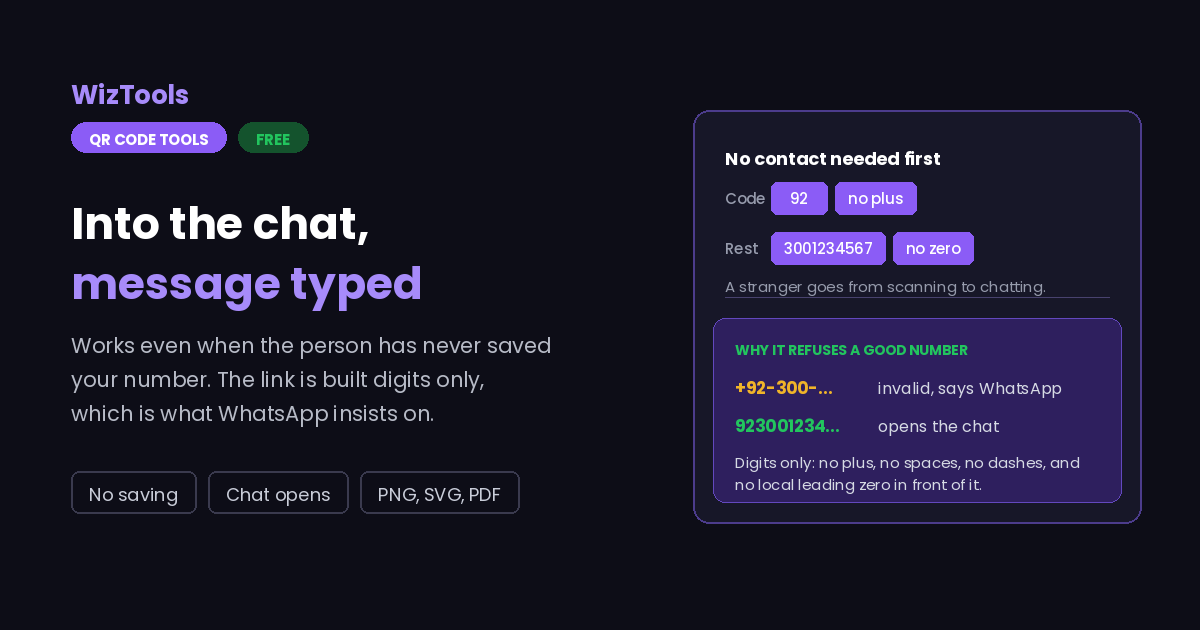
It is a separate field on purpose, because this is where the mistakes happen. Type 92, or 1, or 44, with or without the plus; the plus is removed for you when the link is built, because WhatsApp will not accept it.
Give the national number only, without the leading zero used for local dialling. 0300 1234567 becomes 3001234567 with 92 in the country code box. A leading zero is the single most common reason WhatsApp says the number is invalid.
Something that tells you where the person scanned from, like "Hi, I saw your menu card", is worth more than a plain hello. They can edit it before sending, so keep it short and let them add their own question.
Look at the payload line under the preview: it should read wa.me followed by digits only. Scan the finished file with a phone that has never saved your number, which is the only honest test of this type.
Key Features & Capabilities
Designed for speed, privacy, and precision.
Opens the chat even if the person has never had your number in their phone.
Plus, spaces, dashes and the leading zero removed, which is what WhatsApp needs.
An opener they can edit, so you learn where the scan came from.
The same design controls as the full generator, gradients and frames included.
PNG for screens, SVG for presses, PDF laid out ready to hand over.
The number is encoded in your browser. It is not stored or sent anywhere.
Why WhatsApp Says a Perfectly Good Number Is Invalid
The link format is strict, and most tools get it wrong.
wa.me/923001234567. A plus, a space, a dash or brackets anywhere in it and WhatsApp answers that the number shared via URL is invalid, which sounds like a problem with the number and is really a problem with the formatting. This page strips all of it before building the link.
wa.me/9203001234567 fails; wa.me/923001234567 works. This is why the country code gets a box of its own here.
About the WhatsApp QR Code Generator
A WhatsApp QR code is a link code wearing a specialist hat. What it holds is an ordinary wa.me address, so any phone camera reads it without WhatsApp being involved, and the phone then hands it to WhatsApp, which opens a chat with you and drops in your opening message. For shops, restaurants, service businesses and anyone taking orders over chat, it is the shortest path from a printed sign to a conversation.
Its advantage over a plain phone number is that the other person does not need to save you first. WhatsApp normally insists on a contact before you can send a message, and a wa.me link bypasses that completely. Someone scanning a card in a hotel lobby goes straight to typing, with nothing added to their address book and no risk of them abandoning the task halfway.
The catch is that the link format is unforgiving, and this is where most generators fail. It takes digits only: country code, then the national number with its leading zero removed, and no plus, space, bracket or dash anywhere. Anything else produces a message saying the number shared via URL is invalid, which reads like a fault with the number when it is a fault with the punctuation. That is why the country code has its own field here and why the finished link is printed under the preview for you to check.
Keep the first message to a line. It travels inside the link, percent encoded, so a long opener makes a measurably denser pattern and costs you scanning distance on anything printed. A short line that tells you where the scan happened is worth more than a paragraph nobody reads before deleting.
Frequently Asked Questions
Everything you need to know about the QR Code Generator.
Related Tools
Every Other QR Code Tool
15 more tools in this set. All free, all in your browser.