Free Online Cron Expression Parser, Plain English and Next Run Times
Read a cron line without guessing. Paste an expression and get it in plain English, with the next several run times worked out in UTC. It handles ranges, steps, lists and names, the shortcut macros like at-daily, and the six-field form with seconds. It also gets the OR rule between the day fields right.
Free Forever Nothing Uploaded Plain English Next Run Times
Share this tool
Advertisement Slot (Top Banner)Google AdSense Unit • Responsive Banner
Cron Expression Parser Everything happens in this tab. Nothing you paste is sent anywhere.
Expression
Try one
In plain English
Field
You wrote
Next six runs (UTC)
Type an expression above.
Times are UTC. Your cron daemon uses its own server timezone, which may not be UTC.
Buy Us A Coffee
Enjoying WizTools123? Help keep our server infrastructure
100% free and open for everyone.
A cron line has both a day-of-month field and a day-of-week field. When you restrict both, the
natural assumption is that the job runs only when both are true, like "the 13th, but only if it
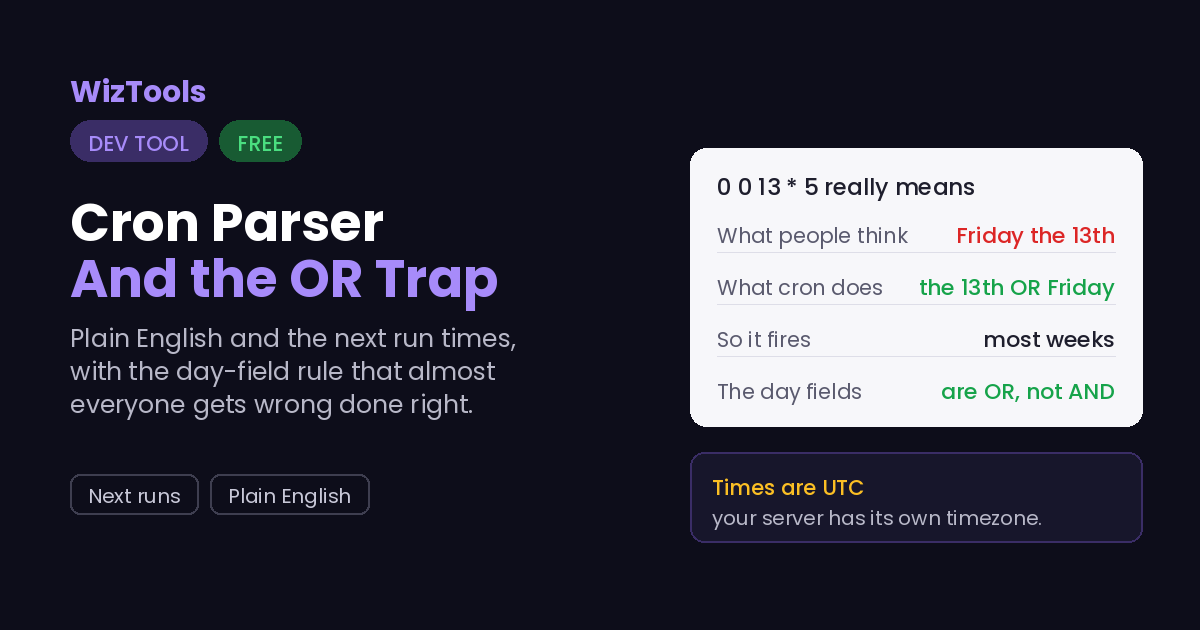
is a Friday". Cron does the opposite: it runs when either is true. So
0 0 13 * 5 runs on every 13th and on every Friday, which is most
weeks, not the rare Friday the 13th.
This trips up experienced people, so the parser here follows the real OR rule and the run
times reflect it. If you actually want "only on Friday the 13th", cron cannot express it
in one line; you check the day inside the job instead. Watching the next-run list is the
fastest way to catch this: if a schedule you thought was rare is firing every week, this is
almost always why.
The times shown are UTC, and your server almost certainly is not. A cron daemon runs
in the server\'s timezone, so a line that says 0 9 * * * fires at
9am wherever that server thinks it is. This tool works in UTC because it has no way to know your
server\'s zone, so treat the run times as the pattern rather than the exact wall-clock moments,
and add your own offset.
It reads the common extras: ranges, steps, lists, names and the macros.1-5 is a range, */15 is a step,
1,15 is a list, MON and
JAN are names, and @daily is a macro.
It also accepts the six-field form with seconds at the front, which some systems use. What it
does not do is the non-standard extras like L for last day or
W for weekday, which only some cron implementations support.
Where Your Input Goes
Nowhere. And you can check that yourself.
Reading a cron line is all arithmetic done in your browser, with nothing sent anywhere.
It is all done by your own browser. Press F12, open the Network tab, and use the tool:
the page fetches its own code and nothing else. Or load the page, turn off your wifi, and
carry on. It still runs, because there was never a server in the middle.
How to Read a Cron Expression
A few steps, and nothing is uploaded.
1
Paste a cron expressionThe five-field kind, or six with seconds. Or click one of the examples to start.
2
Read it in plain EnglishAlong with a breakdown of what you wrote in each field.
3
Check the next runsThe next six times it will fire, in UTC, so you can confirm it does what you meant.
4
Watch for the OR trapIf a schedule you thought was rare fires every week, the day fields are the reason.
What to Know About Cron
Including the things this tool cannot do.
When both day fields are restricted, cron runs when either is true, not both. This is the rule almost everyone gets wrong. The line for "the 13th and a Friday" actually fires on every 13th and every Friday. Cron cannot express "only Friday the 13th" in one line; you check that inside the job. The next-run list here makes the mistake visible immediately.
The run times are UTC, and your cron daemon uses its server timezone instead. A line that says 9am fires at 9am in whatever zone the server runs in. This tool cannot know that zone, so it works in UTC and you add your own offset. Treat the times as confirmation of the pattern, not as the exact wall-clock moments the job will run.
It handles the standard syntax and the common macros, but not the vendor extras. Ranges, steps, lists, month and weekday names, and the @daily style macros all work, as does the six-field form with seconds. The non-standard additions that only some implementations support, like L for the last day of the month or W for the nearest weekday, are not parsed, because they mean different things in different cron flavours.
A schedule that never runs usually means an impossible date. If the next-run list is empty, the day and month fields together describe something that cannot happen, like the 30th of February or the 31st of a 30-day month. Cron simply never fires it. The tool says so rather than leaving you wondering why nothing appeared.
Key Features & Capabilities
What this tool does, and what it deliberately does not.
Plain EnglishThe whole expression described in a sentence, with a field breakdown.
Next run timesThe next six times it fires, in UTC, so you can confirm the schedule.
The OR rule, rightThe day-of-month or day-of-week behaviour that most tools and people get wrong.
Ranges, steps, macrosRanges, steps, lists, names, @daily-style macros and the six-field form.
As you typeThe description and runs update while you edit.
Runs in your browserNo account, no upload, works offline once loaded.
About the Cron Expression Parser
A cron expression is five fields of numbers and asterisks that decide when a job runs, and it is famously hard to read back. Nobody looks at 0 9 * * 1-5 and instantly sees "9am on weekdays" without counting, and a small mistake means a job that runs at the wrong time or, worse, far more often than intended.
This turns the line into a plain sentence and, more usefully, shows the next several times it will actually fire. Seeing the real run times is how you catch the errors that a description alone hides, and it is the fastest way to confirm that the schedule you wrote is the schedule you meant. It reads ranges, steps, lists, month and weekday names and the shortcut macros, plus the six-field form with seconds.
The single most valuable thing it does is get the day rule right. When both the day-of-month and day-of-week fields are set, cron runs when either matches, not both, which is the opposite of what most people expect and the cause of countless jobs firing too often. The parser here follows the real behaviour, so the run times tell you the truth rather than the comfortable assumption.
Frequently Asked Questions
The OR trap, the timezone, and which special characters are supported.
Because the two day fields are combined with OR, not AND. The line 0 0 13 * 5 fires on every 13th and on every Friday. Cron cannot say "only Friday the 13th" in one expression; you schedule it for the 13th and check the weekday inside the job, or the other way round.
No, they are UTC. A cron daemon runs in its server's timezone, which this tool has no way to know, so it uses UTC. Add your server's offset to read the real wall-clock times. The pattern of the schedule is correct regardless of zone.
No. It handles the standard syntax, the ranges, steps, lists and names, and the @daily-style macros, plus the six-field form with seconds. The extras like L for the last day or # for the nth weekday are non-standard and mean different things in different cron implementations, so they are left out rather than guessed at.
Because the schedule can never happen. The day and month fields together describe an impossible date, like the 30th of February. Cron never fires it, and the tool tells you so. Check that the day of month you asked for exists in the month you asked for.
No. The parsing and the run-time calculation are done in your browser. There is no server and no account, and it works offline once the page has loaded.