
WizTools123
WizTools123
Free Online Tools

Tool Categories


Video Tools New Tool

Free Online Video to PNG Converter, Lossless Frames Kept Exactly

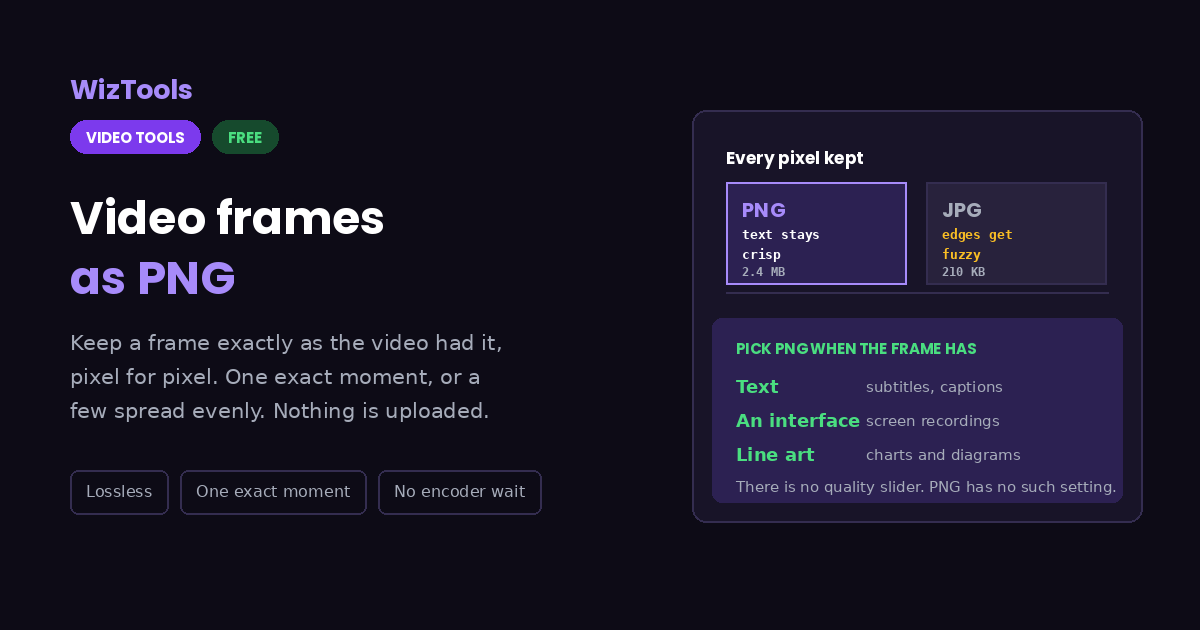
Save frames from a video as PNG files in which every pixel is exactly what the video showed. That is the format to use when the frame contains text, an interface or line art, because JPG leaves a faint mess around every hard edge that no later edit removes.
Free Forever Nothing Uploaded Pixel for Pixel One Exact Moment
Free Online Video to PNG Converter, Lossless Frames Kept Exactly
Share this tool
Advertisement Slot (Top Banner) Google AdSense Unit • Responsive Banner
Save video frames as PNG Drag your video here to keep frames as lossless PNG files, pixel for pixel. No encoder is downloaded and nothing is uploaded. Select a Video MP4, MOV, WebM, MKV, AVI and more • best under 300 MB • nothing is uploaded
0:00.000 / 0:00
Which frames to keep
spread evenly
PNG files are several times larger than JPG, so the ceiling here is lower on purpose.
A single moment, written as 12, 1:05 or 00:01:05.500.
Picture width

Output
.png

Your PNG frames

These files only exist in this tab. Save the ones you want before you close the page, because there is no copy of them anywhere else.

Buy Us A Coffee

Enjoying WizTools123? Help keep our server infrastructure 100% free and open for everyone.

Buy Us A Coffee
Sponsored Content (Below Tool) Google AdSense Placement

How to Save a Video Frame as PNG

Drop it, pick the moment or a count, download.

1
Drop your video in It opens from your own disk and plays in the page. No encoder is fetched, so there is nothing to wait for.
2
Pick a moment, or a count Type a time to get exactly one picture from that instant. Leave it empty and the count above is used, spread evenly across the whole video.
3
Choose a width if you need one Same gives you the video resolution unchanged. Narrower is worth it when the pictures are going somewhere with a size limit.
4
Save them Each frame comes out as a PNG with every pixel intact, which is what makes them safe to crop, annotate or composite afterwards.
5
Download One button per picture, and a zip button when there is more than one.

When PNG Is the Right Answer

Including the things this tool cannot do.

PNG keeps every pixel exactly as the video had it. Nothing is approximated and nothing is thrown away, which is why it is the right format for screen recordings, subtitles, interfaces and anything you will edit again afterwards.
The files are several times larger than JPG. A single 1080p frame can be two or three megabytes where the JPG would be two hundred kilobytes. That is the whole trade, and it is why the limit here is a hundred and twenty pictures rather than three hundred.
There is no quality slider, because PNG has no such setting. It is lossless or nothing. If you want to choose how much detail to trade for size, JPG is the format that offers that choice.
Video has no transparency, so neither will these. PNG can store an alpha channel, but the frames coming out of a normal video file are fully opaque. Nothing here can invent a cut out background.
The work happens on your own machine. Your video is opened by this page, not sent anywhere. That is why there is no upload bar, no queue and no waiting for a server. It is also why a big file leans on your own processor: nothing is being done for you somewhere else.
The first run downloads the engine, later runs do not. Video work needs a real encoder, and that is a thirty megabyte download the first time you press the button. Your browser keeps it, so the second video starts straight away.
Leave the tab open. All of the work is in this page, so closing it or navigating away stops the job halfway. On a phone, switching apps can do the same thing, because the system is allowed to pause a background tab.

Key Features & Capabilities

What this tool does, and what it deliberately does not.

Pixel for pixel, no loss Nothing is approximated. What the video showed is exactly what the file contains.
One exact moment Type a timecode and get that single frame, rather than hunting through a batch for the one you wanted.
Nothing to download first No encoder is fetched, so this works immediately and runs comfortably on a phone.
Or an even spread Leave the time empty and ask for a number instead, taken evenly across the whole video.
Your file stays with you Read from your disk, written in the page, never uploaded anywhere.
No transparent backgrounds Video frames are opaque. PNG can hold transparency but there is none in the source to keep.

About the Video to PNG Converter

There are two reasons people take a frame out of a video, and they want different file formats. One is coverage: a lot of pictures, quickly, to see what happens across a recording. The other is precision: one particular frame, kept exactly as it was, because it is going into a document, a bug report, a design or another edit. This page is built for the second.

PNG is lossless, which means every pixel in the file is the pixel the video had. That matters far more than people expect. JPG compression works by discarding detail the eye is unlikely to miss, and it is very good at that on photographs. On text, on interface screenshots, on anything with hard edges, it leaves a faint mess around every line, and once it is there no amount of editing removes it.

The cost is size. The same frame that JPG stores in two hundred kilobytes can take two or three megabytes as a PNG. That is why the ceiling here is a hundred and twenty pictures rather than three hundred, and why there is no quality slider: PNG has no such setting, because there is nothing to trade.

Like the other frame tools here, this one never downloads a video encoder. Your browser can already play the file, so it is paused at the moment you asked for and the frame is copied onto a canvas. That makes it immediate, keeps memory to a single frame at a time, and means it works on a phone as happily as on a laptop.

Frequently Asked Questions

Keeping frames lossless, and what that costs in file size.

PNG when the frame contains text, an interface, a screen recording or line art, and whenever you will edit the picture afterwards. JPG when it is photographic footage and you want a lot of frames without a lot of megabytes.

Because nothing is thrown away. JPG achieves its size by discarding detail your eye is unlikely to miss. PNG keeps all of it, so a single high resolution frame can easily be a few megabytes.

Not from an ordinary video, because there is no transparency in it to keep. Removing a background is a separate job that has to decide what counts as background, and no format conversion can do it for you.

As exact as the video allows. Browsers seek to the nearest frame, so on a twenty five frame per second video you land within a fortieth of a second of what you asked for.

A hundred and twenty, which is lower than the JPG page on purpose. PNG files are large enough that a bigger batch starts to strain the browser before it can hand them back.

Yes, unless you pick a narrower width. Same means exactly the resolution the video was recorded at.

Other Video Tools

Advertisement Slot (Bottom Banner) Google AdSense Unit • Responsive Banner