


Free Online QR Code Size Calculator and Colour Contrast Checker
Find out whether your QR code will actually scan before it is printed. Paste what the code holds and the page counts the real modules, checks the colour contrast the way accessibility tools do, works out the module size at your printed width, and tells you the furthest a phone can read it from. Nothing is uploaded.
What the code holds
Colours
A scanner reads brightness, not colour. Dark dots on a light background, always.
Printed size
Where it will be
Click one to set the size for it.The width each place needs, worked out backwards from how far away people stand.
The verdict
The real code in your colours. Hold your phone up to it.
Enjoying WizTools123? Help keep our server infrastructure 100% free and open for everyone.
How to Check Whether a QR Code Will Scan
Four steps, and you find out before it is printed.
The link, the text, the WiFi string, whatever it is. The length decides how many modules the code needs, and that is where everything else follows from.
The contrast between the dots and the background is worked out the same way accessibility checkers do it, because a scanner reads brightness rather than colour.
In millimetres, centimetres or inches, with the print resolution. The page works out how large one module ends up, which is the number that actually decides whether it scans.
You get the furthest a phone can read it from, the smallest size that still works, and the pixel dimensions to export at. If something is wrong, it says which number to change.
Key Features & Capabilities
Arithmetic you would otherwise do after the reprint.
The real module count comes from building the code, so the version and the capacity are never out of date.
WCAG relative luminance, the same arithmetic accessibility tools use, with a plain pass or fail.
How far away it can be read, and the size you need for a distance you already have in mind.
The pixel dimensions to export, and whether a module lands on a whole number of pixels.
The empty border is part of the code. Four modules is the specification, and less is a common cause of failure.
The real thing in your colours at your size, so you can hold your phone up to the screen and test it.
How Far People Stand From a QR Code
The distance is what decides the size, not the design.
| Where it is | People stand about | What that means |
|---|---|---|
| A business card | 15 cm away | The code needs to be roughly 10 mm wide or more, by the ten to one rule. |
| A product label | 20 cm away | The code needs to be roughly 10 mm wide or more, by the ten to one rule. |
| A restaurant menu | 30 cm away | The code needs to be roughly 10 mm wide or more, by the ten to one rule. |
| A table tent | 50 cm away | The code needs to be roughly 10 mm wide or more, by the ten to one rule. |
| A flyer or leaflet | 30 cm away | The code needs to be roughly 10 mm wide or more, by the ten to one rule. |
| A shop window | 100 cm away | The code needs to be roughly 10 mm wide or more, by the ten to one rule. |
| A wall poster | 150 cm away | The code needs to be roughly 15 mm wide or more, by the ten to one rule. |
| A roadside banner | 500 cm away | The code needs to be roughly 50 mm wide or more, by the ten to one rule. |
Those are starting points. The tool above works out the real figure for your data, because a longer link needs more modules and therefore more width for the same distance.
About QR Code Size and Colour
Most QR codes that fail were not broken when they were made. They were printed too small, or reversed to look better in a brand palette, or placed tight against a border with no quiet zone, and nobody found out until the posters were already on the wall. All three are arithmetic that can be done in advance, which is what this page is for.
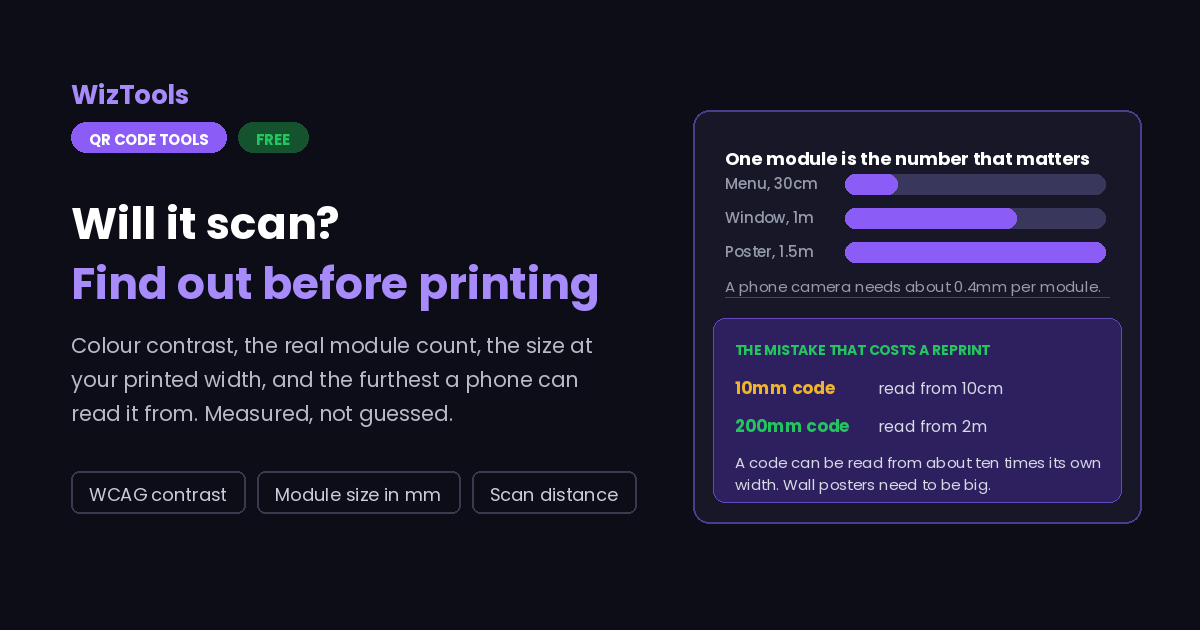
The one number everything depends on is the size of a single module, the smallest square in the code. It follows from two things: how many modules the code needs, which depends on how much data and which error correction level, and how wide it will be printed. A phone camera copes with modules down to roughly four tenths of a millimetre, so once you know the module size you know whether the thing will work, and that is a far more useful answer than the overall width.
The module count here is measured rather than looked up. The code is actually built with your data and your error correction level, and the number of modules is read back from it. The alternative is a table of capacities for forty versions across four correction levels, which is several hundred numbers typed by hand, and one wrong entry would make the page confidently wrong. Building the real code cannot drift out of date.
The colour side uses the same relative luminance formula as accessibility contrast checkers, for the same reason: a scanner is looking at how bright one area is compared with another, not at which colours they are. That is why a strong dark blue on a pale yellow is fine and two mid tones that look very different to the eye are not, and why inverting the code, light dots on dark, is the one thing a brand guideline should never ask for.
Frequently Asked Questions
Size, colour, distance and the quiet zone.
Related Tools
Every Other QR Code Tool
15 more tools in this set. All free, all in your browser.