


Free Online Reorder PDF Pages, Drag Thumbnails, Move or Reverse
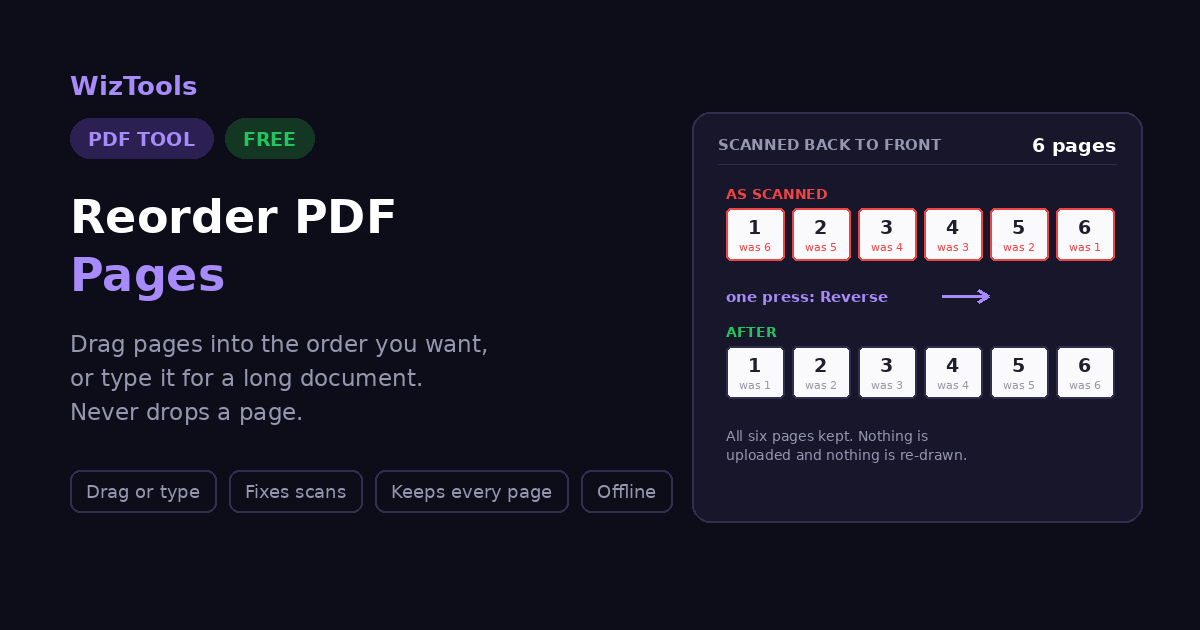
Put PDF pages in the right order by dragging them. Move a single page, reverse the whole document, or shuffle a scan that came out back to front, watching the thumbnails as you go. Download the reordered file when it looks right. Everything happens in your browser and nothing is uploaded.
This is the part that makes reordering easy. The page renderer is a large download, so it only loads when you ask for it. You can also type the order below without it.
odd,
even, first and
last. Anything you leave out is added at the end.
Enjoying WizTools123? Help keep our server infrastructure 100% free and open for everyone.
What Moves With the Page, and What Does Not
Worth knowing before you send the file on.
| When a page moves | Follows it? | Why |
|---|---|---|
| The text, images and layout | Yes | They are the page itself |
| Its rotation | Yes | Stored on the page |
| Form fields on that page | Yes | Attached to the page |
| The page number printed on it | Moves, but does not update | It was drawn on when the file was made |
| Links and bookmarks pointing to it | Often not | They point at a position, not the page |
Writing the Order
Everything below assumes a 6 page document. Anything you leave out is added at the end, so a partial order is a shortcut rather than a mistake.
| What you type | What it means | The new order |
|---|---|---|
6,5,4,3,2,1 |
The whole document backwards | 6, 5, 4, 3, 2, 1 |
3,1,2 |
Three pages named, the rest follow | 3, 1, 2, 4, 5, 6 |
4-6,1-3 |
The second half moved to the front | 4, 5, 6, 1, 2, 3 |
2 |
One page pulled to the front | 2, 1, 3, 4, 5, 6 |
odd,even |
All the odd pages, then all the even | 1, 3, 5, 2, 4, 6 |
last,1-5 |
The back page moved to the front | 6, 1, 2, 3, 4, 5 |
1,1,2 |
A repeat is only counted once | 1, 2, 3, 4, 5, 6 |
Spaces do not matter, and neither does the separator: commas, spaces and semicolons all work. A page listed twice is only used once, and a page number larger than the document is ignored.
Is It Safe to Reorder a PDF Online?
A fair question, and the answer is checkable.
| What happens to your file | Most PDF sites | This page |
|---|---|---|
| Where the file is opened | On their server | In your browser |
| Who else can read it | Whoever runs the server | Nobody, it never left |
| What happens afterwards | Deleted later, they say | There is nothing to delete |
| Can you verify the claim | No, you have to trust it | Yes, see below |
How to Reorder PDF Pages
Drop, drag, download. Your original is never touched.
What to Know Before You Rearrange
Including the things this tool cannot do.
Key Features & Capabilities
What this tool does, and what it deliberately does not.
About the Reorder Pages Tool
Reordering pages is the PDF job that most obviously wants to be done by looking rather than by typing. You know the appendix belongs at the back and the summary at the front, but you do not know that the appendix is pages 14 to 19 until you can see them. That is why the previews on this page are not an optional extra tucked away somewhere: they are the tool. Turn them on, and every page becomes a thumbnail you can pick up and drop where it belongs.
Typing the order is still there, and on a long document it wins easily. Writing 4-6, 1-3 moves the second half to the front in one go, and something like 200-400, 1-199 would be miserable to do by dragging. The rule that makes typing safe is that anything you leave out is added at the end rather than thrown away, so a partial order is a shortcut rather than a mistake. Type 7 and page 7 moves to the front while everything else stays as it was.
The scanning fixes are here because scanners create the same two messes over and over. A stack fed in the wrong way round gives you the whole document backwards, which one button undoes. Scanning all the fronts and then all the backs gives you every odd page followed by every even page, which is a different problem and needs the two halves zipped back together rather than reversed. Both take one press, and both are far more common than they ought to be.
Two things are said plainly here that most tools leave you to discover. Page numbers printed on the pages do not renumber, because they were drawn onto the page when the document was made and moving a page carries its number along. And links, bookmarks and contents entries point at positions, so rearranging pages can leave them aiming at the wrong one. Neither is a shortcoming of this tool in particular; both are true of anything that reorders a PDF, and knowing beforehand is better than finding out after you have sent the file.
Frequently Asked Questions
Everything worth knowing before you rearrange a document.
4-6, 1-3 to put the second half first. Then download the result. Nothing is installed and nothing is uploaded.7 puts page 7 first and everything else keeps its existing order behind it, because anything you do not mention is added afterwards. With previews on you can also just drag that page to the first position, which is usually easier when you can see what you are moving.200-400, 1-199 is far faster than moving anything by hand.