WizTools123
Free Online Tools

Tool Categories


Video Tools New Tool

Free Online Video to WebP Frames, Smaller Than the Same JPGs

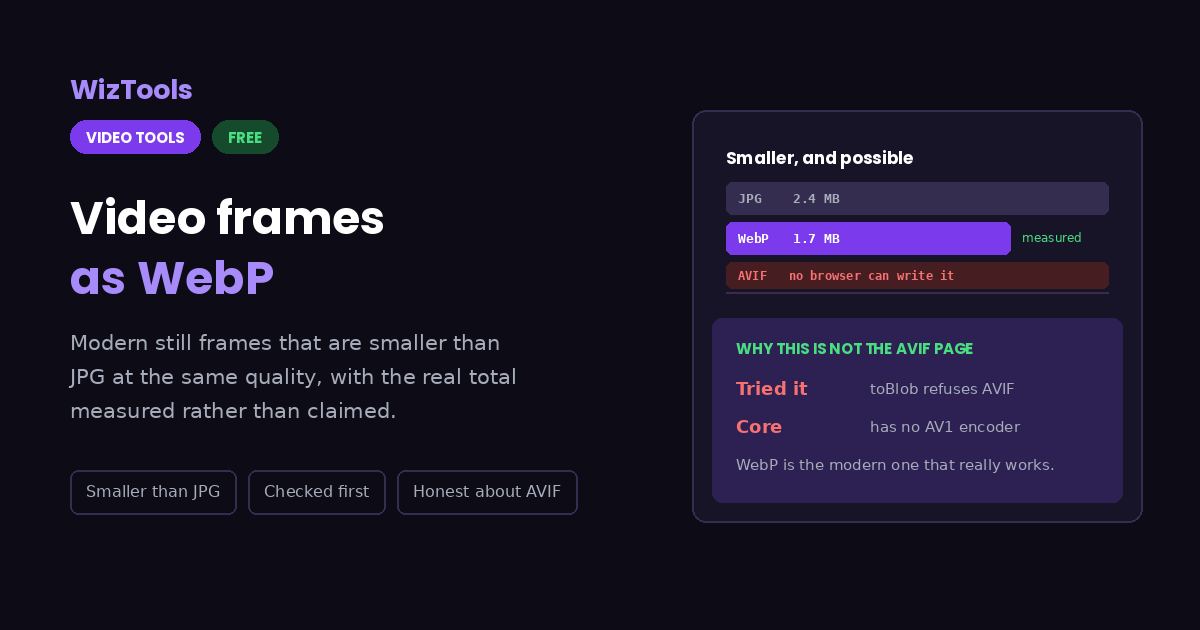
WebP frames run between a fifth and a third smaller than JPG at matching quality, and the page reports the real combined size afterwards rather than printing a percentage it never checked. It also explains plainly why AVIF is not on offer, which is that no browser can write those images at all.
Free Forever Nothing Uploaded Smaller Than JPG Checked First
Free Online Video to WebP Frames, Smaller Than the Same JPGs
Share this tool
Advertisement Slot (Top Banner) Google AdSense Unit • Responsive Banner
Save frames as WebP Drag your video here to save still frames in WebP, which is smaller than JPG at the same quality. Nothing is uploaded. Select a Video MP4, MOV, WebM, MKV, AVI and more • best under 300 MB • nothing is uploaded
0:00.000 / 0:00
Modern, and much smaller
spread evenly
85
WebP at 85 is roughly JPG at 92 for size, and cleaner around hard edges.
Width
Looking for AVIF? No browser can write AVIF images, so no page that runs in one can honestly offer it. WebP is the modern format browsers can actually produce, and it is smaller than JPG at the same quality.

Output
.webp

Your WebP frames

These files only exist in this tab. Save the ones you want before you close the page, because there is no copy of them anywhere else.

Buy Us A Coffee

Enjoying WizTools123? Help keep our server infrastructure 100% free and open for everyone.

Buy Us A Coffee
Sponsored Content (Below Tool) Google AdSense Placement

How to Save Video Frames as WebP

Drop it, choose how many, download smaller pictures.

1
Drop your video in Nothing is uploaded and no encoder is downloaded. The page first checks your browser can write WebP at all.
2
Choose how many Spread evenly across the whole video, each taken from the middle of its share.
3
Set the quality Eighty five is a good default. Remember these numbers do not mean the same thing as JPG quality numbers.
4
Pick a width if you need one Same keeps the video resolution. Narrower compounds the saving when the batch is large.
5
Save and check the total The finished message reports the real combined size, measured rather than claimed.

WebP, AVIF and What a Browser Can Actually Write

Including the things this tool cannot do.

AVIF is not possible in a browser, and this page says so rather than pretending. No major browser can write AVIF images, so any page that runs in one and claims to produce them is doing something else. WebP is the modern format browsers genuinely support writing.
WebP is typically a fifth to a third smaller than JPG at matching quality. The exact saving depends on the footage, so the page reports the real total after the job rather than printing a percentage it has not measured.
Every current browser opens WebP, and some older software does not. Design tools, office suites and photo viewers from a few years back may refuse it. If the pictures are going somewhere you cannot ask about, JPG is still the safe answer.
The page checks that your browser can write WebP before starting. Without that check the image writer returns nothing at all and the job appears to succeed while producing no files, which is the worst possible outcome.
WebP quality numbers are not JPG quality numbers. Eighty five here is roughly ninety two there in terms of size, and WebP holds up better around hard edges and text.
The work happens on your own machine. Your video is opened by this page, not sent anywhere. That is why there is no upload bar, no queue and no waiting for a server. It is also why a big file leans on your own processor: nothing is being done for you somewhere else.
The first run downloads the engine, later runs do not. Video work needs a real encoder, and that is a thirty megabyte download the first time you press the button. Your browser keeps it, so the second video starts straight away.
Leave the tab open. All of the work is in this page, so closing it or navigating away stops the job halfway. On a phone, switching apps can do the same thing, because the system is allowed to pause a background tab.

Key Features & Capabilities

What this tool does, and what it deliberately does not.

Smaller than JPG, measurably And the real total is reported afterwards rather than a percentage nobody checked.
It checks before it starts If your browser cannot write WebP you are told immediately, instead of getting a run that produces nothing.
Honest about AVIF It explains why no browser page can produce AVIF, rather than quietly leaving the question unanswered.
Real quality control A slider with a note that WebP numbers are not JPG numbers, which catches people out constantly.
No encoder download Frames come straight from the video your browser is already playing.
Old software may refuse WebP Current browsers all handle it. Programs from several years ago sometimes do not, and JPG is the fallback.

About the Video to WebP Frames

This page exists because of something that turned out not to be possible. The original plan was a tool for saving video frames as AVIF, the newest and most efficient of the common still image formats. Testing it produced a blunt answer: no major browser can write AVIF images, and the encoder this site uses elsewhere has no AV1 image support either. A page called AVIF frames would have had to hand back something else.

WebP is the honest version of the same idea. It is genuinely modern, every current browser can both read and write it, and it produces files somewhere between a fifth and a third smaller than JPG at matching quality. That range is wide because the saving depends entirely on the footage, which is why the page measures your actual output and reports the real total rather than printing a percentage it has not checked.

Before anything starts, the page confirms your browser can write WebP at all. That sounds like belt and braces until you see what happens without it: the image writer quietly returns nothing, the run reports success, and you are left with a finished job and no files. Failing clearly at the start is far better than succeeding at nothing.

One thing worth carrying away is that WebP quality numbers and JPG quality numbers are not the same scale, and treating them as such is a common way to end up disappointed. Eighty five here sits roughly where ninety two does in JPG, and WebP is noticeably kinder to text and hard edges along the way.

Frequently Asked Questions

Modern still images from a video, and the one that is not possible.

Not from any page that runs in a browser, including this one. No major browser can write AVIF images, and the encoder used elsewhere on this site has no AV1 image support either. WebP is the modern format that genuinely works, which is why this page offers it.

Usually between a fifth and a third at matching quality, though it depends entirely on the footage. Rather than printing a number, the page reports the real combined size of your pictures once the job is done.

In every current browser, yes, and in most current software. Design tools, office suites and photo viewers from several years ago sometimes refuse it. If you cannot check where the pictures are going, JPG remains the safer choice.

No, and assuming so is a common mistake. The scales are different. WebP at eighty five produces files roughly comparable to JPG at ninety two, and it holds up noticeably better around text and hard edges.

You are told before anything starts. Without that check the image writer simply returns nothing, and the run would appear to finish successfully while producing no files at all.

The format does, but video frames have none to preserve, so these pictures are all fully opaque. Nothing here can cut a background out.

Every Other Video Tool

76 more tools in this set. All free, all in your browser.

Advertisement Slot (Bottom Banner) Google AdSense Unit • Responsive Banner