
WizTools123
WizTools123
Free Online Tools

Tool Categories


Video Tools New Tool

Free Online Bulk Video to M4A Converter, Many Soundtracks at Once

Get AAC audio out of videos as M4A, which carries better sound per megabyte than MP3 at the same size. A whole set of videos can go in at once and each soundtrack is written out in its turn under its own name, with a per-file bitrate where one recording needs it. Nothing is uploaded anywhere.
Free Forever Nothing Uploaded AAC Efficiency Bulk Videos
Free Online Bulk Video to M4A Converter, Many Soundtracks at Once
Share this tool
Advertisement Slot (Top Banner) Google AdSense Unit • Responsive Banner
Get the sound as M4A Drag your video here to keep its sound as an AAC track in an M4A file, which is what Apple software expects. Nothing is uploaded. Drop in several at once if you have a batch. Select a Video MP4, MOV, WebM, MKV, AVI and more • best under 300 MB • nothing is uploaded
0:00.000 / 0:00
AAC sound
Bitrate
Channels

Output
.m4a

Your M4A

These files only exist in this tab. Save the ones you want before you close the page, because there is no copy of them anywhere else.

Buy Us A Coffee

Enjoying WizTools123? Help keep our server infrastructure 100% free and open for everyone.

Buy Us A Coffee
Sponsored Content (Below Tool) Google AdSense Placement

How to Turn a Video Into an M4A

Drop it, pick a bitrate, download AAC audio.

1
Drop your video in The page reads it from your disk and checks there is a sound track before you start.
2
Pick a bitrate A hundred and sixty is the everyday choice. Remember AAC does more with less, so the MP3 number you have in mind is higher than you need here.
3
Choose channels Leave it alone for music. Mono halves the file and loses nothing for a single speaker.
4
Get the M4A It is written with the index at the front, so it starts playing immediately rather than after the whole file loads.
5
Download it Ready for Apple Music, a podcast app, or anything else that takes AAC.

M4A, AAC and Where They Fit

Including the things this tool cannot do.

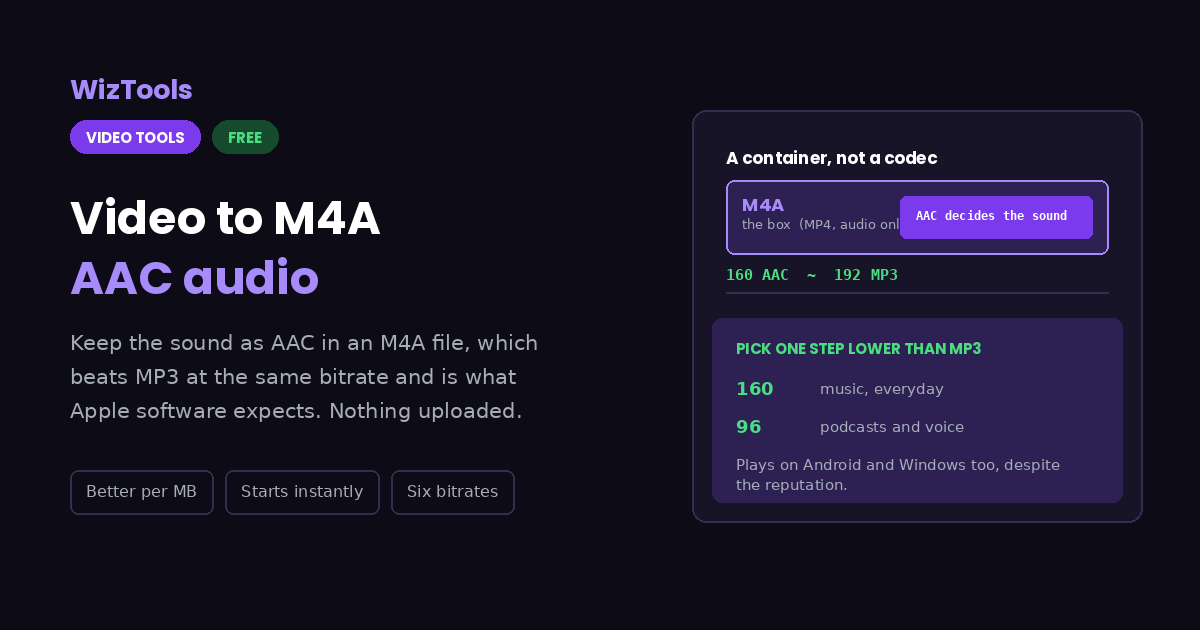
M4A is a container, AAC is the codec inside it. The sound quality is decided by AAC and by the bitrate you pick. M4A is simply an MP4 file carrying audio and no picture, which is why Apple software treats it as native.
AAC at 160 is roughly MP3 at 192. That rule of thumb is close enough to rely on, and it matters because most people arrive with MP3 numbers in their head and pick a higher bitrate than they need.
M4A plays far more widely than its reputation suggests. Every phone, every current browser and every modern car system handles it. Genuinely old hardware is the exception, and MP3 remains the safer answer there.
AAC often comes in under the bitrate you ask for. Unlike MP3, it does not pad quiet or mono material to hit a fixed rate. The figure before you press is therefore a ceiling rather than a prediction, and the real size is reported afterwards.
The video's own audio is the ceiling. Converting a 96 kbps track to 256 gives a larger file that sounds the same. Nothing can add back detail that was discarded when the video was made.
A queue keeps AAC batches tidy. Add several videos and each soundtrack is written to its own M4A, named after its source. The bitrate below covers the whole row until you click a thumbnail and give one recording something different.
The work happens on your own machine. Your video is opened by this page, not sent anywhere. That is why there is no upload bar, no queue and no waiting for a server. It is also why a big file leans on your own processor: nothing is being done for you somewhere else.
There is a real size ceiling, and it is your device, not us. The whole video has to fit in the browser's memory while it is being worked on, so roughly three hundred megabytes is comfortable on a laptop and far less on a phone. This page tells you where you stand the moment you pick a file.
The first run downloads the engine, later runs do not. Video work needs a real encoder, and that is a thirty megabyte download the first time you press the button. Your browser keeps it, so the second video starts straight away.
Leave the tab open. All of the work is in this page, so closing it or navigating away stops the job halfway. On a phone, switching apps can do the same thing, because the system is allowed to pause a background tab.

Key Features & Capabilities

What this tool does, and what it deliberately does not.

Better sound per megabyte AAC beats MP3 at the same bitrate, which is why 160 here is worth about 192 there.
What Apple software expects M4A is an MP4 container carrying audio, so Music, Voice Memos and the rest treat it as native.
Starts playing straight away The index is written at the front of the file, so a player does not wait for the whole download first.
Six bitrates, each explained From 64 for voice to 256 for archiving, with a sentence about what each is genuinely for.
Nothing is uploaded The conversion runs in your browser, so recordings of calls and meetings stay where they are.
Several soundtracks in one go Turn a stack of videos into M4A files in a single sitting, one at a time, with per-file quality where it matters.
It cannot beat the source A high bitrate cannot recover what the video's own audio track already threw away.

About the Video to M4A Converter

People ask whether M4A is better than MP3, and the question quietly contains a mistake. M4A is a container, not a codec. What is inside it is AAC, and AAC is what decides how the file sounds. The container is simply an MP4 file carrying audio and no picture, which is exactly why Apple software treats it as its own format.

Knowing that changes the answer. AAC genuinely does sound better than MP3 at the same bitrate, and the gap widens as the bitrate falls. As a rule of thumb, AAC at a hundred and sixty is about equal to MP3 at a hundred and ninety two. That matters here because most people arrive with MP3 numbers in mind and choose a higher bitrate than they need, paying in file size for nothing.

The reputation for being an Apple only format is also out of date. Every current phone, every browser and every modern car system plays M4A without complaint. The place MP3 still wins is genuinely old hardware, and if the file is going somewhere you cannot ask about, that remains the safer choice.

The file is written with its index at the front, which is a small thing that matters when the result is streamed rather than downloaded. Without it a player has to fetch the whole file before it can start. With it, playback begins immediately. It costs nothing and there is no reason not to do it.

Frequently Asked Questions

AAC audio in an M4A file, and when it beats MP3.

The codec inside it is. AAC sounds better than MP3 at the same bitrate, noticeably so below about 128. M4A itself is just the container. The trade is compatibility: MP3 plays on absolutely everything, including hardware from decades ago.

A hundred and sixty for music, a hundred and twenty eight for speech, sixty four if it is only ever going to be spoken word. Because AAC is more efficient, pick roughly one step lower than the MP3 number you would have chosen.

Yes. Every current phone, browser and media player handles it. The Apple association is about which software treats it as the default, not about what can open it.

Almost nothing technically. Both are the same container format. The extension M4A signals that the file holds audio only, so players and file managers know not to expect a picture.

Yes, and it is a good choice for both. Ninety six kilobits per second in mono is plenty for spoken word and keeps a long recording manageable.

Yes. The thumbnail strip takes as many files as you want and works through them in order. Each result is named after its own video, and the whole set can be downloaded as a ZIP.

No. The audio inside the video was already compressed. A higher bitrate only stops this step from losing anything more, which is worth having, but it cannot recover what is already gone.

Other Video Tools

Advertisement Slot (Bottom Banner) Google AdSense Unit • Responsive Banner