
WizTools123
WizTools123
Free Online Tools

Tool Categories


CSV Tools New Tool

Free Online CSV Validator, Find Broken Rows and Quotes

Check CSV files for the faults that break an import, with the line number for every one. Rows with too few or too many columns, quotes that are never closed, a byte order mark stuck to the first heading, blank or duplicated column names, mixed line endings and values Excel would treat as a formula. Several files at once.
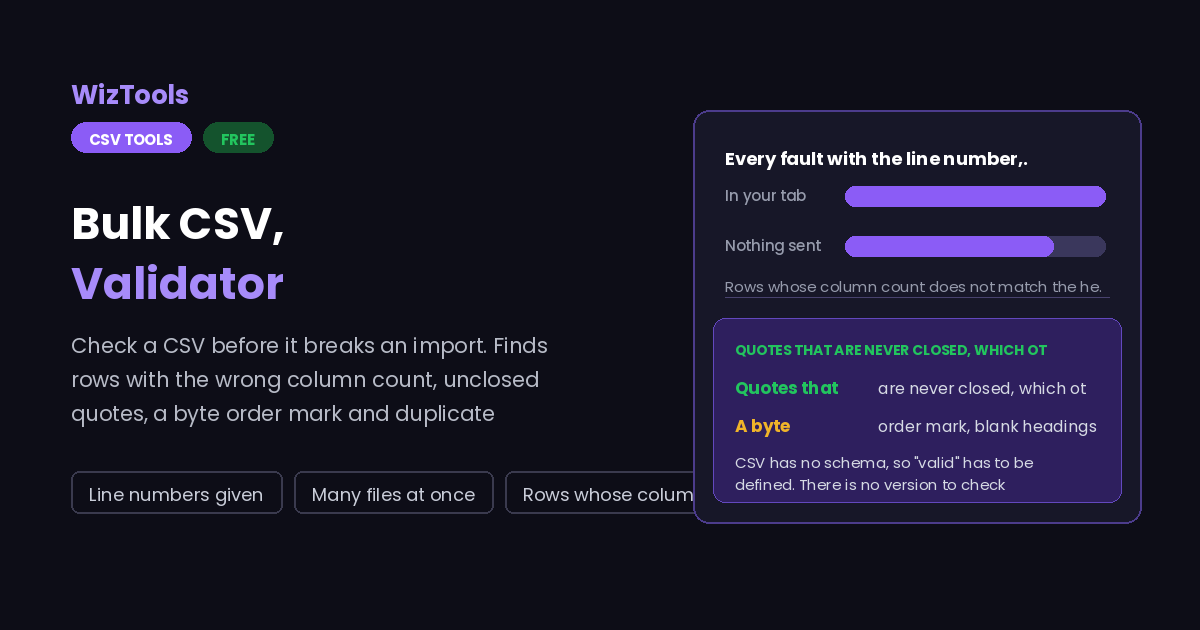
Free Forever Nothing Uploaded Line numbers given Many files at once
Free Online CSV Validator, Find Broken Rows and Quotes
Share this tool
Advertisement Slot (Top Banner) Google AdSense Unit • Responsive Banner
Bulk CSV Validator Your file is read inside this tab. Nothing is uploaded anywhere.
Drop the CSV files you want checked Nothing is changed. Every file is read and reported on, and the report can be downloaded. Choose files Up to 25 MB per file. Nothing is uploaded.
0%
Or paste it
Reading the file
Check for
Required columns

0 files 0 with nothing wrong 0 problems found - worst file

The file as it was read
Nothing to show yet.
The report
0 characters 0 lines
Buy Us A Coffee

Enjoying WizTools123? Help keep our server infrastructure 100% free and open for everyone.

Buy Us A Coffee
Sponsored Content (Below Tool) Google AdSense Placement

How to Validate a CSV File

A few steps, and nothing is uploaded.

1
Drop the files in One file or a whole folder. Nothing is modified; the files are only read and reported on.
2
Leave the checks on All of them are on by default. Switch off the ones that do not apply to your data, such as mixed columns in a file that is meant to be mixed.
3
Name any columns that must exist Type the column names an import requires. Missing ones are reported per file, which is the quickest way to spot the one export that went wrong.
4
Read the report, or download it Every fault has a line number. The plain text version can be copied straight into a ticket or an email.

What to Know About Checking a CSV

What "valid" can and cannot mean for a format with no schema.

CSV has no schema, so "valid" has to be defined. There is no version to check against and no official grammar that files obey, so this page checks for the specific faults that make an import fail or silently load the wrong data. A file that passes every check can still hold wrong values; nothing here can know that.
The wrong column count is the fault that does real damage. A row with one field too few does not usually stop an import. It shifts every value after the gap into the wrong column, so a postcode lands in the country field and nobody notices for a month. This is reported first and with line numbers because it is the one that costs money.
An unclosed quote swallows everything after it. Quoted values may contain line breaks, so a parser that meets an opening quote with no partner keeps reading to the end of the file and produces one enormous field. The report gives the line where the quote opened, which is where the fix belongs.
A byte order mark is invisible and still breaks things. Excel puts three bytes at the start of a UTF-8 CSV. Anything that does not expect them sees a first column named with invisible characters attached, so a header match against "id" fails while the file looks perfect on screen.
A value starting with an equals sign is a security problem, not a typo. Spreadsheets treat it as a formula, which is how a CSV from an untrusted source can run something on the machine that opens it. The same applies to plus, minus and the at sign at the start of a value. These are reported so you can decide, because sometimes the value really is meant to be there.
Mixed columns are a warning, not an error. A column that is mostly numbers with a few words in it is often a free text field, and perfectly fine. It is reported because it is also what a broken export looks like, and only you know which of the two this is.

Key Features & Capabilities

What this tool does, and what it deliberately does not.

Line numbers for everything Every fault is reported with the line it is on, counted the way a text editor counts, so you can go straight there.
The column count check Rows with too few or too many fields, which is the fault that quietly shifts your data into the wrong columns.
Formula injection check Values beginning with an equals sign, plus, minus or at sign, which spreadsheets treat as formulas to run.
Required columns Name the columns an import needs and every file is checked for them, with the missing ones listed per file.
A folder at a time Check a whole batch of exports in one pass and see immediately which one is the odd one out.
Nothing is uploaded Files are read inside this tab, which is what makes it safe to check an export full of customer data.

About the CSV Validator

Import errors are famously unhelpful. A system refuses a file and says "unexpected end of input at row 1" when the real fault is on line 4,812, or worse, accepts the file and loads rubbish. The reason is almost always structural rather than about the values: a row with a field missing, a quote that was never closed, a header with an invisible byte order mark stuck to it.

Finding those by eye does not work. The wrong column count is invisible in a text editor unless you count fields by hand, and an unclosed quote looks exactly like a normal line. Opening the file in a spreadsheet actively hides the problem, because the spreadsheet silently repairs what it can and shows you a tidy grid that bears no relation to what your import will see.

So this page does the counting, names each fault with its line number, and says what the consequence is rather than just flagging it. The checks are the ones that come up again and again in real exports, including two that most validators ignore: the byte order mark, which breaks header matching while being completely invisible, and values starting with an equals sign, which are a genuine security problem rather than a formatting quirk.

Frequently Asked Questions

Column counts, quotes, byte order marks and what is not checked.

No. It only reads and reports. If you want the faults fixed rather than listed, the CSV cleaner can trim, square up the rows and drop the empty ones.

Anything different from the header row, or from the widest row if you have told it there is no header. Both too few and too many are reported, because both shift data, and the line number tells you where to look.

Because spreadsheets treat it as a formula. A CSV from an untrusted source can therefore run something on the machine that opens it. It is reported rather than removed because sometimes the value is genuinely meant to begin that way.

Three invisible bytes Excel writes at the start of a UTF-8 CSV. A program that does not expect them sees your first column named with those bytes attached, so matching the header against a name like "id" fails while the file looks completely normal.

Only lightly. It reports columns that mix numbers and text, and columns that are entirely empty. Checking that a value is a plausible email or a valid postcode is a different job, and claiming to do it properly in a general CSV tool would be overpromising.

Yes, and that is where it earns its keep. The counters show how many files were clean and which was worst, which is the fastest way to find the one export in fifty that went wrong.

Other CSV Tools

Advertisement Slot (Bottom Banner) Google AdSense Unit • Responsive Banner