WizTools123
Free Online Tools

Tool Categories


Date & Time Tools New Tool

Free Online Unix Timestamp Converter, Epoch to Date, Seconds & Milliseconds

Turn a Unix timestamp into a readable date, or a date into a timestamp. Seconds and milliseconds are both recognised automatically, and the result is shown in your own time zone and in UTC together. There is a live clock too, for when you need the current epoch value.
Free Forever Nothing Uploaded Unit Shown, Not Guessed Every Format at Once
Free Online Unix Timestamp Converter, Epoch to Date, Seconds & Milliseconds
Share this tool
Advertisement Slot (Top Banner) Google AdSense Unit • Responsive Banner
⏱️ Unix Timestamp Converter Seconds, milliseconds, microseconds and nanoseconds · the unit is shown

Every conversion runs in your browser. Nothing you paste is sent anywhere.

⏱️ Which way?

Ten digits is seconds, thirteen is milliseconds. That guess is right almost always and wrong in exactly the places that matter, so it is shown rather than assumed.
A date without a place is not a moment. The same wall clock reading is a different timestamp in every zone.
Try one of these
In your own time zone
—

The same moment, written every way

Format Value Where you meet it
Buy Us A Coffee

Enjoying WizTools123? Help keep our server infrastructure 100% free and open for everyone.

Buy Us A Coffee
Sponsored Content (Below Tool) Google AdSense Placement

The Same Number Can Mean 2026 or 1970

It depends entirely on whether it is seconds or milliseconds.

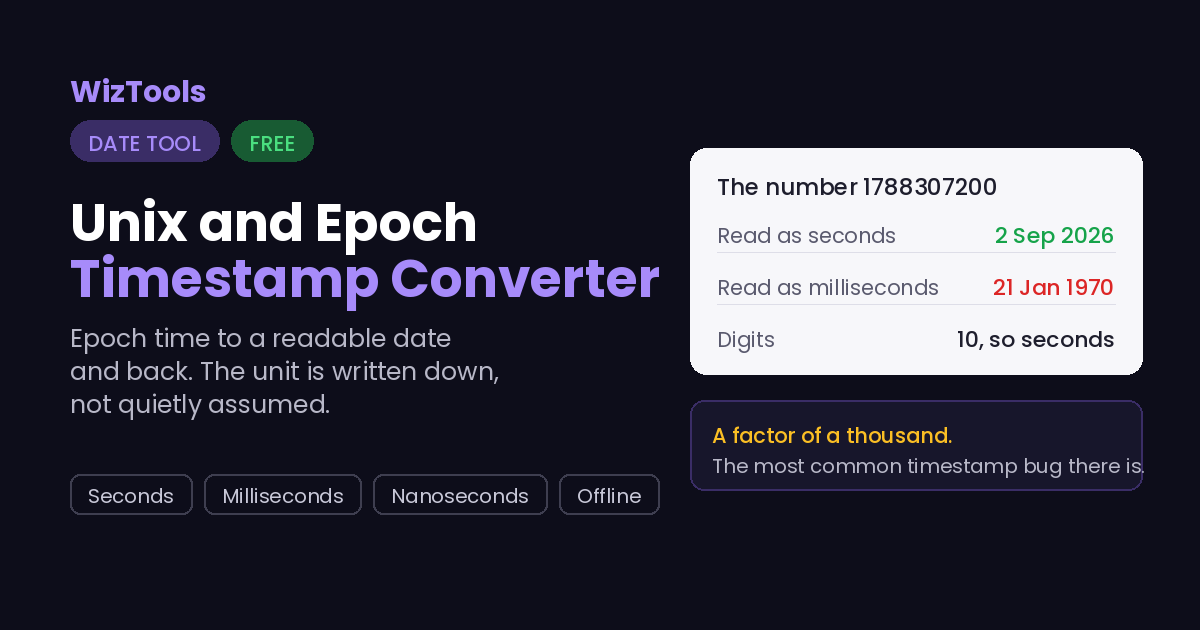
Unix time counts seconds. JavaScript counts milliseconds. Java counts milliseconds. Python counts seconds with a decimal point. Go counts nanoseconds when you ask it to. Databases do all of the above. So the single most common bug with timestamps is a factor of a thousand, and it does not look like a bug: it looks like a date in 1970, or a date fifty thousand years from now, and either way somebody assumes the data is corrupt.

Digits Almost certainly Example, and what it comes out as
10 seconds 1788307200 is 2 September 2026
13 milliseconds 1788307200000 is the same moment
16 microseconds common in Postgres and in Chrome traces
19 nanoseconds Go, and most tracing systems
9 or fewer seconds, but old anything before September 2001
The guess is shown, not hidden. Under the box it says which unit was chosen and why. If the guess is wrong, and it will be for a genuine 1970 timestamp in milliseconds, the dropdown overrides it.
19 January 2038 is a real deadline. A signed 32 bit count of seconds runs out at 03:14:07 UTC that day and wraps round to 1901. Anything still storing time in a 32 bit integer has that date in its future, and there is a preset here that shows it.

How to Use the Unix and Epoch Timestamp Converter

Four steps, and the second one is the one that catches people.

1
Paste the number in Commas, underscores and spaces are stripped, so a value copied out of a log or a spreadsheet works as it is. A minus sign and a decimal point are both accepted.
2
Check the unit it chose Under the box it says which unit was used and why. Ten digits is seconds, thirteen is milliseconds, sixteen is microseconds, nineteen is nanoseconds. When the guess is wrong, the dropdown overrides it.
3
Read the answer in your zone and in UTC Both are shown, because a timestamp has no zone of its own. It is a count of seconds, and every zone reads that same count differently.
4
Take whichever format you need from the table Seconds, milliseconds, microseconds, nanoseconds, ISO 8601 in UTC and in your own zone, the weekday and the ISO week. Click any value to copy it.

What to Know Before You Start

Including the things this tool cannot do.

Seconds and milliseconds look identical. The same digits are a date in 2026 read as seconds and a date in 1970 read as milliseconds. The unit chosen here is written under the box, and there is a dropdown to override it when the guess is wrong.
A timestamp has no time zone. It is a count of seconds from one fixed moment, so it is the same number everywhere on earth. The zone only appears when you turn it into a readable date, which is why both your zone and UTC are shown.
Big numbers are handled as text, not arithmetic. A nanosecond timestamp is nineteen digits, and past about sixteen a JavaScript number quietly rounds. Converting by moving the decimal point in the text avoids changing the last few digits without any warning.
Leap seconds are not counted, by design. Unix time defines every day as exactly 86,400 seconds, so the two dozen leap seconds added since 1972 are simply not in it. This is not an approximation here, it is how the format works everywhere.
The 2038 limit is real, but not a limit here. A signed 32 bit count of seconds overflows on 19 January 2038 and wraps to 1901. This page has no such limit, but any system still using a 32 bit integer does, and the preset shows the exact moment.
Negative timestamps work. Anything before 1970 is a negative count, and it is handled the same as any other number. Very large values are refused rather than shown wrong, because dates themselves run out around the year 275760.

Key Features & Capabilities

What this tool does, and what it deliberately does not.

The unit is stated Which unit was chosen and why, on every conversion, with a dropdown to override the guess.
Both directions Timestamp to date, and date to timestamp with a zone attached, because a date without a place is not a moment.
Every format at once Seconds, milliseconds, microseconds, nanoseconds, ISO 8601 in UTC and local, the weekday and the ISO week.
Click any value to copy The whole table is copyable one value at a time, which is what you actually want when you are debugging.
Nothing leaves the page No server, no account and no upload. Timestamps out of a log are often sensitive, and none of these are sent anywhere.
Saved setups and history Keep the timestamps you keep coming back to and load one back with a single button.

About the Unix and Epoch Timestamp Converter

A Unix timestamp is a count of seconds from midnight UTC on the first of January 1970. That is the whole definition, and it is why timestamps are so useful: they carry no zone, no format and no ambiguity, so the same number means the same moment on every machine in the world. What they do carry is a unit, and that is where almost every problem starts.

Unix time counts seconds. JavaScript and Java count milliseconds. Go counts nanoseconds. Postgres counts microseconds. Python gives you seconds with a fraction on the end. When a number moves between two of those systems without its unit, the result is out by a factor of a thousand, and it does not look like an error. It looks like a date in January 1970, or a date fifty thousand years in the future, and the usual reaction is to assume the data is corrupt rather than the reading. This page guesses the unit from the length of the number, which is right nearly all of the time, and then it tells you what it guessed and what the other reading would have been.

One detail worth knowing: the conversion is done by moving the decimal point through the text of the number rather than by dividing it. That sounds pedantic until you paste in a nineteen digit nanosecond timestamp, at which point an ordinary JavaScript number has already lost the last few digits, silently and without an error. Doing it as text keeps every digit, which matters when you are trying to line two log entries up to the microsecond.

Frequently Asked Questions

Everything worth knowing before you trust the answer.

Count the digits. Ten digits is seconds and covers any date from 2001 to 2286. Thirteen digits is milliseconds. Sixteen is microseconds and nineteen is nanoseconds. This page applies that rule and then tells you which one it used, along with what the number would have been in the other unit, so a wrong guess is obvious immediately.

Midnight UTC on the first of January 1970. It was chosen by the people building early Unix as a convenient recent date, not for any deeper reason, and it stuck. Timestamps before it are negative numbers, which this page handles normally.

No, and that is the point of it. It is a count of seconds from one fixed moment, so it is the same number everywhere. A zone only enters the picture when you turn it into a readable date, which is why the answer here shows both your zone and UTC.

A signed 32 bit integer can hold 2,147,483,647, and as a count of seconds that runs out at 03:14:07 UTC on the 19th of January 2038. A system storing time that way wraps round to 1901 at that moment. Most modern software has moved to 64 bit, but embedded devices and old file formats have not, and there is a preset here that shows the exact instant.

Because Unix time ignores them. The format defines every day as exactly 86,400 seconds, so the leap seconds that have been added to civil time since 1972 do not appear in it at all. That means a Unix timestamp is not quite a count of elapsed physical seconds, and for almost every purpose that does not matter.

Yes, with the second mode. It asks for a time zone as well as a date and a time, because a wall clock reading is not a moment until you know where the clock is. The same reading in London and in Tokyo is nine hours apart.

Nanosecond timestamps of nineteen digits are handled exactly, because the conversion works on the text rather than on a floating point number. Values that would land outside the range dates can represent, which ends around the year 275760, are refused with a note suggesting you check the unit, since a number that large is almost always milliseconds or nanoseconds read as seconds.

No. Everything runs in your browser and there is no server behind it. Timestamps pulled out of a log can be sensitive, so nothing here leaves the page, and saved items live in this browser only.

Every Other Date & Time Tool

18 more tools in this set. All free, all in your browser.

Advertisement Slot (Bottom Banner) Google AdSense Unit • Responsive Banner