
WizTools123
WizTools123
Free Online Tools

Tool Categories


Text Tools New Tool

Free Online Case Converter, Sentence, Title, camelCase, snake_case & More

Change the case of any text without retyping it. Sentence case, lower, UPPER, Title Case, Capitalise Each Word, aLtErNaTiNg and inverted, plus the programming ones: camelCase, PascalCase, snake_case, kebab-case and CONSTANT_CASE. Title Case leaves the small words alone, which is the part most converters get wrong.
Free Forever Nothing Uploaded Twelve Cases Live Preview
Free Online Case Converter, Sentence, Title, camelCase, snake_case & More
Share this tool
Advertisement Slot (Top Banner) Google AdSense Unit • Responsive Banner
Case Converter Everything happens in this tab. Nothing you paste is sent anywhere.
Your text
0 characters 0 words 0 lines
In the case you picked
0 characters 0 lines
Which case
Case Your first line in it  
Buy Us A Coffee

Enjoying WizTools123? Help keep our server infrastructure 100% free and open for everyone.

Buy Us A Coffee
Sponsored Content (Below Tool) Google AdSense Placement

Title Case Is Not Just Capitals

The small words are the whole difficulty.

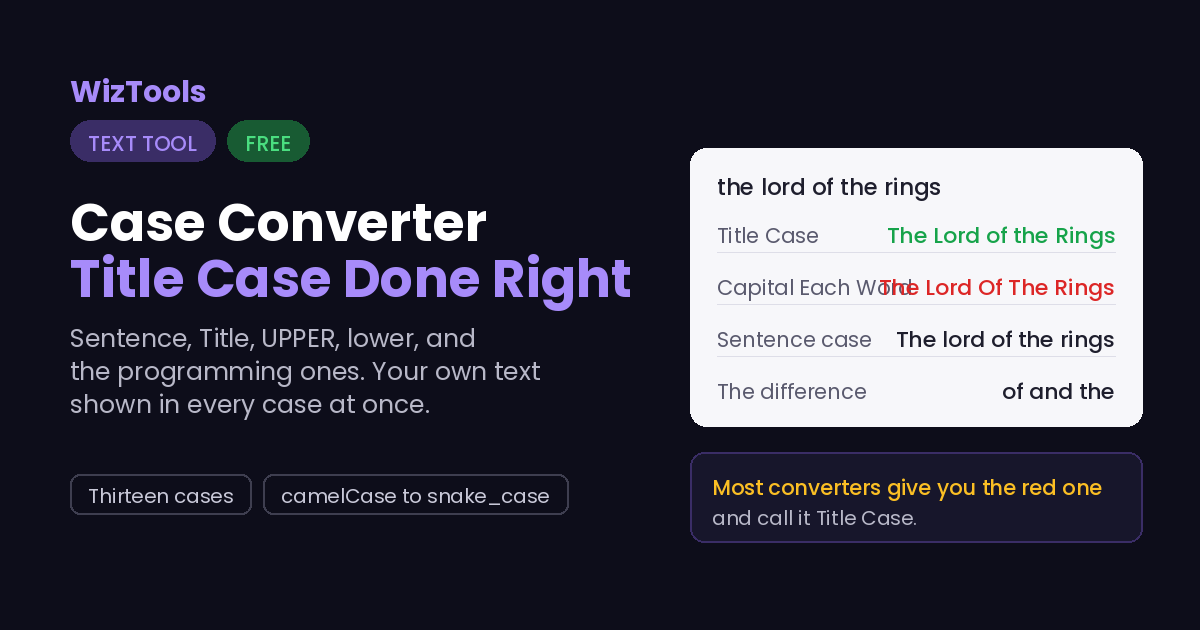
Case the lord of the rings
Title Case The Lord of the Rings
Capital Each Word The Lord Of The Rings
Sentence case The lord of the rings
Those middle two are the ones people mix up, and only one of them is a title. In Title Case the short words stay lowercase: a, an, the, and, but, or, of, in, on, to, for and a few more. They go back to capitals when they start the title or end it, which is why What Are You Waiting For keeps its capital F. A converter that just capitalises every word gives you the second row and calls it Title Case, and that is the single most common mistake in this kind of tool.
Style guides disagree about the details, and none of them is wrong. Chicago lowercases prepositions of any length, AP capitalises ones longer than three letters, and APA capitalises everything of four letters or more. The list used here follows the short common set, which matches Chicago and AP for almost every headline. If your publisher has a house style, check the result against it rather than assuming.

Where Your Text Goes

Nowhere. And you can check that yourself.

A case converter sees whatever you are about to publish, and this one never sends it anywhere. The text is read and changed by your own browser. Press F12, open the Network tab, and use the tool: the page fetches its own code and nothing else. Or load the page, turn off your wifi, and carry on working. It still runs, because there was never a server in the middle.

How to Change the Case of Text

Four steps, and your original text is never changed.

1
Paste your text One word, a headline, or a whole document. Nothing is uploaded, and your original is never changed.
2
Look at the list below Your own first line is shown in all thirteen cases, so you can pick by looking rather than by guessing what a name means.
3
Choose a case Click a button at the top, or the tick beside any row in the list. The result appears on the right straight away.
4
Copy or download Copy takes the result to your clipboard. Use as input sends it back to the left, so you can run another change on top of it.

What to Know Before You Convert

Including the things this tool cannot do.

Title Case keeps the small words small, and that is the whole difference from Capital Each Word. The Lord of the Rings is Title Case; The Lord Of The Rings is not, even though most converters produce it. The short words go back to capitals when they open or close the title, because that is what every style guide agrees on.
Sentence case has to decide where sentences end, and that is a guess. It capitalises after a full stop, a question mark or an exclamation mark, so an abbreviation in the middle of a line can start a false new sentence. It also puts back the capital I, because lowercase i is the one thing that always looks like a mistake.
The programming cases split words apart before joining them back. They break on spaces, hyphens, underscores and at a capital letter, so text that is already camelCase converts cleanly to snake_case rather than becoming one long word. A run of capitals is handled too: XMLHttpRequest becomes xml-http-request, not x-m-l-http-request.
Case changing throws information away, and it cannot be undone by changing case again. Once a name goes through lower case, nothing knows that iPhone had a capital P. Keep the original somewhere before you convert a long document, or use the tool the other way round: convert, look, and if it is wrong, paste the original back in.

Key Features & Capabilities

What this tool does, and what it deliberately does not.

Thirteen cases Sentence, lower, UPPER, Title, Capitalised, alternating and inverse.
The programming ones camelCase, PascalCase, snake_case, kebab-case, CONSTANT_CASE and dot.case.
Title Case done properly Short words stay lowercase, unless they open or close the title.
All of them at once Your own text shown in every case, so you pick by looking.
Live, with no button The result changes as you type or as you switch case.
Nothing uploaded Your text is converted in your own tab and never sent anywhere.

About the Case Converter

Changing the case of text by hand is the kind of work that takes ten minutes and teaches you nothing. A headline arrives in the wrong case, a list of names comes back in capitals, a column of database fields needs to become variable names. All of it is mechanical, and all of it is easy to get slightly wrong when you retype it.

This does the thirteen cases people actually ask for, including the six that programmers need, and it shows you your own text in every one of them at the same time. That last part matters more than it sounds: the names are not obvious, and the difference between Title Case and Capital Each Word is invisible until you see the same line in both.

The Title Case here follows the rule the style guides share: short joining words stay lowercase in the middle of a title and take a capital at either end. It is a small thing that separates a headline that looks professionally set from one that looks like it came out of a converter.

Frequently Asked Questions

Which case belongs where, and what Title Case really means.

The short words. Title Case leaves a, of, the, and, in, on, to and similar words lowercase when they sit in the middle of the title, so you get The Lord of the Rings. Capital Each Word capitalises everything and gives The Lord Of The Rings, which no style guide asks for.

kebab-case. Lowercase words joined by hyphens, which is what search engines and every web server handle without surprises. Underscores work but are read as part of a word by some tools, and capitals in a URL cause trouble because some servers treat them as different addresses and some do not.

Yes, that is what iNVERSE is for. It swaps the case of every letter, so hELLO wORLD becomes Hello World in one step. If the whole line is capitals rather than inverted, Sentence case is the one you want.

No. The box on the left keeps what you pasted, and the result appears on the right. Use as input moves the result across when you want to run another change on top of it, and that is the only time the left box changes.

Nothing is stopping you until your own browser starts to slow down, which for plain text is around a few million characters. A file opened from disk is capped at 5 MB, which is roughly 2.5 million characters of plain text.

Other Text Tools

Advertisement Slot (Bottom Banner) Google AdSense Unit • Responsive Banner