WizTools123
Free Online Tools

Tool Categories


Video Tools New Tool

Free Online Animated WebP to GIF Converter

Convert an animated WebP to a GIF free without uploading it. Every frame is read by your own browser rather than the single frame most converters manage, and the palette is built from your own picture so the result stays as close as 256 colours allow.
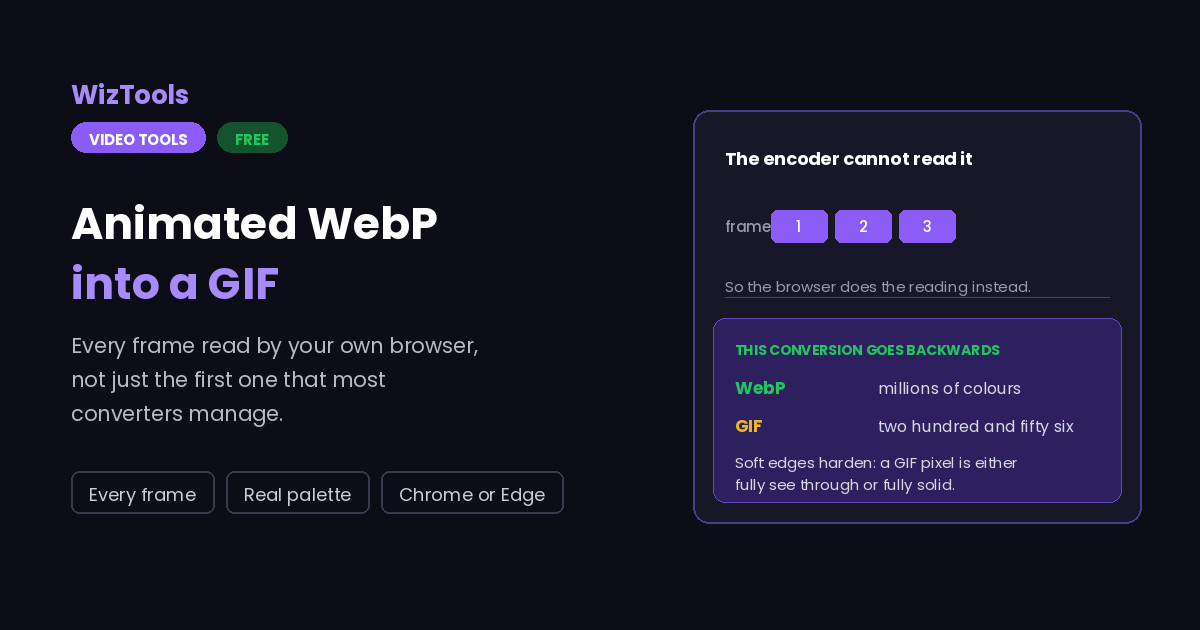
Free Forever Nothing Uploaded Every Frame Real Palette
Free Online Animated WebP to GIF Converter
Share this tool
Advertisement Slot (Top Banner) Google AdSense Unit • Responsive Banner
Drop an animated WebP here to turn it into a GIF Every frame read by your browser and rebuilt as a GIF. Nothing is uploaded. Select a Video MP4, MOV, WebM, MKV, AVI and more • best under 300 MB • nothing is uploaded
0:00.000 / 0:00
The conversion
A WebP can hold millions. A GIF can hold 256, and that is the whole reason this conversion loses something.
Dithering hides the jump from millions of colours to 256, at the cost of noise in every frame.

Output
.gif

Your GIF

These files only exist in this tab. Save the ones you want before you close the page, because there is no copy of them anywhere else.

Buy Us A Coffee

Enjoying WizTools123? Help keep our server infrastructure 100% free and open for everyone.

Buy Us A Coffee
Sponsored Content (Below Tool) Google AdSense Placement

How to Convert WebP to GIF

Drop it, check the frames, download.

1
Drop the animated WebP in It is opened by your browser and never uploaded. The number of frames and their timing are read straight away.
2
Check what was found Frame count, size and the rate the GIF will use. If the frames have uneven delays, that is where you will see it.
3
Decide the colours A GIF can hold 256 at most. Flat artwork often looks the same at 64 and produces a much smaller file.
4
Run it Your browser reads the frames, and they are rebuilt as a GIF with a palette made from your own picture.

What Changes in the Conversion

A GIF is the older and poorer format, and it shows.

The work happens on your own machine. Your video is opened by this page, not sent anywhere. That is why there is no upload bar, no queue and no waiting for a server. It is also why a big file leans on your own processor: nothing is being done for you somewhere else.
The GIF will be bigger and look worse, and that is the format, not the tool. A WebP holds millions of colours and compresses between frames. A GIF holds 256 and stores each frame close to in full. Converting is going backwards on purpose, usually because something old will not accept WebP.
Transparency survives, but only as on or off. WebP has partial transparency; a GIF pixel is either fully see through or fully solid. Soft edges will therefore come out hard.
Frame timing is averaged. A WebP can give every frame its own delay. A GIF built from a sequence gets one rate for all of them, so an animation with deliberately uneven timing will not keep it exactly.
There is no way back to what was lost. Colours discarded here cannot be recovered from the GIF, so keep the WebP.
There is a real size ceiling, and it is your device, not us. The whole video has to fit in the browser's memory while it is being worked on, so roughly three hundred megabytes is comfortable on a laptop and far less on a phone. This page tells you where you stand the moment you pick a file.
The first run downloads the engine, later runs do not. Video work needs a real encoder, and that is a thirty megabyte download the first time you press the button. Your browser keeps it, so the second video starts straight away.
Leave the tab open. All of the work is in this page, so closing it or navigating away stops the job halfway. On a phone, switching apps can do the same thing, because the system is allowed to pause a background tab.

Key Features & Capabilities

What this tool does, and what it deliberately does not.

Nothing uploaded The file is read inside your browser and never reaches a server.
Frames read properly Every frame is taken from the animation itself rather than the single frame most converters manage.
A palette from your picture The 256 colours are chosen from your own frames, which is what keeps the result looking close.
Colours and width Both adjustable, because a GIF of the same animation is always the bigger file.
Honest about the trade This conversion loses colour and gains size, and the page says so instead of pretending otherwise.
Your original is safe A new file is written and the one you dropped is never modified.

About the Animated WebP to GIF Converter

Converting an animated WebP to a GIF is going backwards on purpose. WebP is the newer format by two decades: millions of colours, real transparency, and compression that stores the differences between frames rather than each frame whole. A GIF has 256 colours, transparency that is only on or off, and stores each frame close to in full. Nobody does this conversion because the result is better. They do it because something will not accept a WebP.

Doing it in a browser has one wrinkle that is worth stating plainly. The encoder used everywhere else on this site cannot read animated WebP at all: hand it one and it returns a single frame with no error to explain why. So this page works the other way round. Your browser reads the animation frame by frame using a decoder that Chrome and Edge provide, and the encoder is used only to write the GIF at the end.

That is also why this is the one page here that needs a particular browser. Safari and Firefox do not offer that decoder, and rather than producing a one frame GIF and calling it converted, this page says so.

Two things change in the conversion beyond the obvious. Transparency becomes all or nothing, so soft edges harden. And frame timing is averaged, because a GIF built from a sequence of pictures gets one rate for all of them, while a WebP can give every frame its own delay.

Frequently Asked Questions

Browsers, colours, transparency and file size.

Drop it here in Chrome or Edge and press the button. Every frame is read from the animation and rebuilt as a GIF.

Reading an animated WebP a frame at a time needs a decoder only Chrome and Edge expose, and the encoder used elsewhere on this site cannot read WebP animation either.

Because a GIF stores each frame close to in full, while WebP compresses the differences between frames. That gap is the whole reason WebP exists.

Close, but not identical. A WebP can hold millions of colours and a GIF holds 256, so gradients and photographs lose the most.

Yes, but only fully on or fully off. WebP supports partial transparency and GIF does not, so soft edges come out hard.

No. The animated WebP is decoded and the GIF assembled in this tab, frame by frame. Your file never leaves the machine it is sitting on.

Every Other Video Tool

76 more tools in this set. All free, all in your browser.

Advertisement Slot (Bottom Banner) Google AdSense Unit • Responsive Banner