Free Online Extract Text from PDF, Copy, Download & OCR for Scans
Pull the text out of a PDF so you can copy, search or reuse it. Real text comes out instantly, page by page or all at once. When the file is a scan with no text layer, built in OCR can read the words from the picture instead. Both run in your browser, so scanned documents stay private.
Free Forever Nothing Uploaded Handles Columns OCR for Scans
Share this tool
Advertisement Slot (Top Banner)Google AdSense Unit • Responsive Banner
Extract Text from a PDF
Drag and drop your PDF here and the words appear straight away.
It is opened by your browser, not by a server.
Select a PDF File
Up to 100 MB •
2,000 pages •
nothing is uploaded
document.pdf
These pages are pictures, not text
A scanned PDF is a photograph of paper, so there is nothing inside it to pull out.
OCR reads the letters out of the picture instead.
The text
Reading the pages
Save it as
How to lay it out
Every line stays where it was. Right for poetry, code, addresses and tables.
Which pages
On a long document this is quicker, and with OCR it matters a lot: that takes a
few seconds a page.
Buy Us A Coffee
Enjoying WizTools123? Help keep our server infrastructure
100% free and open for everyone.
It is not you, and it is not the file being broken.
A PDF does not store text. It stores characters, each one placed at a coordinate, in whatever order
the program that made the file happened to draw them. Nothing in the document records that these
letters form a line, that this line ends a paragraph, or that the left column should be finished
before the right one is started. That structure existed in the original and was thrown away when the
page was drawn.
So anything reading a PDF has to rebuild it by looking at where the letters landed. Most tools do the
least possible: they hand back the characters in stored order and let you sort it out. That is why a
two column page comes back as one line from the left, one line from the right, all the way down.
What is missing from the file
What most tools do
What this page does
Which characters form a line
Nothing
Groups them by baseline
Where the spaces go
Words run together
Works them out from the gaps
Which column to read first
Reads straight across
Finds the gutter, reads each side
Whether a line ends a paragraph
Every line ends one
Your choice, either way
That a hyphen split a word
Leaves half words
Puts them back together
Where it still cannot help. A table is text that happens to line up, so the words all come
out in order but the grid does not survive as structure. And a few files embed a font with a
broken character map, which gives back the right shapes with the wrong letters behind them. That
looks like gibberish, cannot be fixed from outside, and is the one case where running OCR on a
document that does have text is the right move.
When There Is No Text At All
Scanned pages, and what OCR can and cannot do with them.
Put a page through a scanner and what lands in the PDF is a photograph. It looks like a document and
it is a picture, so there is genuinely nothing inside it to extract. Most tools hand back an empty box
at this point and say nothing, which is why so many people conclude the tool is broken. It is not: the
document really is empty of text.
What OCR does well. A clean, straight, reasonably sharp scan of ordinary printed
text comes out very close to right. Books, printed letters, invoices and forms are all
good candidates, and it keeps the line structure while it is at it.
Where it struggles. Photographs taken at an angle, faint or low resolution scans,
unusual typefaces, and anything handwritten. It is guessing letters from their shapes, so
it will produce something plausible rather than nothing, and plausible is worse than
blank if you do not check it.
The recognition happens on your own machine. The engine is part of this page rather than a
service somewhere, so a scanned contract is not posted anywhere to be read. It is about seven
megabytes, which is why it downloads only when you press the button, once. After that it works
with no internet at all. It reads English.
Is It Safe to Extract Text from a PDF Online?
A fair question, and the answer is checkable.
What happens to your file
Most PDF sites
This page
Where the file is opened
On their server
In your browser
Where the OCR runs
On their server too
Also in your browser
Who else can read it
Whoever runs the server
Nobody, it never left
Can you verify the claim
No, you have to trust it
Yes, see below
Check it yourself. Press F12 to open your browser tools and go to the Network tab. Drop a
PDF in. You will see the page fetch its own code and nothing else, and if you run OCR you will see
it fetch the engine from this site and still send nothing out. For a stronger test, load the page,
run OCR once so the engine is cached, then turn off your wifi and read another scan. It still
works.
How to Extract Text from a PDF
Drop it in and the words are already there.
1
Open your PDFDrag it onto the box, or press the button and pick it. The file is read by your browser and never leaves the computer.
2
Read the text outThe words come out in reading order, with two column pages handled a column at a time rather than straight across. It happens as soon as the file opens.
3
If it is a scan, run OCRA scanned page has no text in it at all, only a picture. You will be told when that is the case, and a button appears that reads the pictures instead.
4
Copy it or save itCopy the lot with one press, or download it as plain text, Markdown, CSV or JSON.
What to Know Before You Extract
Including the things this tool cannot do.
A PDF does not really contain text. It contains characters, each one placed at a coordinate. Nothing in the file says which characters make a line, where a paragraph ends, or which of two columns to read first. All of that has to be worked out from where the letters sit, which is why extracted text so often comes out scrambled elsewhere. This page reconstructs lines from the baselines and looks for the gutter between columns before it reads anything.
A scanned page has no text to extract. It is a photograph of paper. There is nothing in it for any tool to pull out, which is why most of them hand back an empty box and leave you guessing. You will be told plainly when a page is like that, and offered OCR, which reads the shapes instead.
OCR guesses, and sometimes guesses wrong. It works out letters from their shapes, so a clean scan comes out well and a crooked, faint or low resolution one comes out with mistakes. Read the result before you rely on it. The engine here is English only, and it takes a few seconds a page.
Tables lose their shape. A table in a PDF is not a table, it is text at coordinates that happen to line up. The words all come out, in the right order, but the rows and columns do not survive as structure. Keeping the line breaks gets you closest to the original layout.
Some PDFs give back nonsense. A few files embed fonts with no proper character map, so what comes out is the right shapes with the wrong letters behind them. It looks like gibberish and there is no way to fix it from the outside. If that happens, treat the page as a scan and run OCR on it.
Encrypted files have to be opened first. A PDF that asks for a password before it will open cannot be read here. Remove the password first, then come back.
Key Features & Capabilities
What this tool does, and what it deliberately does not.
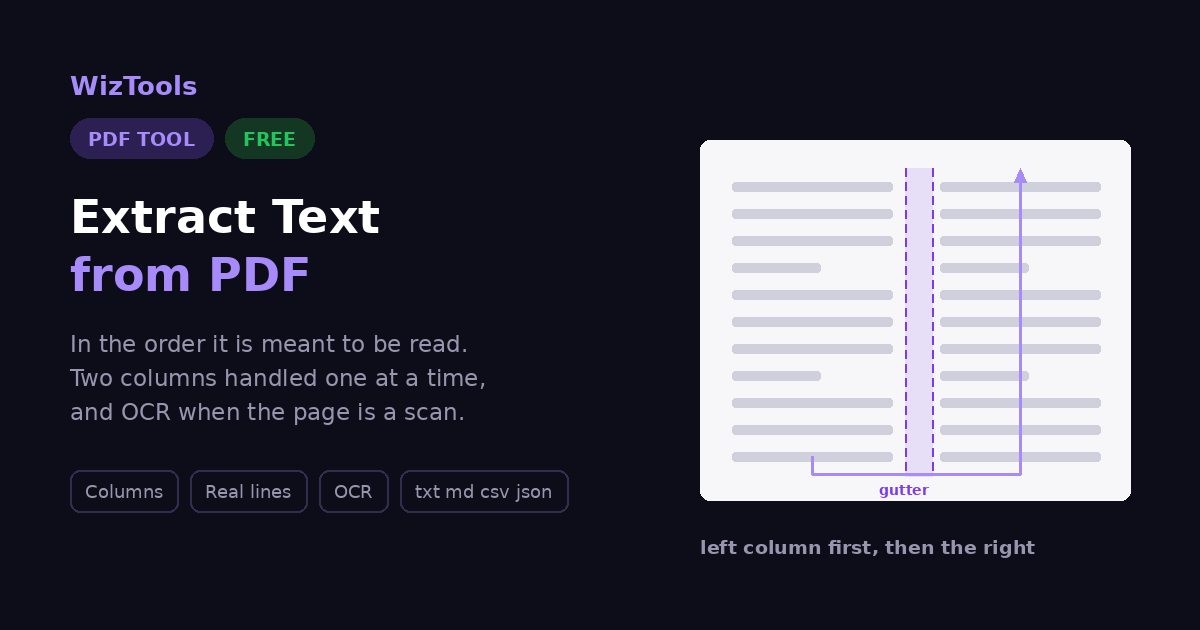
Reads columns one at a timeIt looks for the empty strip running down the middle of the page and reads each side in turn. Without that, a two column page comes out as one line from the left, one from the right, all the way down, which is unreadable.
Builds the lines backCharacters are grouped by the line they sit on and sorted across it, and the gaps between them decide where the spaces go. That is the difference between real sentences and a stream of run-together words.
OCR for scans, built inWhen a page turns out to be a picture, it says so and offers to read it anyway. The engine sits in this page rather than on somebody else's server, so your scan is not uploaded to be read.
Copy it, or take it in four formatsPlain text to paste anywhere, Markdown with a heading per page, CSV with a row per page for a spreadsheet, or JSON for a script. All from the same read.
Puts broken words back togetherJustified text breaks words across lines with a hyphen. Joined back up, those turn into words again instead of half words with a dash in the middle.
The file never leaves your computerThere is no upload and no server, and that includes the OCR. The whole thing runs in the page you are reading, which is why it also works with the network switched off.
About the Extract Text Tool
Everybody has tried to copy a few paragraphs out of a PDF and got back something that looks like it went through a shredder: words run together, lines from two different columns alternating, half a table in the middle of a sentence. It is such a common experience that people assume PDFs are simply awkward. They are, but the reason is more specific than that, and knowing it explains what a tool can and cannot do about it.
A PDF does not contain text. It contains characters, each one placed at a particular coordinate on the page, in the order the program that made it happened to draw them. Nothing in the file records that these twelve characters form a word, that this line ends here, or that the reader should finish the left column before starting the right. That structure existed in whatever produced the document and was thrown away when the page was drawn. Anything reading a PDF has to rebuild it by looking at where the letters landed.
So that is what this does. Characters are grouped into lines by the baseline they sit on and sorted across each line, with the size of the gap between them deciding where a space belongs. Then the page is checked for a gutter, the empty strip running from top to bottom that separates two columns, and if one is there each side is read in turn instead of straight across. Words broken over a line end with a hyphen are put back together. It is not magic and it is not perfect, but it is the difference between a paragraph you can read and a paragraph you have to repair.
The other half of the problem is scans, and it is a different problem entirely. A scanned PDF has no text in it at all, only a photograph of paper, so there is genuinely nothing to extract. Most tools hand back an empty box at that point and let you work out why. This one tells you the page is a picture, and offers to read it anyway with OCR, which works the letters out from their shapes. That engine lives inside this page rather than on a server, which matters, because the documents people scan are usually the ones they would rather not post to a stranger.
Frequently Asked Questions
Everything worth knowing before you pull text out of a PDF.
Open the file on this page and the words appear straight away. Copy them with one press, or download them as plain text, Markdown, CSV or JSON. Nothing is uploaded and there is no sign up.
Because a PDF does not store text the way a word processor does. It stores characters at coordinates, with nothing to say which ones form a line or which column comes first. Anything reading a PDF has to reconstruct that from the positions, and most tools do the simplest possible job of it. This page groups characters into lines by their baselines and looks for the gutter between columns before it starts reading.
Almost certainly a scan. A scanned PDF is a photograph of paper, so there is no text inside it for anything to extract. You will be told when that is the case, and there is a button that runs OCR, which reads the letters out of the picture instead.
On a clean, straight, reasonably sharp scan it is good. On a crooked photo taken with a phone in poor light it will make mistakes, and on handwriting it is close to useless. It is a guess from shapes, so read what comes back before relying on it. English only here.
No. The recognition engine is part of this page and runs on your own machine. It is about seven megabytes, which is why it downloads only when you press the button, and then it is cached. After that it works with no internet at all.
No, and nothing can do that reliably from a PDF. A table in a PDF is not stored as a table: it is text placed so that it happens to line up in rows and columns. All the words come out in the right order, but the grid does not survive. Keeping the line breaks gets you as close to the original arrangement as is possible.
A PDF breaks a paragraph into fixed lines. Joining puts those lines back into one flowing paragraph, which is what you want if the text is going into a document that will reflow. Keep the line breaks instead when the layout matters, as with poetry, code, addresses or anything laid out in columns.
That happens with some PDFs where the spaces were never stored as characters at all, only as gaps. This page works spaces out from the size of the gap between characters, which handles most of them. A file that still comes out wrong usually has a damaged font map, and OCR on it will do better than extraction.
Yes. Give a first and last page and only that stretch is read. On a long document that is also much quicker, and it makes a real difference with OCR, which takes a few seconds per page.
No. There is no upload step, no server and no copy kept. You can open the tool, disconnect from the internet, and it will still work, OCR included once the engine has been fetched once.
Every Other PDF Tool
46 more tools in this set. All free, all in your browser.