WizTools123
Free Online Tools

Tool Categories


Video Tools New Tool

Free Online Video Grayscale, Sepia and Negative Converter

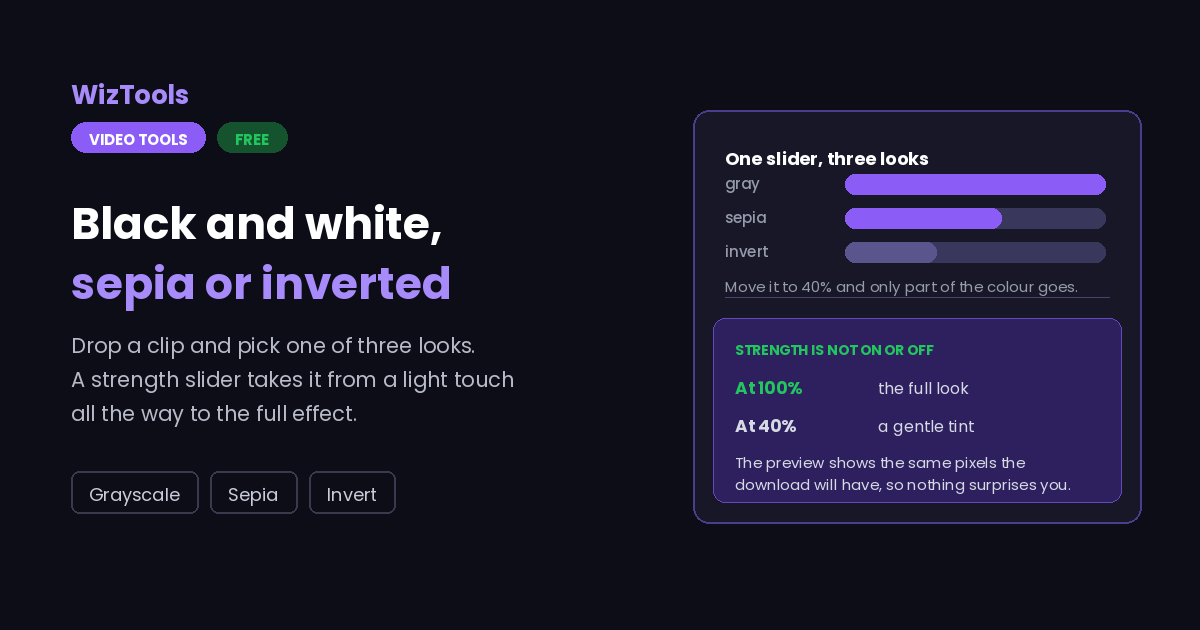
Turn a video black and white, sepia or negative for free without uploading it. The grey is weighted the way an eye sees rather than averaged flat, so colours do not collapse together, and the strength slider mixes the look with the original for a faded result instead of a blanket one.
Free Forever Nothing Uploaded Three Looks Any Strength
Free Online Video Grayscale, Sepia and Negative Converter
Share this tool
Advertisement Slot (Top Banner) Google AdSense Unit • Responsive Banner
Drop a video here to change its look Black and white, sepia, or a colour negative, with the amount in your hands. Nothing is uploaded. Select a Video MP4, MOV, WebM, MKV, AVI and more • best under 300 MB • nothing is uploaded
0:00.000 / 0:00
The look
Below a hundred leaves some of the original colour showing through, which is how a faded look is made rather than a flat one.
Before
After

Output
Measured on the short side, so portrait video keeps its shape.
Dropping frames makes a smaller file. It cannot add frames that were never recorded.
.mp4

Your video with the new look

These files only exist in this tab. Save the ones you want before you close the page, because there is no copy of them anywhere else.

Buy Us A Coffee

Enjoying WizTools123? Help keep our server infrastructure 100% free and open for everyone.

Buy Us A Coffee
Sponsored Content (Below Tool) Google AdSense Placement

How to Change the Look of a Video

Drop it, pick a look, choose how strong, download.

1
Drop the video in It is opened by your browser and never uploaded. Nothing is sent anywhere at any point.
2
Pick one of the three looks Black and white, sepia or a negative. Each one is a different way of mixing the three colours that are already there.
3
Decide how strong it is A hundred per cent is the full look. Lower values leave some of the original colour showing, which is how a faded look is made.
4
Check a frame, then apply The button draws the current frame before and after. Once you are happy, the video is encoded again and downloads.

What Each Look Actually Does

And which one survives being watched twice.

Black and white is not the average of the three colours. An eye is far more sensitive to green than to blue, so a flat average turns a red jumper and a blue one into the same grey. The weights used here are the ones television has used for decades, and they keep those two apart.
Sepia is a warm tint, not an old film. It shifts everything towards brown, which reads as age. What it does not add is grain, scratches or a soft edge, and a picture that is merely brown still looks like a modern picture.
A negative has no half measures that look good. Unlike the other two it is a swap rather than a tint, so a partial negative usually looks like a mistake rather than an effect. The slider is there, but full strength is almost always the answer.
This cannot be undone later. The colour is thrown away when the file is written, so keep the original. Turning a black and white video back into a colour one is not something any tool can do.
The picture has to be encoded again. There is no copy route for a colour change, because the colours live inside the compressed picture data. Expect it to take real time, and use the quality setting to decide what that costs.
The work happens on your own machine. Your video is opened by this page, not sent anywhere. That is why there is no upload bar, no queue and no waiting for a server. It is also why a big file leans on your own processor: nothing is being done for you somewhere else.
There is a real size ceiling, and it is your device, not us. The whole video has to fit in the browser's memory while it is being worked on, so roughly three hundred megabytes is comfortable on a laptop and far less on a phone. This page tells you where you stand the moment you pick a file.
The first run downloads the engine, later runs do not. Video work needs a real encoder, and that is a thirty megabyte download the first time you press the button. Your browser keeps it, so the second video starts straight away.
Leave the tab open. All of the work is in this page, so closing it or navigating away stops the job halfway. On a phone, switching apps can do the same thing, because the system is allowed to pause a background tab.

Key Features & Capabilities

What this tool does, and what it deliberately does not.

Nothing uploaded FFmpeg runs inside your browser as WebAssembly, so the footage never reaches a server.
Proper black and white Weighted for how an eye actually sees, so a red and a blue of the same brightness do not collapse into one grey.
Any strength you like The look is mixed with the original rather than replacing it, so a faded version is one slider away.
One frame first Before and after, drawn with the same mixing the encoder will use, so you are not guessing.
Sepia that is not orange The classic warm mix rather than a blanket orange tint, so light areas stay light instead of going muddy.
Your format and quality MP4, WebM, MOV or MKV, with the same quality and size controls the rest of this hub uses.

About the Video Grayscale, Sepia and Invert

Black and white, sepia and a negative sound like three different effects. They are really one: each takes the red, green and blue that are already in the picture and mixes them into new ones by a different recipe.

That is worth knowing because it explains the most common complaint about black and white video, which is that it comes out flat. A simple average of the three colours makes a bright red and a bright blue the same grey, and everything they were separating collapses together. The weights used here are the ones broadcast television has used for decades, weighted towards green because that is what an eye is most sensitive to, and they keep those things apart.

It also explains the strength slider. Because the look is a recipe, it can be mixed part way with the original instead of replacing it, and that is how a faded look is made rather than a flat one. The one exception is the negative, which is a swap rather than a tint, and a half-swapped picture generally looks like a fault rather than a choice.

One frame can be checked before the whole video is encoded, drawn with the same mixing the encoder will use. And since the colour is genuinely discarded when the file is written, keep your original: nothing can put it back.

Frequently Asked Questions

Black and white, sepia, negatives and how much is too much.

Drop it here, leave the look on black and white and press the button. The three colours are mixed with the weights an eye actually uses, so the result keeps the separation between colours that a flat average would lose.

Usually because the original was low in contrast and the colour was doing the work of separating things. Removing the colour removes that help. The colour adjuster on this site can raise the contrast first, which is the usual fix.

Yes. The strength slider mixes the look with the original, so seventy per cent leaves a trace of colour. That is how a faded or washed look is made rather than a flat monochrome one.

It makes it look brown, which is part of it. Old film also has grain, scratches and softness, and none of those are added here. A brown modern picture still reads as modern.

No, and nothing can. The colour is discarded when the file is written, so keep your original.

No. The colour change is applied frame by frame in this tab and the video written here. Your file never leaves the machine.

Every Other Video Tool

76 more tools in this set. All free, all in your browser.

Advertisement Slot (Bottom Banner) Google AdSense Unit • Responsive Banner