


Free Online App Download QR Code Generator for Store Links
Point a QR code at your app listing on the App Store or Google Play, or at your own page that redirects by device. The page explains honestly why no single code can detect which phone is scanning it, and adds a campaign tag so you can tell your posters apart. Nothing is uploaded.
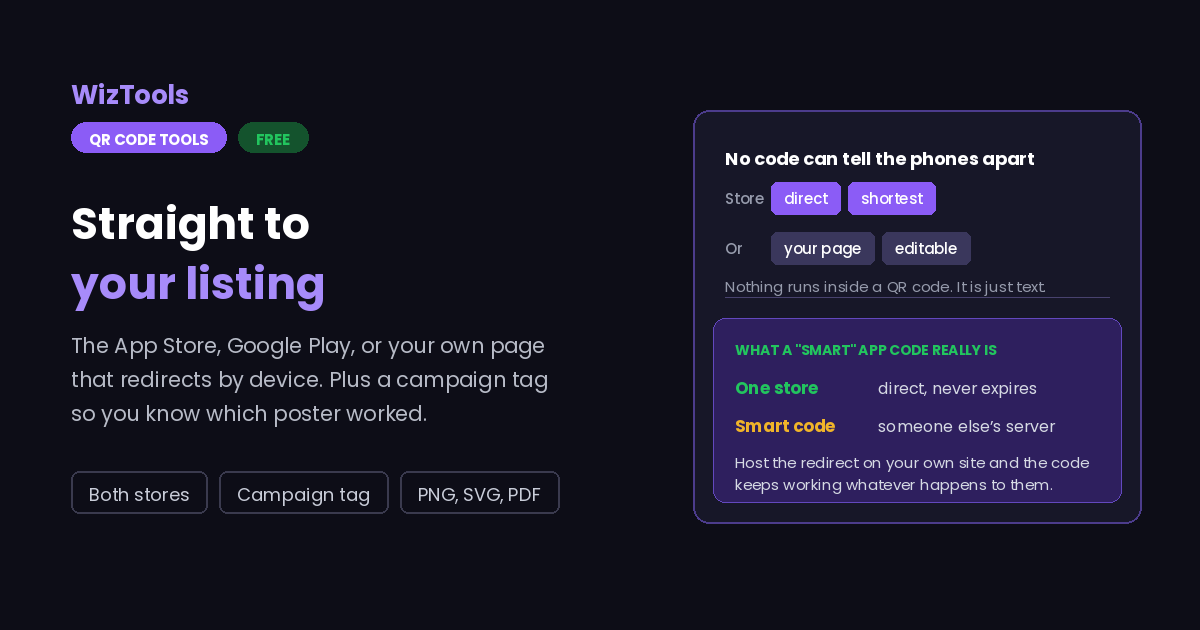
Points at your app listing. One code cannot tell an iPhone from an Android, so pick the store you want, or give your own redirect page and let that decide.
Need more than one kind of code? The all in one generator has all twelve types on a single page, and keeps your colours, logo and frame when you switch between them.
Scanners read contrast, not colour. Keep dark dots on a light background, because reversing it stops many phones from scanning.
Finish
Gradient and frame, for posters and table tents.Enjoying WizTools123? Help keep our server infrastructure 100% free and open for everyone.
Why Free QR Codes Expire, And Why These Do Not
The one thing worth understanding before you print anything.
| Static (this tool) | Dynamic (most free sites) | |
|---|---|---|
| What is inside the code | Your actual data | A short link to their server |
| If the company shuts down | Still works | Every printed code stops working |
| If they start charging | Nothing changes | The code can be switched off |
| Change the destination later | No, print a new one | Yes, this is the real advantage |
| Who sees who scanned it | Nobody | They do, with scan tracking |
| Works with no internet | For WiFi, vCard, text yes | Never, the link must resolve |
So the honest summary is this. If you need to change where a code points after it has been printed, or you need to count scans, you want a dynamic code and you should accept that it depends on a company staying in business. For everything else, which is most posters, menus, business cards, WiFi signs and product labels, a static code is the safer choice, because there is nothing in the middle that can fail.
How to Make an App Download QR Code
Four steps from blank form to print-ready file.
One store, or your own page. If nearly all your users are on one platform, point straight at that store and keep it simple. If the split is real, a page you control that redirects by device is the only way to serve both from a single code.
Open your app page in a browser and copy the address from the bar. Links written from memory, or taken from a marketing deck, are frequently a redirect or an old regional variant that no longer resolves.
The tag goes on the end of the link, so the installs attributed to your window poster can be told apart from the ones on your packaging. Both stores read these; it costs a few characters of pattern density.
Scan the finished code on an iPhone and on an Android. For a store link, check it opens the app listing rather than a web page asking people to open the app. For your own redirect page, check both ends send the right phone to the right store.
Key Features & Capabilities
Designed for speed, privacy, and precision.
The App Store or Google Play, with the right link form for each.
Point at a page you control and keep the ability to change the destination later.
Tell your poster, your packaging and your receipt codes apart in the store reports.
The same design controls as the full generator, gradients and frames included.
PNG for screens, SVG for presses, PDF laid out ready to hand over.
The link goes straight in the code. Nothing routes through this site, ever.
Why No Single QR Code Can Tell an iPhone From an Android
What those "smart" app codes are really doing, and your two honest options.
About the App Download QR Code Generator
An app download QR code points at your listing so people can install from a poster, a receipt, a box or a shop window instead of searching a store and hoping they find the right app among the imitations. It is one of the most useful places to put a code, because the alternative is a name typed into a search box and a result list you do not control.
It is also where the industry is least honest, so it is worth stating the mechanics. A QR code contains text. Nothing executes inside it, nothing examines the phone, nothing chooses between destinations. Any product offering a single code that routes iPhones to Apple and Android phones to Google is pointing that code at a page on a server, and the server is doing the work. The code itself is as simple as any other link code.
That leaves two approaches, and this page offers both plainly. Point at one store, which is right when your users are overwhelmingly on one platform and gives you the shortest link and the coarsest, most readable pattern. Or point at a page on your own site that reads the visitor and redirects, which serves both platforms from one code, keeps the destination editable after printing, and depends on nothing but your own hosting.
The campaign tag is worth using as soon as you have more than one code in the world. It rides on the end of the store link and lets you see which placement produced the installs: the window poster, the packaging insert, the conference stand. It adds a few characters to the pattern, which is a fair price for knowing which of your printed material was worth the money.
Frequently Asked Questions
Everything you need to know about the QR Code Generator.
Related Tools
Every Other QR Code Tool
15 more tools in this set. All free, all in your browser.