
WizTools123
WizTools123
Free Online Tools

Tool Categories


Video Tools New Tool

Free Online Video Intro and Outro Card Maker

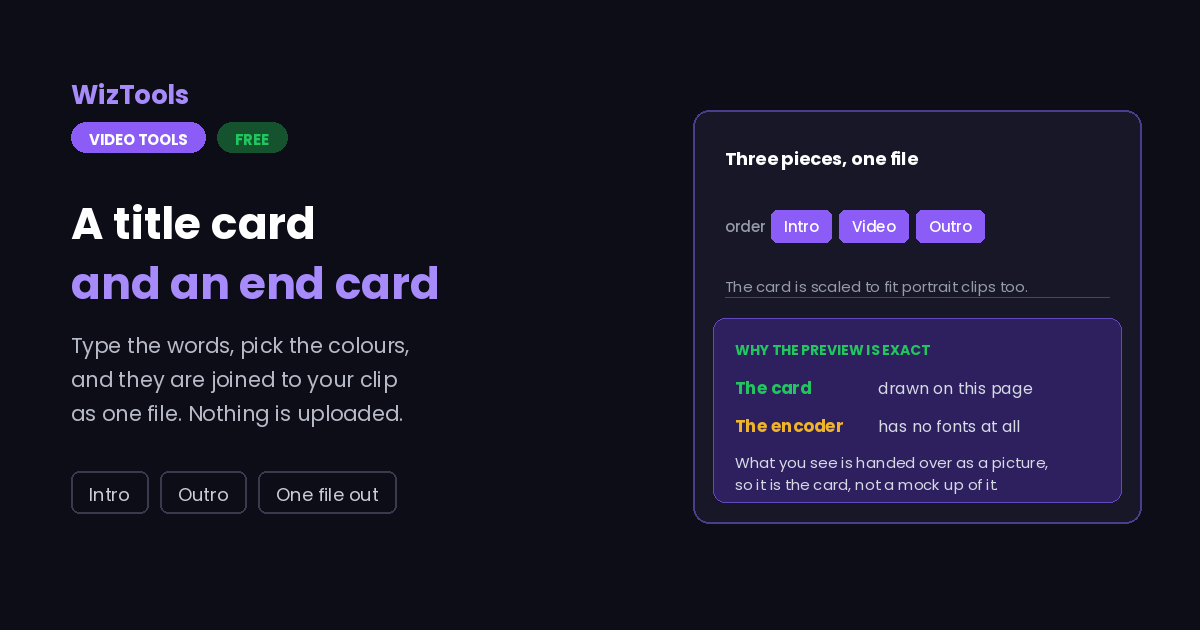
Add an intro and an outro to a video free without uploading it. The card is drawn on the page with your own fonts and handed to the encoder as a finished picture, so the preview is exactly what ends up in the file, and it is scaled to fit portrait clips as well as landscape ones.
Free Forever Nothing Uploaded Exact Preview Both Ends
Free Online Video Intro and Outro Card Maker
Share this tool
Advertisement Slot (Top Banner) Google AdSense Unit • Responsive Banner
Drop a video here to add an intro or an outro A title card before it, an end card after it, joined into one file. Nothing is uploaded. Select a Video MP4, MOV, WebM, MKV, AVI and more • best under 300 MB • nothing is uploaded
0:00.000 / 0:00
The cards
Both can be on at once. These buttons only choose which one you are editing.
Leave it empty and the title sits on its own in the middle.
Long enough to read is the only rule. Three seconds suits a short title, five a sentence.
This is the picture that goes into the file, drawn here and handed to the encoder as it is.

Output
Measured on the short side, so portrait video keeps its shape.
Dropping frames makes a smaller file. It cannot add frames that were never recorded.
.mp4

Your video with the cards

These files only exist in this tab. Save the ones you want before you close the page, because there is no copy of them anywhere else.

Buy Us A Coffee

Enjoying WizTools123? Help keep our server infrastructure 100% free and open for everyone.

Buy Us A Coffee
Sponsored Content (Below Tool) Google AdSense Placement

How to Add an Intro and an Outro

Drop it, type the cards, download one joined file.

1
Drop the video in It is opened by your browser and never uploaded. Its size and frame rate are read from the file, because the cards have to match them.
2
Write the intro card A title, an optional second line, and how long it stays. The preview underneath is the actual picture that will be used.
3
Switch to the outro and do the same The two buttons choose which card you are editing. Either one can be switched off if you only want the other.
4
Run it The cards and the video are joined into one file and it downloads. Nothing is sent anywhere.

What Joining Two Things Costs

The parts that catch people out.

The card is drawn here, not by the encoder. The encoder that runs in your browser has no fonts of its own, so the card is drawn on this page with the fonts your machine already has and handed over as a picture. What you see above is the picture that goes in, not an approximation of it.
Joining needs everything to match. Two pieces of video can only be joined when the size, frame rate and pixel format are the same, so the card is scaled to your video rather than the other way round. If your video is portrait the card is padded with its own background colour, so there is no visible edge.
The cards are silent, and that is deliberate. Silence is written under them so the joined file keeps one continuous sound track. Without it some players stop the audio at the first join and never start it again.
The whole video is encoded again. There is no way to staple a card onto a compressed video without rewriting it, so a long clip takes real time here even though the change is only at the ends.
The picture has to be encoded again. There is no copy route for a colour change, because the colours live inside the compressed picture data. Expect it to take real time, and use the quality setting to decide what that costs.
The work happens on your own machine. Your video is opened by this page, not sent anywhere. That is why there is no upload bar, no queue and no waiting for a server. It is also why a big file leans on your own processor: nothing is being done for you somewhere else.
There is a real size ceiling, and it is your device, not us. The whole video has to fit in the browser's memory while it is being worked on, so roughly three hundred megabytes is comfortable on a laptop and far less on a phone. This page tells you where you stand the moment you pick a file.
The first run downloads the engine, later runs do not. Video work needs a real encoder, and that is a thirty megabyte download the first time you press the button. Your browser keeps it, so the second video starts straight away.
Leave the tab open. All of the work is in this page, so closing it or navigating away stops the job halfway. On a phone, switching apps can do the same thing, because the system is allowed to pause a background tab.

Key Features & Capabilities

What this tool does, and what it deliberately does not.

Nothing uploaded FFmpeg runs inside your browser as WebAssembly, so the footage never reaches a server.
What you see is what goes in The card in the preview and the card in the file are the same drawing, not two attempts at the same thing.
One card or both An intro on its own, an outro on its own, or both, each with its own text and its own length.
Fits any shape The card is scaled and padded to your video, so portrait phone clips get a portrait card rather than black bars.
Sound stays continuous Silence is written under the cards so players do not stop the audio at the join.
Your format and quality MP4, WebM, MOV or MKV, with the same quality and size controls the rest of this hub uses.

About the Video Intro and Outro Maker

An intro and an outro are the same job done twice: a still card held on screen for a few seconds, joined to the video so that the result is one file rather than three.

The interesting part is the card itself. The encoder that runs inside your browser has no fonts, so it cannot draw text at all. The card here is drawn on the page instead, using the fonts your own machine has, and handed to the encoder as a finished picture. That is why the preview is exact rather than approximate: it is not a mock up of the card, it is the card.

Joining is fussier than it sounds. Two pieces of video can only be joined when their size, frame rate and pixel format agree, so the card is scaled to the video and padded with its own background colour where the shapes differ. A portrait phone clip gets a portrait card, not a landscape one with bars. Silence is written under the cards as well, because a joined file with a gap in its sound track makes some players give up on the audio entirely.

All of it happens in your browser. The video is opened by this page, joined and written out again, and nothing is sent anywhere at any point.

Frequently Asked Questions

Cards, lengths, sound and what the joined file looks like.

Drop the video here, type a title on the intro card, set how long it should stay and press the button. The card and the video come back as one file.

Not on this page. The card here is text on a colour, which covers most titles and end cards. For a picture card, put the image and the video together in the all in one editor instead.

Long enough to read once, which is about three seconds for a short title and five for a sentence. Longer than that and people skip it.

Because there is nothing to play under it, and silence is written there on purpose so the joined file keeps one continuous sound track from start to finish.

Yes, all of it. A card cannot be stapled onto compressed video without rewriting it, so a long clip takes real time even though only the ends change.

No. The encoder runs inside your browser, so the file never leaves your machine.

Other Video Tools

Advertisement Slot (Bottom Banner) Google AdSense Unit • Responsive Banner