Free Online GST, VAT and Sales Tax Calculator, Add or Remove the Tax
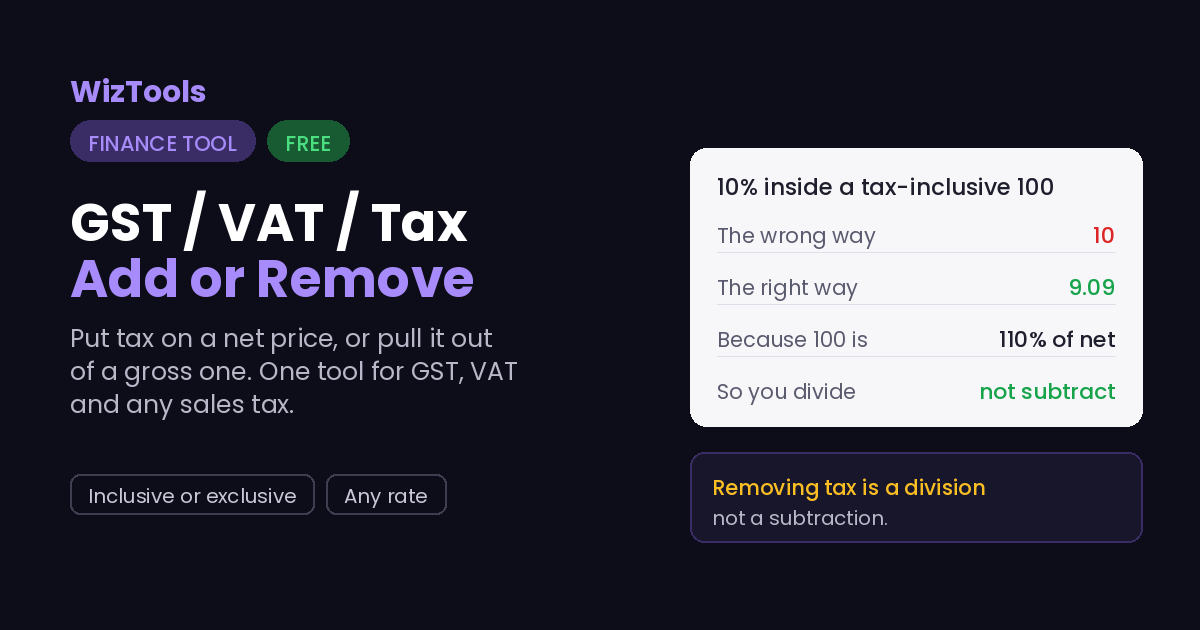
Add tax to a price or pull it back out, the right way. Enter the amount and the rate, then choose whether the amount already includes the tax or not. Removing tax is where people slip: taking ten percent off a tax-inclusive hundred is not ten, it is nine and nine, and this does that division for you.
Free Forever Nothing Uploaded Add or Remove As You Type
Share this tool
Advertisement Slot (Top Banner)Google AdSense Unit • Responsive Banner
GST / VAT / Sales Tax CalculatorAdd tax to a price, or pull it back out.
Everything is worked out in your browser. No number you type is sent anywhere, and there is no account.
Amount and rate
Nothing is uploaded; every number stays in your browser.
$
%
GST, VAT or a local sales tax; any rate works.
Result
The save button in the top bar keeps the numbers you have filled in, on this device only.
Numbers
Display
Size
Theme
Full screen hides the page around the tool. Press Escape, or the button in the bar, to come back.
History
Your data
Settings, history and saved setups live in this browser and nowhere else. There is no account and no server, which also means clearing them here is final.
Are you sure?
Buy Us A Coffee
Enjoying WizTools123? Help keep our server infrastructure
100% free and open for everyone.
The mistake that puts a shop\'s books out by a little every time.
Adding tax is easy: ten percent on a hundred is ten, giving a hundred and ten. Removing it is
where people slip. The tax inside a hundred that already includes ten percent is not ten; it is
nine and nine, because the hundred is a hundred and ten percent of the real price. You divide by
one point one, you do not take ten percent off.
This does the division for you and shows the net, the tax and the gross together.
Choose whether your amount is before tax or already includes it, and the right sum runs. It
is the same tool for GST, VAT and any local sales tax, because the arithmetic is identical;
only the name and the rate change from one country to the next.
The rate is yours to set, and this is a single-rate tool. Some places layer taxes,
exempt certain goods, or apply different rates to different lines of a bill. This works out one
rate on one amount, cleanly, which covers most everyday needs; for a mixed bill, run each part
on its own rate.
Where Your Input Goes
Nowhere. And you can check that yourself.
Your amounts are worked out in your browser and never sent anywhere.
It is all done by your own browser. Press F12, open the Network tab, and use the tool:
the page fetches its own code and nothing else. Or load the page, turn off your wifi, and
carry on. It still runs, because there was never a server in the middle.
How to Add or Remove Tax
A few steps, and nothing is uploaded.
1
Say what the amount isBefore tax, so it gets added, or already including tax, so it gets removed.
2
Enter the amount and rateAny GST, VAT or sales tax rate. Nothing is uploaded.
3
Read net, tax and grossAll three at once, so both sides of the sum are clear.
4
Reuse the rateSet your usual rate once; it is remembered on this device.
What to Know About Tax Sums
Including the things this tool cannot do.
Removing tax is a division, not a subtraction. The tax inside a tax-inclusive hundred at ten percent is nine and nine, not ten, because the hundred is a hundred and ten percent of the real price. Taking the flat percentage off is the common error this avoids.
GST, VAT and sales tax are the same sum with different names. The arithmetic does not change from one country to the next; only the rate and the label do. So one tool covers all of them, and you set whatever rate applies to you.
This handles one rate on one amount. Layered taxes, exemptions and mixed bills with different rates per line are beyond a single figure. For a mixed bill, run each part on its own rate and add the results. For the everyday case, one rate is all it takes.
It does not know your country's rate. Rates change and vary by place and by product, so the tool never assumes one; you enter it. That keeps the answer correct wherever you are and whenever the rate last changed.
Key Features & Capabilities
What this tool does, and what it deliberately does not.
Add or removePut tax on a net price, or pull it out of a gross one.
Net, tax and grossAll three shown together, so both sides are clear.
Any tax, any rateGST, VAT or sales tax; the sum is the same, the rate is yours.
As you typeThe result updates while you edit.
History and savedRecent sums and named setups, on this device only.
Nothing uploadedYour amounts stay in the browser.
About the GST / VAT / Sales Tax Calculator
Tax on a price is two sums that feel like one. Adding it is easy; removing it, to find the tax hidden inside a price that already includes it, is where a lot of otherwise careful arithmetic goes wrong. This calculator does both directions and shows the net, the tax and the gross side by side so there is nothing to second-guess.
It is one tool for GST, VAT and sales tax because they are the same calculation under different names. You tell it whether your amount is before or after tax, give it the rate, and it runs the right sum, including the division that removing an inclusive tax actually requires.
The rate stays in your hands. Tax rates differ by country and by product and change over time, so the tool never assumes one and never fetches one; you enter what applies and it does the maths in your browser. Nothing you type is uploaded, and your usual rate is remembered on this device so you are not typing it every time.
Frequently Asked Questions
How to pull tax out of an inclusive price, and why one tool fits all.
Choose the inclusive option and enter the price. The tool divides by one plus the rate to find the net, then the difference is the tax. On a hundred at ten percent the tax is 9.09, not 10, because the hundred already includes the tax.
All of them. They are the same calculation with different names and rates. Enter your rate and choose add or remove; the sum is identical whatever the tax is called where you are.
It does one rate on one amount. For a bill with different rates per line, run each part separately and add the results. For layered taxes, apply them in order, using the result of one as the input to the next.
Because rates vary by place and product and change over time. Assuming one would make the tool wrong for most people. You enter the rate, which keeps the answer correct wherever and whenever you use it.
No. It is worked out in your browser, with history and saved setups on this device only. You can confirm it in the Network tab or by working offline.