


Free Online Video Trimmer, Cutter, Converter, Compressor, Frame Grabber and Audio Tools
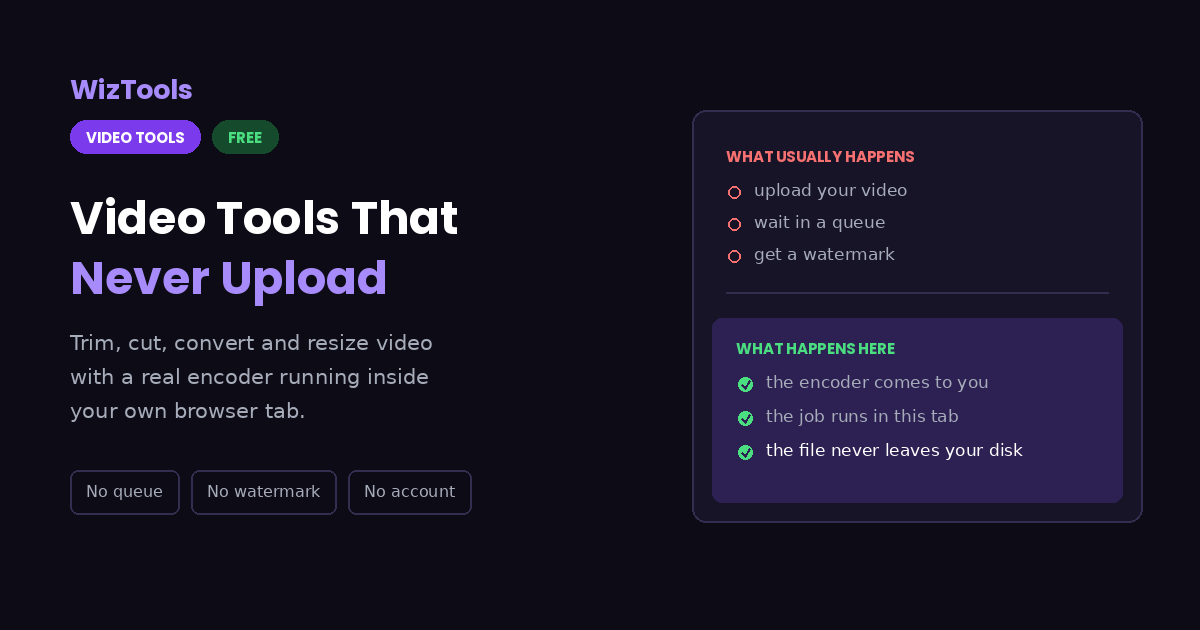
Seventy seven video tools that work without uploading anything. Trim, cut, split, merge, compress, resize and convert. Add text, subtitles, watermarks and fades. Take GIFs apart and put them back together. Measure loudness, keyframes and colour. A real encoder runs inside your own browser, so there is no queue, no watermark and no account.
Choose a Video Tool
Every one of them runs in this tab. Nothing is uploaded anywhere.
Enjoying WizTools123? Help keep our server infrastructure 100% free and open for everyone.
Which Tool Do I Need?
Every tool in this section appears once below. Find the sentence that sounds like you.
Cut, join and reorder
Changing what is in the video, and in what order.
| What you are trying to do | Tool | Why that one |
|---|---|---|
| Do several things to the same video without opening six pages | All in One Video Editor | The edits stack up and the video is rebuilt once, not once per change. |
| Keep one stretch of a long video and drop the rest | Video Trimmer | Two handles on the timeline, or a timecode typed to the millisecond. |
| Cut a dull part out of the middle and join what is left | Video Cutter | Mark the cuts on the timeline, then delete the pieces you do not want. |
| Break one long file into several numbered parts | Video Splitter | Equal parts, a part every few minutes, or times you type yourself. |
| Pull out a list of separate pieces in one pass | Video Segment Extractor | One line per piece, and they all arrive together in a ZIP. |
| Join several clips into one file | Video Merger | Clips that do not match in size or frame rate are made to match first. |
| Take the long silent gaps out of a talking video | Video Silence Remover | It finds the gaps and shows you the count before it cuts anything. |
| Show someone what a long film is like in a few seconds | Video Preview Generator | Moments from across the film, joined, instead of the first ten seconds. |
| Make a short clip repeat several times | Video Loop Maker | The repeat is written into the file, so it loops wherever it is played. |
| Play a clip backwards | Video Reverser | Reversed all the way through, or out and back in one file. |
| Make a dark or washed out clip look right | Video Colour Adjuster | Gamma for dark footage, contrast for flat, and one frame checked first. |
| Make a clip black and white, sepia or a negative | Video Grayscale, Sepia and Invert | The grey is weighted for the eye, so colours do not collapse together. |
| Give a clip a clean opening and ending | Video Fade In and Out | The sound fades with the picture, so it does not end on a talking black screen. |
| Put a title card before a clip and an end card after it | Video Intro and Outro Maker | The card you see on the page is the card that goes into the file. |
| Put a caption or a meme line on a clip | Video Text Overlay and Meme Maker | Burnt into the picture, so it shows even where subtitles are off. |
| Put a logo or a name on a folder of clips | Video Watermark Adder | The mark is sized per clip, so portrait and landscape both look right. |
| Show viewers how much of a clip is left | Video Progress Bar Maker | Feeds hide the scrub bar, and people leave when they cannot tell. |
| Find the gaps and bad joins in a long recording | Video Black Frame Detector | It decodes the whole file, so short runs are not missed the way scrubbing misses them. |
| Put captions on a clip for a feed | Video Subtitle Burner | Burnt in captions show up where subtitle tracks are switched off. |
| Put a visible clock on footage for review | Video Timestamp Overlay | Both people can point at the same number on the screen. |
| Split a long recording into its shots | Video Scene Change Detector | The seconds line up with the timeline in any editor. |
| Check a clip against a platform loudness target | Video Loudness Analyzer | LUFS is what the platforms measure; decibels are not. |
| Make a set of clips play at the same level | Video Audio Normalizer | It is measured before it is changed, so it lands on the target. |
| Show a silent feed that a clip has sound | Video Waveform Overlay | A moving shape says it in the first half second. |
| Work out why a lossless trim lands early | Video Keyframe and GOP Analyzer | A cut that does not re-encode can only start on a keyframe. |
| Work out why a clip looks washed out | Video Colour Space Analyzer | It is almost always the range tag, and this shows it. |
| Stop a phone clip playing sideways | Video Rotation Metadata Fixer | If the flag is the problem, the fix costs nothing at all. |
| Get the subtitle file out of an MKV or MP4 | Video Subtitle Extractor | It is a copy, not a conversion, so the timings are exact. |
| Get a GIF under an upload limit | GIF Optimizer | A GIF has no quality slider, so the real levers are shown instead. |
| Fit a GIF into a size limit | GIF Resizer | The palette is rebuilt, so the edges do not go speckled. |
| Make a GIF play faster or slower | GIF Speed Changer | Browsers ignore very short frame delays, and this stays inside that. |
| Make a GIF loop without a jump | GIF Reverser and Boomerang Maker | A boomerang ends where it began, so the loop is seamless. |
| Cut a GIF down to the part that matters | GIF Cropper | The palette is rebuilt, so what is left gets all 256 colours. |
| Get the individual frames out of an animation | GIF and WebP Frame Extractor | The real frame count is read from the file, not estimated. |
| Get an animated WebP into something old software accepts | Animated WebP to GIF Converter | Most converters only manage the first frame; this reads them all. |
| Drop one bad frame out of a GIF | GIF Frame Reorder and Remover | Every frame is shown, so you are not guessing at numbers. |
Size, shape and speed
When the picture is right but the numbers are not. Most of these take a row of videos at once, each with its own settings if it needs them.
| What you are trying to do | Tool | Why that one |
|---|---|---|
| Make a file small enough to send or upload | Bulk Video Compressor | You choose the target and it says what the picture will cost. |
| Change the width and height to an exact number | Bulk Video Resizer | Odd numbers are corrected for you, because encoders refuse them. |
| Move a video up or down the usual quality ladder | Bulk Video Resolution Converter | 1080p, 720p, 480p and 360p, with the shape kept. |
| Turn a wide video into a square or a tall one | Bulk Video Aspect Ratio Converter | Blurred bars or a crop, and it shows you both before you pick. |
| Get the right size for Reels, Shorts or TikTok | Bulk Social Media Video Resizer | Pick the place and it fills in the size and the length limit. |
| Cut the edges off the picture | Video Cropper | The box is drawn on the real frame, not on a scaled preview. |
| Change the frame rate | Bulk Video FPS Converter | It says plainly what is gained and what is thrown away. |
| Speed a video up or slow it down | Bulk Video Speed Changer | Keep the pitch for talking, or let the voices rise and fall. |
| Work out a bitrate that fits a size limit | Video Bitrate Calculator | No file needed. The sound and the container overhead are both counted. |
| Turn a sideways video the right way up | Bulk Video Rotator | The turn is written into the file, so it stays turned when you send it. |
| Mirror a video left to right | Bulk Video Flipper | Puts a selfie back the way you saw it, and warns you about writing. |
Format and animation
The same content, in a different kind of file. Converting, repacking and GIF making all accept a batch rather than one file at a time.
| What you are trying to do | Tool | Why that one |
|---|---|---|
| Change a video to another format | Bulk Video Converter | MP4, WebM, MOV or MKV, and it tells you what the change cost. |
| Change the container without touching the picture | Bulk Video Format Converter | A remux, so nothing is encoded again and nothing is lost. |
| Turn a few seconds into a GIF | Bulk Video to GIF Converter | A palette built from your own clip, so it stays small and clean. |
| Make a looping animation smaller than a GIF | Video to Animated WebP | Millions of colours, several times smaller, and it loops by itself. |
| Turn a GIF back into a video | GIF to Video | The same frames at a fraction of the size, with the loop kept. |
| Save frames as WebP pictures | Video to WebP Frames | Smaller than PNG and cleaner than JPG, drawn by your own browser. |
Pictures out of a video
Frames, sheets and thumbnails. None of these download an encoder.
| What you are trying to do | Tool | Why that one |
|---|---|---|
| Save one frame as a picture | Video Frame Grabber | Step to the exact frame first, then save that one. |
| Save frames as JPG pictures | Video to JPG Converter | Nothing is downloaded. Your browser draws the frames itself. |
| Save frames as PNG pictures | Video to PNG Converter | Lossless, for text, screens and anything with hard edges. |
| Get a lot of frames for animation or analysis | Video Frame Extractor | Every frame, or one every so many seconds, all in a ZIP. |
| Make one sheet of frames with the times on it | Video Contact Sheet Maker | Each frame carries its timecode, so you can find the moment again. |
| Make screenshots for a manual or a guide | Video Screenshot Generator | Even spacing and plain names, ready to drop into a document. |
| Make a thumbnail at an exact size | Video Thumbnail Maker | Pick the frame, pick the size, and it comes out at that size. |
| Make a mosaic of frames to use as one picture | Video Thumbnail Grid Maker | A grid without timecodes, for when it is the picture that matters. |
| Make a YouTube thumbnail | YouTube Thumbnail Maker | 1280 by 720, with guides on screen that stay out of the saved file. |
Sound
Taking it out, putting it back, or just looking at it. The four pages that pull sound out of a video will take a whole folder in one sitting.
| What you are trying to do | Tool | Why that one |
|---|---|---|
| Save the sound of a video as MP3 | Bulk Video to MP3 Converter | Plays anywhere, at a bitrate you choose. |
| Save the sound as WAV | Bulk Video to WAV Converter | Uncompressed PCM, for software that will not take anything else. |
| Save the sound as M4A | Bulk Video to M4A Converter | Better sound per megabyte than MP3 at the same size. |
| Take the sound out without encoding it again | Bulk Audio Extractor | A stream copy, so what you get is exactly what was in the video. |
| Save only one stretch of the sound | Video Audio Range Extractor | Type the start and the end, with a fade in and out if you want one. |
| Make a video silent | Bulk Video Audio Remover | The track is removed, not turned down to zero. |
| Put a different soundtrack on a video | Replace Video Audio | The picture is copied across untouched. |
| Add music under the sound that is already there | Add Audio to Video | Mixing rather than replacing, with neither side quietly halved. |
| See the sound as a picture and check for clipping | Video Audio Waveform Generator | Peaks rather than averages, plus the peak level in dBFS. |
Find out what you have
Nothing is changed and nothing is saved. These pages only read.
| What you are trying to do | Tool | Why that one |
|---|---|---|
| Find out why a video will not play | Video Resolution and Codec Analyzer | It names the codecs and says which browsers can open them. |
| Read everything the file says about itself | Video Metadata Viewer | Container, streams, dates and the fields most players hide. |
| Check the length, the size and the bitrate | Video Duration and Size Analyzer | The numbers behind whether a file is too big to send. |
| Check the real frame rate, not the claimed one | Video Frame Rate Analyzer | It counts the frames your browser is actually shown. |
| Find the main colours in a video | Video Frame Colour Analyzer | It samples across the film and gives the shares as percentages. |
| Check whether this device can play a file smoothly | Video Playback Speed Tester | It really plays it, and measures against the clock as well. |
How Video in a Browser Actually Works
The same four steps, whichever tool you pick.
Why Use These Instead of an Upload Site
The things that are actually different, including the ones that are worse.
About WizTools Video Tools
Video has always been the awkward one online. Text and pictures are small enough that a web page can handle them without help, but a single minute of phone footage is bigger than a thousand page document, and until recently a browser simply could not do anything useful with it. That is why every free video tool asked you to upload, and why every one of them had a queue, a size cap and a watermark.
The tools in this section work differently. FFmpeg, the program that sits underneath most video software in the world, has been compiled to WebAssembly, which means it can run inside your browser tab. Your video is opened from your own disk, worked on by your own processor, and saved back to your own downloads folder. Nothing is sent anywhere, so there is nothing to queue for and nothing to delete afterwards.
There are fifty one tools here and they fall into a handful of jobs. Cutting and joining covers trimming, splitting, merging, taking out silence and building a short preview of a long film. Size and shape covers compressing, resizing, cropping, rotating, changing the frame rate and getting the exact dimensions a social network expects. Pictures out of video covers single frames, batches of frames, contact sheets and thumbnails. Sound covers pulling the audio out, putting a new track on, mixing music under what is already there and drawing the waveform. And the reading tools change nothing at all: they tell you what a file is, what it claims about itself, and whether this device can really play it.
The trade is real and we would rather say it plainly. A browser sandbox runs an encoder several times slower than the same job would run natively, and everything has to fit in memory at once, so there is a file size beyond which your device will struggle. A short clip is quick. A long, high resolution video is not. The frame and reading tools skip the encoder entirely and finish in seconds. Every tool here tells you where you stand the moment you choose a file, instead of letting you find out after ten minutes of waiting.
Seventeen of these pages also take more than one video at a time. Compressing, converting, resizing, reshaping, rotating, flipping, changing the frame rate or the speed, and every page that pulls the sound out of a video will accept a whole folder, show it as a row of thumbnails, and work through it one file after another. One setting can cover the row, or any single video can be clicked and given its own. That is the only honest way to do a batch in a browser: files are handled in turn rather than together, so a long queue takes as long as its parts, but it finishes.
What you will not find is a free tier, a sign up form or an upgrade prompt. There is no server doing the work, so there is no cost to ration and no reason to ask who you are.
Frequently Asked Questions
About video in a browser in general. Each tool has its own answers too.
Every Other Category
17 more sets of tools on the site. All free, all in your browser.