


Free Online Email QR Code Generator with Subject and Message
Scanning opens a new email addressed to you, with the subject and message already written. Special characters in the subject and body are encoded properly, so nothing gets cut off halfway. Useful on support cards, feedback notices and enquiry posters. Built in your browser, nothing uploaded.
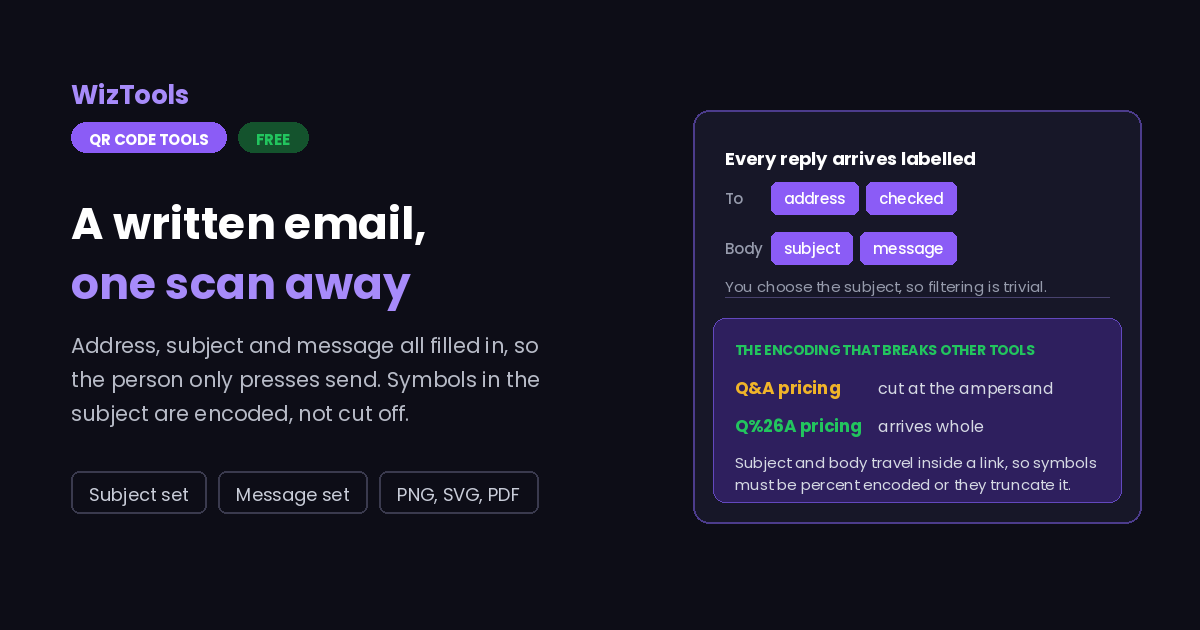
Opens the phone's mail app with your address, subject and message already filled in. The person only has to press send.
Need more than one kind of code? The all in one generator has all twelve types on a single page, and keeps your colours, logo and frame when you switch between them.
Scanners read contrast, not colour. Keep dark dots on a light background, because reversing it stops many phones from scanning.
Finish
Gradient and frame, for posters and table tents.Enjoying WizTools123? Help keep our server infrastructure 100% free and open for everyone.
Why Free QR Codes Expire, And Why These Do Not
The one thing worth understanding before you print anything.
| Static (this tool) | Dynamic (most free sites) | |
|---|---|---|
| What is inside the code | Your actual data | A short link to their server |
| If the company shuts down | Still works | Every printed code stops working |
| If they start charging | Nothing changes | The code can be switched off |
| Change the destination later | No, print a new one | Yes, this is the real advantage |
| Who sees who scanned it | Nobody | They do, with scan tracking |
| Works with no internet | For WiFi, vCard, text yes | Never, the link must resolve |
So the honest summary is this. If you need to change where a code points after it has been printed, or you need to count scans, you want a dynamic code and you should accept that it depends on a company staying in business. For everything else, which is most posters, menus, business cards, WiFi signs and product labels, a static code is the safer choice, because there is nothing in the middle that can fail.
How to Make an Email QR Code
Four steps from blank form to print-ready file.
This is the one field that has to be right. Check it character by character, because a code pointing at a misspelt address fails silently: the mail goes out, bounces somewhere you never see, and the sender assumes you ignored them.
Because you choose it, every message arrives labelled the same way, which makes filtering easy. Something like "Support request from the table card" tells you where the person was standing when they scanned.
A short template saves the sender from staring at an empty box, and it gets you the details you actually need. Leave a blank line and a prompt such as "Order number:" and most people will fill it in.
Add your colours, a logo and a frame captioned "Email us". PNG for screens and small prints, SVG for anything large. Test it with a real phone: tap through and check what the mail app shows before it is printed.
Key Features & Capabilities
Designed for speed, privacy, and precision.
Pre-fill both, so replies arrive labelled consistently and already structured.
Ampersands, question marks, plus signs and line breaks survive the trip.
Catches a missing dot or an obvious typo before the code goes to print.
The same design controls as the full generator, gradients and frames included.
PNG for screens, SVG for presses, PDF laid out ready to hand over.
The address is encoded in your browser. It is not stored or sent anywhere.
Why Email QR Codes Arrive With Half the Subject Missing
The encoding problem, and three other things worth knowing.
mailto: address with the subject and body attached as parameters, exactly like a web address. So an ampersand in your subject looks to the mail app like the start of the next parameter, and everything after it disappears. Spaces, line breaks, question marks, plus signs and hash signs all have to be percent encoded. This page does that, which is why the payload line underneath looks stranger than what you typed.
About the Email QR Code Generator
An email QR code removes the two steps where enquiries get lost: typing an address correctly, and working out what to say. Scan it and the mail app opens with your address in place, a subject you chose, and as much of a message as you want to write for them. All that is left is to press send.
The reason to set the subject yourself is filing. Every message that comes in through the code carries the same label, so a rule can route them, and you can tell at a glance that someone was standing in front of a particular sign when they got in touch. Different codes with different subjects on different materials will tell you which ones people actually use.
Technically this is a mailto link, the same thing behind an email link on a web page, so the subject and message travel as URL parameters. That is where other generators go wrong: an unescaped ampersand truncates the subject, and a line break can break the link entirely. Everything here is percent encoded, which is why the payload shown under the preview looks less readable than what you typed, and why what arrives matches it exactly.
One caution worth repeating: the address inside a QR code is not hidden. It is plainly readable to anyone who scans it, including automated collectors. For a code on a public wall, use an address you are able to filter or retire, and keep personal mailboxes off printed material.
Frequently Asked Questions
Everything you need to know about the QR Code Generator.
Related Tools
Every Other QR Code Tool
15 more tools in this set. All free, all in your browser.