


Free Online URL QR Code Generator for Links and Landing Pages
Paste a web address and get a QR code that opens it on any phone. The page checks the link is valid, shows how many modules it needs so you can tell whether it will fit your print size, and lets you set colours, a logo and a captioned frame. Nothing is uploaded.
The most common QR code. Scanning it opens your website, landing page or any link straight in the browser.
Need more than one kind of code? The all in one generator has all twelve types on a single page, and keeps your colours, logo and frame when you switch between them.
Scanners read contrast, not colour. Keep dark dots on a light background, because reversing it stops many phones from scanning.
Finish
Gradient and frame, for posters and table tents.Enjoying WizTools123? Help keep our server infrastructure 100% free and open for everyone.
Why Free QR Codes Expire, And Why These Do Not
The one thing worth understanding before you print anything.
| Static (this tool) | Dynamic (most free sites) | |
|---|---|---|
| What is inside the code | Your actual data | A short link to their server |
| If the company shuts down | Still works | Every printed code stops working |
| If they start charging | Nothing changes | The code can be switched off |
| Change the destination later | No, print a new one | Yes, this is the real advantage |
| Who sees who scanned it | Nobody | They do, with scan tracking |
| Works with no internet | For WiFi, vCard, text yes | Never, the link must resolve |
So the honest summary is this. If you need to change where a code points after it has been printed, or you need to count scans, you want a dynamic code and you should accept that it depends on a company staying in business. For everything else, which is most posters, menus, business cards, WiFi signs and product labels, a static code is the safer choice, because there is nothing in the middle that can fail.
How to Make a URL QR Code
Four steps from blank form to print-ready file.
Type or paste the address. You can leave off https:// and it is added for you. The code updates as you type, so you can see straight away how busy it looks.
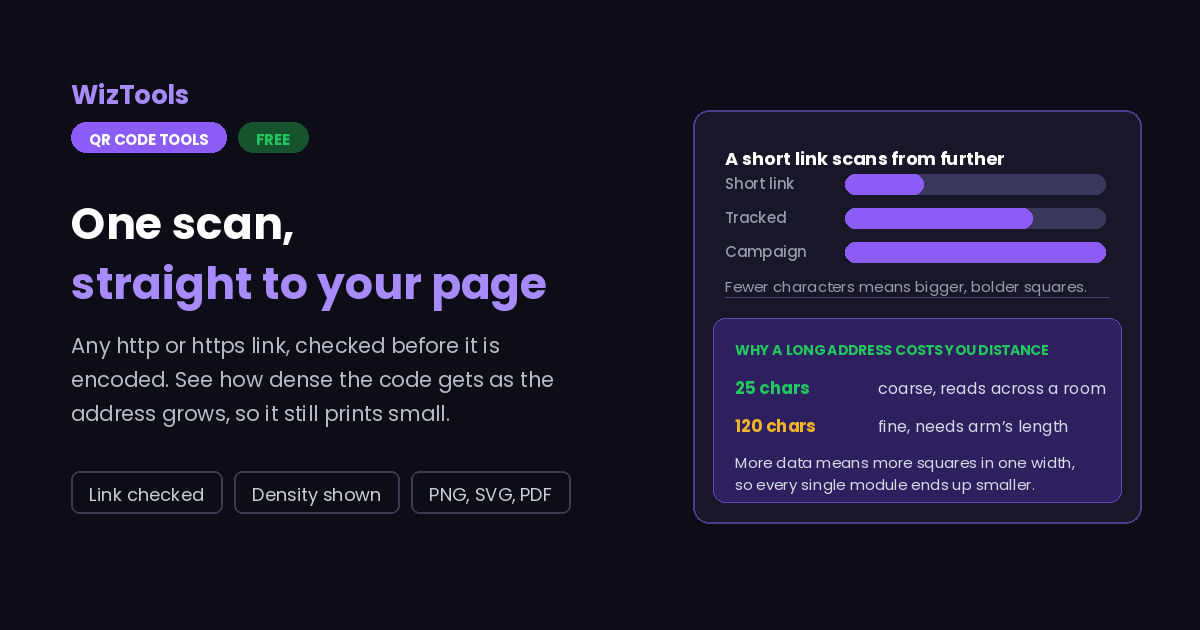
A long link means more squares in the same space. If the preview looks like dense noise, use a shorter address or a redirect you control, and the code becomes much easier for a phone to read from a distance.
Pick your colours, drop in a logo, add a gradient or a frame with a caption. Keep the code darker than the background; the page warns you when the contrast is too low to scan reliably.
Save PNG for screens and small prints, or SVG when it is going to a printer at a large size. Then scan the real file with a real phone, at the distance people will actually stand.
Key Features & Capabilities
Designed for speed, privacy, and precision.
Catches typos, missing dots and bad characters before you print, not after.
See how fine the grid is, so you know whether it will survive being printed small.
Brand colours, two tone gradients and a choice of dot and corner shapes.
Drop a logo in and the error correction keeps the code readable around it.
PNG for screens, SVG for presses, or a PDF laid out ready to hand over.
The code is made by your browser. The link is not logged, stored or sent.
Two Things That Ruin Most Printed URL QR Codes
Both are decided before the code is made, not after.
About the URL QR Code Generator
A URL QR code is the simplest and by far the most used kind. The pattern holds nothing but a web address, so a phone camera reads it and offers to open the page. That is why it turns up on restaurant tables, product boxes, bus stops, business cards and conference badges: it removes the step where someone has to type an address correctly.
Because it is so simple, the interesting decisions are not about the code at all. They are about the link. A short address makes a coarse pattern that scans quickly from far away; a long one with campaign parameters makes a fine pattern that needs to be printed bigger to work. And since printed codes cannot be changed, the address you choose is a commitment, which is the argument for pointing at something you can redirect later.
The rest is physical. Dark pattern on a light background, a clear quiet border all the way round, and enough size for the distance people stand at. Printing a code on a shiny laminate, over a photograph, or inverted light on dark is where most failures come from, and all of them look fine on screen. Test the actual printed piece, not the file.
Everything here happens in your browser. The address never reaches a server, nothing is stored, and the code you download is final: no account, no redirect through this site, and no way for it to stop working because a service shut down.
Frequently Asked Questions
Everything you need to know about the QR Code Generator.
Related Tools
Every Other QR Code Tool
15 more tools in this set. All free, all in your browser.