


Free Online WiFi QR Code Generator for Guest Network Access
Turn your network name and password into a QR code that connects a phone with one scan. Supports WPA, WPA2, WPA3, WEP, open and hidden networks, handles passwords containing semicolons and quotes correctly, and lets you add your own colours and logo. Nothing is uploaded.
Guests scan and join your network without typing the password. Perfect for cafes, offices, hotels and guest rooms.
Need more than one kind of code? The all in one generator has all twelve types on a single page, and keeps your colours, logo and frame when you switch between them.
Scanners read contrast, not colour. Keep dark dots on a light background, because reversing it stops many phones from scanning.
Finish
Gradient and frame, for posters and table tents.Enjoying WizTools123? Help keep our server infrastructure 100% free and open for everyone.
Why Free QR Codes Expire, And Why These Do Not
The one thing worth understanding before you print anything.
| Static (this tool) | Dynamic (most free sites) | |
|---|---|---|
| What is inside the code | Your actual data | A short link to their server |
| If the company shuts down | Still works | Every printed code stops working |
| If they start charging | Nothing changes | The code can be switched off |
| Change the destination later | No, print a new one | Yes, this is the real advantage |
| Who sees who scanned it | Nobody | They do, with scan tracking |
| Works with no internet | For WiFi, vCard, text yes | Never, the link must resolve |
So the honest summary is this. If you need to change where a code points after it has been printed, or you need to count scans, you want a dynamic code and you should accept that it depends on a company staying in business. For everything else, which is most posters, menus, business cards, WiFi signs and product labels, a static code is the safer choice, because there is nothing in the middle that can fail.
How to Make a WiFi QR Code
Four steps from blank form to print-ready file.
The SSID has to match your router character for character, including capitals. "MyHome" and "myhome" are two different networks to a phone, and a wrong letter is the most common reason a WiFi code does nothing.
WPA covers WPA, WPA2 and WPA3, which is nearly every modern router. WEP is there for old equipment. Choose Open for a network with no password at all, and the password field disappears.
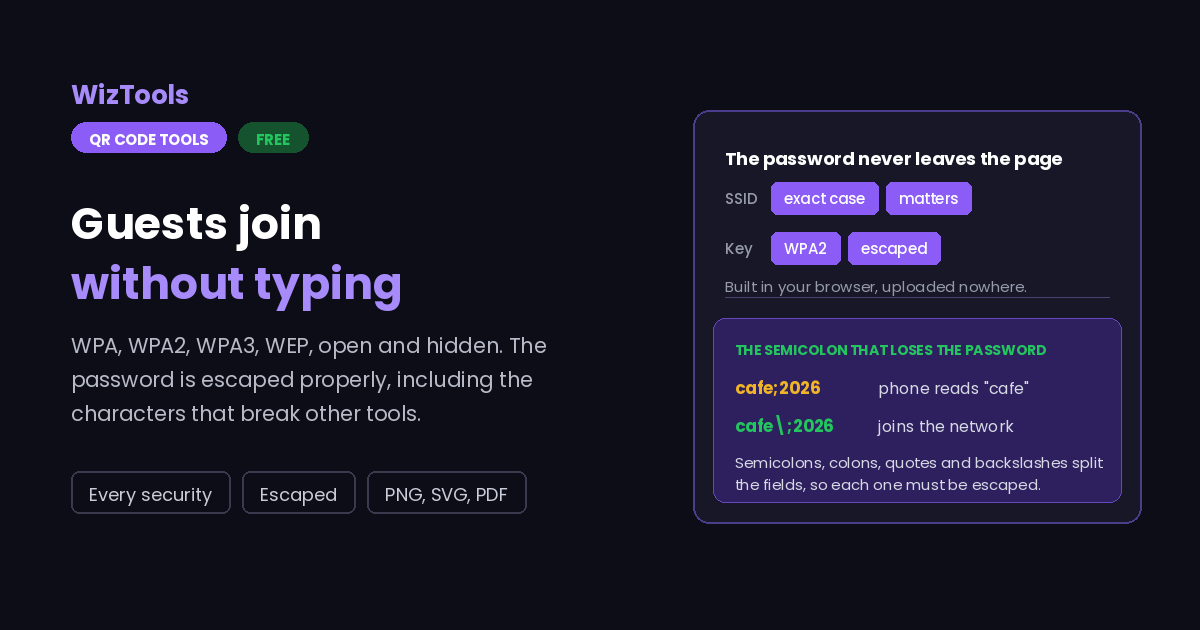
Semicolons, quotes, colons and backslashes are escaped for you. Those four characters have a special meaning inside a WiFi code, and tools that forget to escape them produce a code that scans but never connects.
Add your colours, a logo and a frame with a caption like "Guest WiFi". Download as PNG for a sign, or SVG if it is going to a printer at a large size.
Key Features & Capabilities
Designed for speed, privacy, and precision.
WPA, WPA2 and WPA3 together, WEP for old kit, and open networks with no password.
Semicolons, colons, quotes and backslashes handled properly, so odd passwords still work.
A switch for routers that do not broadcast their name, which phones otherwise never find.
The same design controls as the full generator, including gradients and a captioned frame.
PNG for a sign, SVG for a printer, or a PDF laid out ready to put on the wall.
The code is built in your browser. The password never leaves the page and nothing is stored.
Why Some WiFi QR Codes Scan but Never Connect
Four things that break a WiFi code, and what this page does about them.
WIFI:S:name;T:WPA;P:password;; and the semicolon is what separates the fields. A password like cafe;2026 has to be written as cafe\;2026, or the phone reads the password as just cafe and the join fails with no useful message. The same applies to colons, quotes and backslashes. This page escapes all four.
About the WiFi QR Code Generator
A WiFi QR code holds your network name, the kind of security it uses and the password, in a small format every modern phone understands. Point a camera at it and the phone offers to join. For a cafe, a guest room, a waiting area or an office reception that removes the most annoying part of visiting: reading a long password off a card and typing it with a thumb.
The format itself is simple and that is exactly where it goes wrong. It is a single line of text, WIFI:S:network;T:WPA;P:password;;, where semicolons separate the fields. A password containing a semicolon, a colon, a quote or a backslash therefore has to be escaped, and a surprising number of generators do not bother. The result is a code that scans perfectly and then refuses to connect, which is almost impossible to diagnose from the phone.
The other half of making one of these work is physical. A code on a table tent is read from about thirty centimetres, so it needs to be around three centimetres wide; one on a wall people stand a metre from needs to be ten. Print it with dark modules on a light background, leave a clear border, and test it with a real phone before you print fifty of them. The scan checker on this site works the sizes out if you want the exact figures.
Finally, a word about which network to put on the wall. The code is not a secret: anyone who sees it has the password. That is the point for a guest network, and a problem for the one with your printer, your NAS and your laptop on it. Most routers can run a separate guest network in a couple of clicks, and that is the one this code should carry.
Frequently Asked Questions
Everything you need to know about the QR Code Generator.
Related Tools
Every Other QR Code Tool
15 more tools in this set. All free, all in your browser.