
WizTools123
WizTools123
Free Online Tools

Tool Categories


JSON Tools New Tool

Free Online JSON Tree Viewer With Copyable Paths

Read a JSON document as a collapsible tree in your browser instead of scrolling through formatted text. Every branch shows how many keys or items it holds before you open it, searching opens the branches that match, and clicking any value copies the path to it ready to paste into code.
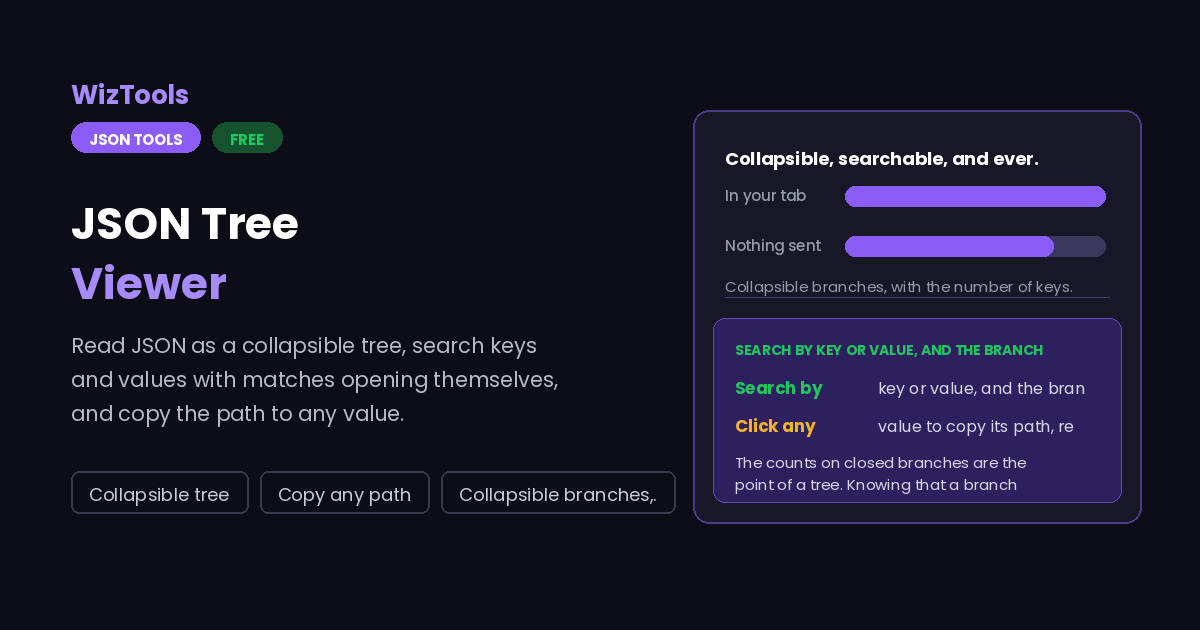
Free Forever Nothing Uploaded Collapsible tree Copy any path
Free Online JSON Tree Viewer With Copyable Paths
Share this tool
Advertisement Slot (Top Banner) Google AdSense Unit • Responsive Banner
JSON Tree Viewer Your file is read inside this tab. Nothing is uploaded anywhere.
Drop a JSON file here Or paste the document below. An API response copied straight out of a browser works. Choose a file Up to 15 MB per file. Nothing is uploaded.
0%
Or paste it
Reading
The tree
Find
Show

0 values 0 keys 0 levels deep 0 B

The tree Click a value to copy its path
Formatted
0 characters 0 lines 0 B
Buy Us A Coffee

Enjoying WizTools123? Help keep our server infrastructure 100% free and open for everyone.

Buy Us A Coffee
Sponsored Content (Below Tool) Google AdSense Placement

How to Explore a JSON Document

A few steps, and nothing is uploaded.

1
Paste the JSON, or drop the file An API response copied out of a browser is the usual case, and pasting is quicker than saving a file first.
2
Open the branches you need The tree starts open to two levels. Each closed branch says how many keys or items it holds, so you know whether it is worth opening.
3
Search to jump Type a key or a value and the branches containing a match open themselves. Searching is useless if you still have to go looking.
4
Click a value to copy its path The path comes out as $.items[0].sku, ready to paste into code or into the path tester.

What to Know About Reading JSON as a Tree

Counts, paths, and what happens on very large documents.

The counts on closed branches are the point of a tree. Knowing that a branch holds three keys or four thousand items decides whether you open it, and a tree without them makes you open everything to find out, which is the thing you were trying to avoid.
Searching opens the matches. A search that highlights something inside a closed branch has not helped. Every branch on the path to a match is opened, so you see the match in its context rather than being told it exists somewhere.
The path uses the same spelling your code does. A plain key appears as a dot, anything else as a quoted bracket, so a key with a space or a dot in it comes out as $["first name"] rather than something that silently means a different thing.
Very large documents start collapsed, and stay fast. Building twenty thousand rows of tree in a page is what makes other viewers freeze. Here only what is open exists in the page, which is why a large file is usable even though every branch is available.
Key order is shown as it appears in the file. JSON objects have no defined order, so the order you see is whatever the document used. If you want it sorted, the writing options sort keys, and the formatted pane follows.
A null is not an empty value and is shown differently. So is an empty string, an empty array and an empty object. They mean different things to the code that reads them, and a viewer that draws all four as blank hides a real distinction.

Key Features & Capabilities

What this tool does, and what it deliberately does not.

Collapsible branches Open to a depth, open everything, or close it all, with counts on anything closed.
Search that opens Matching branches open themselves, so a match is shown in context rather than merely reported.
Copyable paths Click a value for its path, quoted correctly when a key has a space or a dot in it.
Types when you want them Null, empty string, empty array and empty object are drawn differently, because they mean different things.
Stays fast when large Only open branches exist in the page, so a document that freezes other viewers stays usable.
Nothing is uploaded Responses full of tokens and personal data are read in this tab and never sent anywhere.

About the JSON Tree Viewer

Formatting JSON and reading JSON are different problems, and most tools only solve the first. A pretty printed API response with fifteen thousand lines is still fifteen thousand lines, and finding the one field you care about means scrolling, or searching and then counting braces to work out where you are.

A tree solves it by letting you not look at most of the document. The important detail is the counts: a closed branch that says four thousand items tells you not to open it, and a closed branch that says two keys tells you it is safe. Without them you open everything, which puts you back where you started.

The other thing people actually want from a viewer is the path. The reason you are exploring a response is usually to write code against it, and what you need is the exact expression for one value. Clicking a value and getting $.data.items[0].attributes.name is the difference between a viewer you look at and a viewer you use, which is also why keys with awkward characters are quoted properly rather than joined with dots and hoped for.

Frequently Asked Questions

Paths, searching, large files and what is not shown.

Click the value. The path is copied to your clipboard in the form $.items[0].sku, which is what the path tester here and most libraries elsewhere expect.

Because a dot would be ambiguous. A key called "first name" or "a.b" cannot be joined with dots without changing its meaning, so it comes out as $["first name"], which is correct in every tool that reads paths.

Yes, because only the branches you have opened exist in the page. Large documents start collapsed for exactly that reason, and the counters tell you the size before you start opening things.

Both by default, and you can limit it to one or the other. Whatever matches, the branches leading to it are opened so you can see it in place.

Because they are different, and code treats them differently. The same goes for an empty array and an empty object. A viewer that draws them all as blank space hides something you usually need to know.

Not in the tree. This page is for reading; the formatted pane on the right reflects what was loaded and can be copied. For editing values, paste into the formatter or use your editor.

Other JSON Tools

Advertisement Slot (Bottom Banner) Google AdSense Unit • Responsive Banner