


Free Online Phone Number QR Code Generator for Posters and Signs
Scanning puts your number straight into the phone dialler, so nobody has to read it off a sign and type it. The page keeps the international form, which is what makes the code work for callers from other countries. Add your colours, logo and a frame. Nothing is uploaded.
Scanning opens the dialler with your number ready to call. Good for posters, vehicles and shop windows.
Need more than one kind of code? The all in one generator has all twelve types on a single page, and keeps your colours, logo and frame when you switch between them.
Scanners read contrast, not colour. Keep dark dots on a light background, because reversing it stops many phones from scanning.
Finish
Gradient and frame, for posters and table tents.Enjoying WizTools123? Help keep our server infrastructure 100% free and open for everyone.
Why Free QR Codes Expire, And Why These Do Not
The one thing worth understanding before you print anything.
| Static (this tool) | Dynamic (most free sites) | |
|---|---|---|
| What is inside the code | Your actual data | A short link to their server |
| If the company shuts down | Still works | Every printed code stops working |
| If they start charging | Nothing changes | The code can be switched off |
| Change the destination later | No, print a new one | Yes, this is the real advantage |
| Who sees who scanned it | Nobody | They do, with scan tracking |
| Works with no internet | For WiFi, vCard, text yes | Never, the link must resolve |
So the honest summary is this. If you need to change where a code points after it has been printed, or you need to count scans, you want a dynamic code and you should accept that it depends on a company staying in business. For everything else, which is most posters, menus, business cards, WiFi signs and product labels, a static code is the safer choice, because there is nothing in the middle that can fail.
How to Make a Phone QR Code
Four steps from blank form to print-ready file.
Write the number as +92 300 1234567 or +1 555 019 2834, not as 0300 1234567. The plus is what tells a phone how to dial it from wherever it happens to be, and it is the single most common thing missing from codes that do not work.
National numbers are usually written with a zero at the front for dialling inside the country. In international form that zero is replaced by the country code, so +92 0300 is wrong and +92 300 is right.
Write it however is easiest to read. Brackets, spaces and dashes are removed before the code is built, so what the dialler receives is clean digits with the plus on the front.
Download PNG for screens and small signs, SVG for anything large. Then scan the finished file and let the call connect once. A number that is one digit out looks completely normal in the dialler.
Key Features & Capabilities
Designed for speed, privacy, and precision.
Keeps the plus and country code, so the code works for callers from abroad.
Brackets, spaces and dashes are stripped, so the dialler gets clean digits.
So little data that it scans from a distance and survives small, rough printing.
The same design controls as the full generator, gradients and frames included.
PNG for screens, SVG for presses, PDF laid out ready to hand over.
The number is encoded in your browser. It is not stored or sent anywhere.
Why a Phone QR Code Fails for Half the People Who Scan It
Almost always the country code, and three smaller traps.
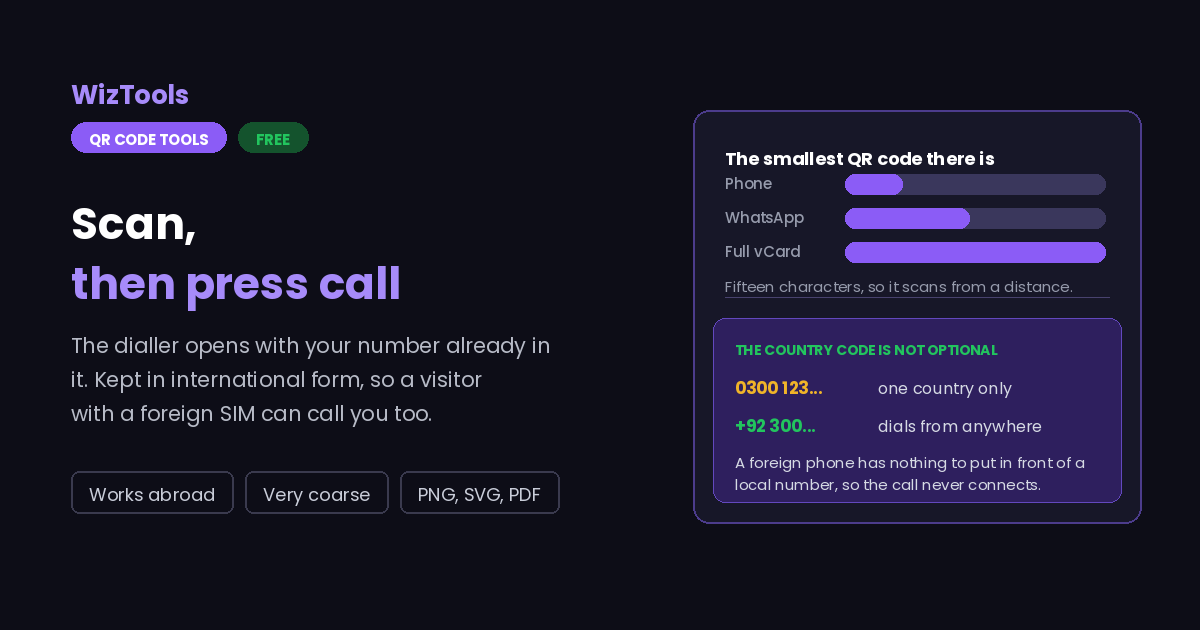
0300 1234567, a phone registered in another country has no idea what to add to the front, so the call either fails or reaches a stranger. Written as +92 300 1234567 it works from everywhere, including from a visitor standing in front of your shop with a foreign SIM. For anything printed, international form is not optional.
+44 07700 900123 is wrong and +44 7700 900123 is right. Codes carrying that extra zero are common and they do not connect.
About the Phone QR Code Generator
A phone QR code holds one thing: a telephone number, in the form a dialler understands. Scan it and the number is sitting there ready, so nobody squints at a sign and mistypes a digit. On a vehicle, a shop window, a tradesman card or an emergency notice it is the most direct QR code there is, because calling is the action you wanted anyway.
The thing that decides whether it works is the country code. A number stored as a local string only dials for phones in that country, which is fine for a notice inside a building and useless on anything a visitor might scan. Written in international form with the plus on the front, the same code dials correctly from anywhere, and the pattern is no bigger for it.
Because there is so little data, these are among the smallest QR codes you can make. The grid is coarse, the squares are large, and that means it tolerates being printed small, on rough paper, on a curved surface, behind glass, or read from several metres away. It is a good code to put where you only have a few centimetres.
No code can dial on its own, by design. Scanning fills in the dialler and waits for a tap, which is also why a phone code is a safe thing to put in public: the worst a passer-by gets is a number on their screen that they chose not to call.
Frequently Asked Questions
Everything you need to know about the QR Code Generator.
Related Tools
Every Other QR Code Tool
15 more tools in this set. All free, all in your browser.