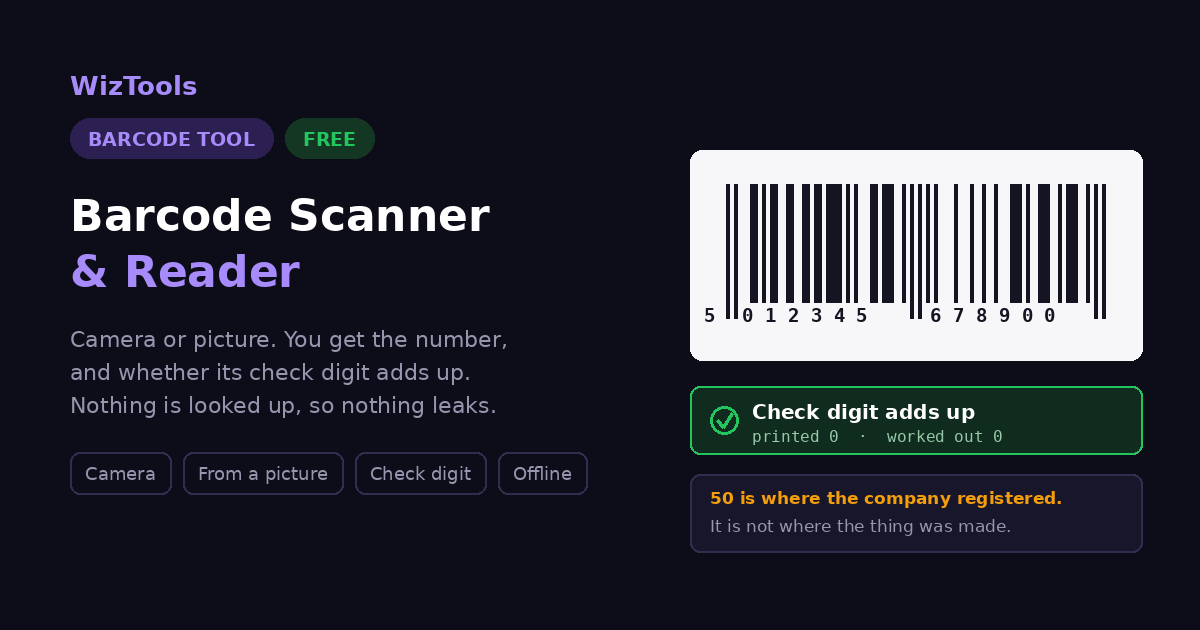
Free Online Barcode Scanner & Reader, Camera or Photo, Six Types
Read a barcode with your camera or from a photo. Code 128, Code 39, EAN-13, EAN-8, UPC-A and ITF-14 are all recognised, and the number is shown as text you can copy. Useful for checking a label before you print a whole sheet. The picture is read on your device and never uploaded.
Free Forever Nothing Uploaded Checks the Digits Camera or Image
Share this tool
Advertisement Slot (Top Banner)Google AdSense Unit • Responsive Banner
Drop a picture of a barcode
A photo or a screenshot. Get the whole width of the bars in, straight on and in focus.
It is read by your browser, not by a server. You can also paste one with Ctrl+V.
Select a Picture
Up to 20 MB •
PNG, JPG, WebP, GIF •
nothing is uploaded
The camera is off
Fill the width of the line with the bars and hold still for a moment. Browsers only allow the
camera on a secure page and only after you agree, and nothing from it is recorded or sent
anywhere.
Barcode
The number
The check digit adds up
Last digit printed
Last digit worked out
This is where the company registered its numbers with GS1. It is
not where the product was made. A company registered here can have its goods
manufactured anywhere in the world.
Recent scans
kept in this browser only
Buy Us A Coffee
Enjoying WizTools123? Help keep our server infrastructure
100% free and open for everyone.
The bars on a tin of beans encode thirteen digits and nothing else. No brand, no price, no weight, no
country, no expiry date. Everything the till knows about that tin, it knows because those thirteen
digits were looked up in a database that the shop maintains.
So when a website reads your barcode and shows you a product name, something has happened that it
probably did not mention: your number was sent to a lookup service. That is a more interesting thing to
be doing than reading a barcode, and it is worth knowing which sites do it. This one reads the number
and stops.
What happens after the read
Most online scanners
This page
Where the picture is read
Often on their server
In your browser
Your number sent to a lookup
Yes
Never
Shows a product name
Sometimes, if it is in their data
No, and that is the trade
Redoes the check digit
Rarely
Yes
Works with the network off
No
Yes
Check that claim yourself. Press F12, open the Network tab and scan something. The page
fetches its own code and nothing else. For a stronger test, load this page, switch off your
network, and scan a picture anyway. It still reads.
The First Digits Are Not the Country of Origin
This one gets forwarded a lot, and it is wrong.
The message goes around every few years: check the first three digits, and you will know where a
product was made. Avoid 690 to 699. It is repeated so confidently that supermarket shelf photos get
shared as proof. It is not true, and it has never been true.
Those digits identify the GS1 member organisation where the company bought its numbers. Companies
register where they are based. Where they manufacture is an entirely separate decision, made by a
different department, and it is not recorded in the barcode at any point.
The barcode starts
What it actually tells you
What it does not
50
The company registered in the United Kingdom
Where any of it was made
690
The company registered in China
Where any of it was made
978
It is a book, and the rest is the ISBN
Any country at all
20 to 29
A number a shop made up for its own use
Anything outside that shop
Anything
Where a company signed up
Country of manufacture
Country of origin is printed on the packaging, in words. That is the legally meaningful
statement and the one to read. If it matters to you where something was made, the label is the
answer and the barcode never was.
How the Check Digit Works
The one thing about a barcode you can verify from nothing but the barcode.
The last digit of an EAN or UPC is not chosen. It is calculated from all the digits before it, so that a
misread bar produces a number that fails the sum and gets rejected rather than quietly ringing up
somebody else's product. Here is the whole calculation on a real thirteen digit number.
Step
On 501234567890?
Result
Take the digits from the right, ignoring the last one
5 0 1 2 3 4 5 6 7 8 9 0
Twelve digits
Multiply every second one, counting from the right, by 3
0×3 9×1 8×3 7×1 …
Alternating 3 and 1
Add them all together
0+9+24+7+18+5+12+3+6+1+0+5
90
Take it up to the next multiple of ten
90 → 90
Already there
The difference is the check digit
90 − 90
0
Passing means the number was read correctly. That is a real and useful thing to know,
especially if you are typing digits into a stock system from a photo. It is the difference
between a number you can trust and a number you hope is right.
Passing does not mean the barcode is genuine. Anybody can work out a valid check
digit, and a printer will happily produce a barcode for a number nobody registered. The sum
catches mistakes, not lies.
Which Barcodes This Reads
And where you are likely to be looking at each one.
Type
Length
Check digit
Where you see it
EAN-13
13 digits
Checked
On almost everything sold in a shop outside North America.
EAN-8
8 digits
Checked
The short one, used where a full EAN-13 will not fit. Sweets, small tins.
UPC-A
12 digits
Checked
The North American equivalent of EAN-13. The same product often carries both.
Code 128
any length
None to check
Parcels, shipping labels and warehouses. Holds letters as well as numbers.
Code 39
any length
None to check
Older industrial and military labelling. Capitals and digits only.
Code 93
any length
None to check
A tighter replacement for Code 39, used by postal and logistics systems.
ITF-14
14 digits
Checked
On the outer carton rather than the item, for whole cases of stock.
Only the retail types carry a check digit. Code 128, Code 39 and Code 93 can hold letters as
well as numbers and have no fixed sum at the end, so there is nothing to verify. For those you get
the contents and the format, and the arithmetic section stays out of the way.
How to Scan a Barcode
From the camera, or from a picture you already have.
1
Pick a picture, or turn on the cameraDrop in a photo of the barcode, or hold the label up to the camera. Either way it is read on your own machine.
2
Hold it straight and fill the frameA barcode is read across its bars, so the whole width has to be there, in focus, with a little white space at each end. Straight on works far better than at an angle.
3
Read the number, and the checkYou get the digits, the kind of barcode it is, and for EAN and UPC whether the last digit adds up the way it should.
4
Copy itCopy the number with one press. That number is what you would put into a stock system, a spreadsheet or a search.
What to Know Before You Scan
Including the things this tool cannot do.
A barcode is a number, not a product name. There is nothing inside it but digits. Turning those digits into a brand and a product needs a database, and using one means sending your number to somebody's server. That is what most online barcode scanners quietly do. This page gives you the number and stops, so nothing about what you scanned goes anywhere.
The first digits are not where it was made. This one is repeated everywhere and it is wrong. The prefix belongs to the GS1 office where the company registered its numbers, not to the factory. A product made in China can quite legitimately start with 50, and a British one with 690. It tells you where a company signed up, and nothing at all about origin.
The check digit only proves the read was clean. EAN and UPC end with a digit worked out from the ones before it, and that sum is redone here. Passing means the number was read correctly. It does not mean the barcode is genuine, registered, or attached to the thing you are holding.
A blurred or angled photo will not read. A barcode is read across the bars, so the whole width has to be present, sharp, and with a little white space at each end. The bars are thin, which is why a photo that would be fine for a QR code often fails here. Get closer and straighter rather than further away.
A QR code is a different thing. If you hold up a square of dots rather than a row of lines, you will be told, and pointed at the tool built for it. That one shows you where a link goes before you open it, which a barcode never needs because a barcode is only ever a number.
UPC-E and Codabar are not read here. Every type listed on this page was tested by generating a correct barcode and decoding it again. UPC-E, the squeezed short version on small American packaging, and Codabar, the old library and blood bank one, both failed that test with the reader used here, so they are left off the list rather than quietly disappointing you. A full UPC-A or EAN reads fine.
The camera needs your permission, and a secure page. Browsers only allow camera access over https, and only after you say yes. If the button does nothing, look for the permission prompt and check the address bar. A picture works just as well and needs no permission at all.
Key Features & Capabilities
What this tool does, and what it deliberately does not.
Checks the digits actually add upEAN and UPC carry a check digit worked out from the others. That sum is redone here and shown, along with what the last digit should have been. It is the one thing about a barcode that can be verified without asking anybody, and almost no online reader bothers.
Seven kinds of barcode, all testedEAN-13, EAN-8, UPC-A, Code 128, Code 39, Code 93 and ITF-14. Seven is fewer than most readers advertise, and it is fewer on purpose: each one was checked by generating a correct barcode and reading it back, and the types that failed that test were taken off the list rather than left on it.
Tells you what the prefix really meansAnd what it does not. The number is looked up against the GS1 prefix ranges, and the answer comes with the correction that this is where the company registered, not where the thing was made.
Camera or pictureHold a label up to the camera and it reads continuously, or drop in a photo. On a phone it uses the back camera, and you can switch if it picks the wrong one.
No lookup, so no leakNothing is sent anywhere, which also means no product name. That is a deliberate trade. What you scanned is nobody else's business, and the number is what you actually need for a stock system or a spreadsheet.
The picture never leaves your computerThere is no server. The photo, the camera feed and the result all stay in the page you are reading, which is why it also works with the network switched off.
Making one rather than reading one is the other tool in this section:
Barcode Generator, which produces
printable barcodes from a number you already have.
About the Barcode Reader
A barcode is a number written in a way a machine can read quickly and reliably. That is the whole of it. The black and white bars on a tin of beans encode thirteen digits, and those thirteen digits are the entire contents. There is no product name in there, no price, no country, no expiry date. Everything a checkout knows about that tin, it knows because the number was looked up in a database.
This matters because of what most online barcode scanners do next. Having read your number they send it away to a lookup service so they can show you a product name, and that is a considerably more interesting thing to be doing than reading a barcode. This page reads the number and stops. You get the digits, the format, and the arithmetic check, and nothing about what you scanned goes anywhere.
The check is worth understanding because it is the one claim about a barcode that can be verified from nothing but the barcode. The last digit of an EAN or UPC is calculated from all the digits before it, using a fixed sum. A scanner that misreads one bar produces a number that fails that sum, and gets rejected rather than quietly ringing up the wrong item. That same sum is redone here, so a passing result tells you the number came off the label correctly.
And the thing that is not true, which turns up in a hundred forwarded messages: the first digits do not tell you where something was made. They identify the GS1 office where the company registered, and companies register where they are based, not where their factories are. A product starting 50 is from a company that signed up in the UK. It could have been manufactured anywhere. Country of origin is a label on the packaging, and it is not in the barcode.
A square of dots rather than a row of lines is a QR code, and that has its own tool:
QR Code Reader & Scanner, which shows
you where a link goes before you follow it.
Frequently Asked Questions
Everything worth knowing before you scan a barcode.
Open this page and either hold the barcode up to your camera or drop in a photo of it. It reads on your own machine, there is no app to install and no account to make.
Because a barcode does not contain a product name. It contains a number, and nothing else. Turning that number into a brand and a description needs a product database, and every site that offers it is sending your number to a server to get the answer. This page does not, which means you get the number and keep the privacy.
No, and this is probably the most repeated wrong thing about barcodes. Those digits identify the GS1 member organisation where the company registered its numbers. A company registered in the UK can have its goods made anywhere in the world and they will still start with 50. Country of manufacture is not in the barcode at all.
It catches mistakes. The last digit of an EAN or UPC is calculated from all the ones before it, so a scanner that misreads a bar produces a number that fails the sum and gets rejected instead of being accepted as a different product. That sum is redone here, so you can see the read was clean.
Usually that the number was mistyped or misread rather than that the barcode is fake. Check it against the digits printed under the bars. If they match what is shown here and the sum still fails, the barcode itself was printed wrong, which happens more often than you would think on homemade labels.
A barcode is read across the bars, so the picture needs the whole width, in focus, straight on, with a little white space at each end. The bars are thin, so a photo that would be fine for a QR code is often not enough here. Get closer, hold it flat, and avoid a reflection on shiny packaging.
It will recognise one and tell you, but reading QR codes properly is a separate tool on this site, because a QR usually holds a link and a link needs checking before you follow it. A barcode is only ever a number, so there is nothing to check.
EAN-13, EAN-8, UPC-A, Code 128, Code 39, Code 93 and ITF-14. That covers retail packaging, shipping labels, warehouse cartons and most industrial marking. UPC-E and Codabar are deliberately not on the list: they were tested with correctly generated barcodes, they did not read, so claiming them would have been dishonest.
No. There is no server involved at any point. You can load the page, disconnect from the internet, and it will still read barcodes.
Yes, that is the other tool in this section, and it produces Code 128, EAN-13, UPC-A, Code 39 and ISBN barcodes ready to print.