
WizTools123
WizTools123
Free Online Tools

Tool Categories


Video Tools New Tool

Free Online Bulk Video to GIF Converter, Many Clips, Many GIFs

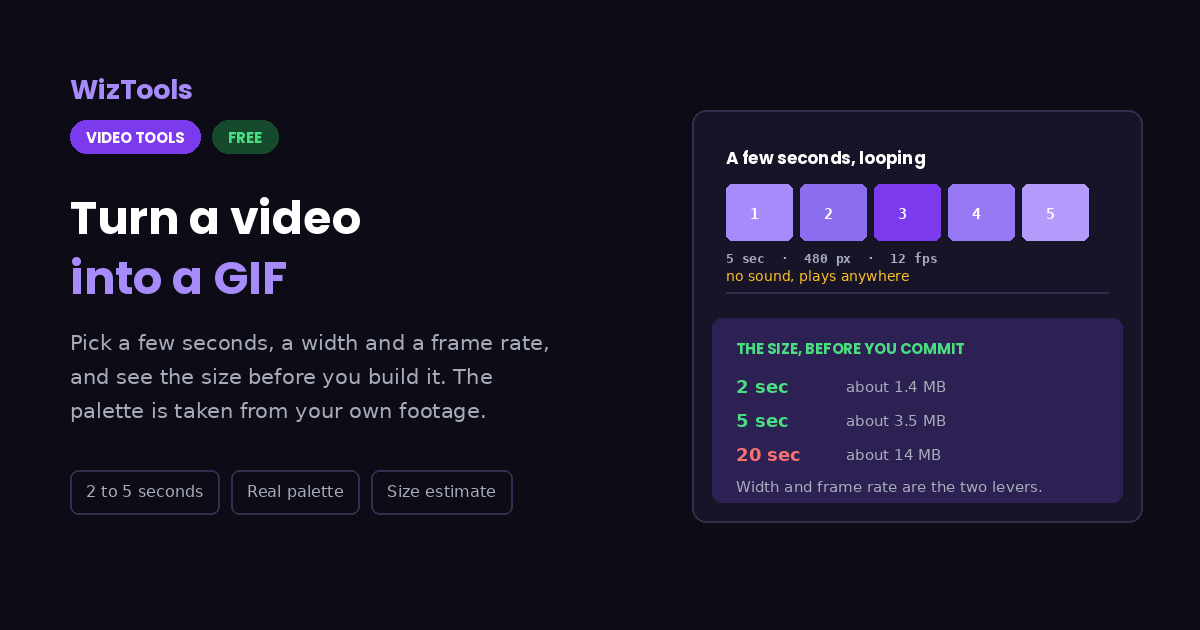
Make animated GIFs from video, with the 256 colours chosen from your own clip and the likely size shown before you build it. Several clips can go in at once and each becomes its own GIF, with a per-clip width and frame rate for any that come out too heavy. Nothing is uploaded anywhere.
Free Forever Nothing Uploaded Size Estimate Bulk Videos
Free Online Bulk Video to GIF Converter, Many Clips, Many GIFs
Share this tool
Advertisement Slot (Top Banner) Google AdSense Unit • Responsive Banner
Turn a video into a GIF Drag your video here and pick the few seconds you want as an animated GIF. Your browser does the work, so nothing is uploaded. Drop in several at once if you have a batch. Select a Video MP4, MOV, WebM, MKV, AVI and more • best under 300 MB • nothing is uploaded
0:00.000 / 0:00
The piece to turn into a GIF
sec
Width
The height follows on its own, so the shape never changes.
12
Ten to fifteen looks like a GIF should. Going higher multiplies the size quickly.

Output
.gif

Your GIF

These files only exist in this tab. Save the ones you want before you close the page, because there is no copy of them anywhere else.

Buy Us A Coffee

Enjoying WizTools123? Help keep our server infrastructure 100% free and open for everyone.

Buy Us A Coffee
Sponsored Content (Below Tool) Google AdSense Placement

How to Make a GIF From a Video

Drop it, pick a few seconds, download the GIF.

1
Drop your video in It plays right there in the page, straight from your own disk with no upload.
2
Find the moment Scrub the player to where you want the GIF to begin. The start box follows the player until you type something in it yourself.
3
Set a length Two to five seconds is what most GIFs are. Longer is allowed, and the size estimate will tell you what it costs you.
4
Choose width and smoothness Four hundred and eighty pixels wide at twelve frames per second is a good default. Both of those numbers multiply the file size, so change them one at a time and watch the estimate.
5
Make it and check the real size The finished GIF appears below with its actual size, which is the number that matters when the place you are sending it has a limit.

What a GIF Can and Cannot Do

Including the things this tool cannot do.

A GIF has no sound, ever. It is an image format with animation bolted on, so whatever was being said in your clip does not come across. If the words matter, a short muted video is the wrong answer and a real video file is the right one.
GIFs are enormous for what they show. Every frame is stored as close to a full picture, so ten seconds can easily beat the same ten seconds of MP4 many times over. Keeping it under about five seconds and under 480 pixels wide is what keeps it sendable.
Only 256 colours are available at a time. A palette is worked out from your actual clip rather than a fixed one, which is why skies and skin tones come out as well as they do here, but a smooth gradient will still show banding. Nothing can fix that inside the format.
The size shown before you press the button is an estimate. It is based on frames, width and height, which is most of the story. A clip with a lot of movement comes out larger than the estimate and a nearly still one comes out smaller.
GIF work is usually several clips at once. Reaction clips and demo loops rarely come alone. Add them together and each is turned into its own GIF in turn. Width and frame rate cover the whole row until a thumbnail is clicked, which matters here because a busy clip often needs a smaller width to stay under a size limit.
The work happens on your own machine. Your video is opened by this page, not sent anywhere. That is why there is no upload bar, no queue and no waiting for a server. It is also why a big file leans on your own processor: nothing is being done for you somewhere else.
There is a real size ceiling, and it is your device, not us. The whole video has to fit in the browser's memory while it is being worked on, so roughly three hundred megabytes is comfortable on a laptop and far less on a phone. This page tells you where you stand the moment you pick a file.
The first run downloads the engine, later runs do not. Video work needs a real encoder, and that is a thirty megabyte download the first time you press the button. Your browser keeps it, so the second video starts straight away.
Leave the tab open. All of the work is in this page, so closing it or navigating away stops the job halfway. On a phone, switching apps can do the same thing, because the system is allowed to pause a background tab.

Key Features & Capabilities

What this tool does, and what it deliberately does not.

A palette built from your clip The 256 colours are chosen by looking at your actual footage, which is the difference between a clean GIF and a blotchy one.
Start where the player is Scrub to the moment and the start time follows. Type your own and it stops following, so your number is never overwritten.
The size before you commit An estimate from width, height, length and frame rate, shown while you change them rather than after a two minute wait.
Width and smoothness separately Four widths in one press plus a frame rate slider, because those are the two knobs that decide whether a GIF is sendable.
Nothing is uploaded The whole thing happens in your browser, which matters for the clips people usually want as GIFs.
A row of clips, a row of GIFs Make several GIFs in one sitting, with per-clip width and frame rate where one of them is too heavy at the shared setting. Each GIF is named after its source clip.
It will not carry sound No GIF can. If the audio is the point, this is the wrong format and no setting here will change that.

About the Video to GIF Converter

An animated GIF is not a video, and most of the frustration people have with making one comes from expecting it to behave like one. The format dates from 1987, it was designed for pictures, and the animation was added afterwards. It has no sound, it can only show 256 colours at a time, and it stores each frame as close to a complete image. Those three facts explain everything else about it.

What they add up to in practice is size. Ten seconds of video that sits happily at two megabytes as an MP4 can easily become twenty as a GIF. This page therefore shows you an estimate of the size while you are still choosing, rather than after a long wait, and says so plainly when the numbers you have picked are heading somewhere nobody will accept.

The colour handling is worth knowing about. The straightforward way to make a GIF lets the encoder pick 256 colours for each frame independently, and the result shimmers and blotches. Here the clip is examined first and a single palette is built from what is actually in it, then applied across the whole animation. It costs a second or two and it is the difference between a GIF that looks deliberate and one that looks broken.

Everything runs in your browser through WebAssembly, so the video is read from your own disk and the GIF is built in memory on your own machine. Nothing is uploaded and no account is required, which tends to matter given the kind of clips people turn into GIFs.

Frequently Asked Questions

Making an animated GIF that is small enough to actually send.

Because GIF stores each frame almost as a full picture, while a video file mostly stores the differences between frames. That is the whole reason video formats exist. Shortening the clip, narrowing it and lowering the frame rate are the three levers, and all three are on this page.

Ten to fifteen. Below ten it starts to look like a flipbook, and above fifteen you are mostly paying in file size for smoothness nobody notices in a small looping image.

No. Not from this tool and not from any tool, because the format has no way to carry it. Sites that appear to show GIFs with sound are quietly playing short muted videos instead.

A GIF can only use 256 colours at once. A palette is built from your own clip to make the most of them, but a sunset or a smooth gradient has far more shades than that and the steps become visible. It is a limit of the format rather than of this page.

Up to a minute here, but the size grows in a straight line with the length and you will feel it long before that. Most GIFs worth sending are between two and five seconds.

Yes. Put them all in the strip and they are converted one after another. GIF size grows quickly with width and frame rate, so use the per-clip settings to pull back any individual clip that comes out too large.

Yes, forever, which is the normal behaviour for a GIF and what every chat app and website expects. There is no setting for it because a GIF that plays once is almost never what anybody wants.

Other Video Tools

Advertisement Slot (Bottom Banner) Google AdSense Unit • Responsive Banner