


Free Online Delete Pages from PDF, Really Removed, Not Hidden
Remove pages from a PDF and get a file that no longer contains them. Click the thumbnails you want gone, check the ones that stay, and download the shorter document. The pages are deleted from the file itself rather than hidden, so nobody can bring them back later.
odd,
even and last.
Everything you do not list is kept.
Previews are off by default because the page renderer is a large download. Turn them on and you can click the pages you want gone, instead of typing numbers.
Enjoying WizTools123? Help keep our server infrastructure 100% free and open for everyone.
Hidden, or Actually Removed?
There are two ways to delete a PDF page, and they are not the same.
| Taken out of the index | Rebuilt from what you keep | |
|---|---|---|
| Looks right when opened | Yes | Yes |
| Page contents still in the file | Yes, sitting there unreferenced | No, never written |
| Recoverable by someone technical | Often | Nothing to recover |
| File size drops | Barely | Somewhat, see below |
| What this page does | Not this | This one |
Is It Safe to Delete PDF Pages Online?
A fair question, and the answer is checkable.
| What happens to your file | Most PDF sites | This page |
|---|---|---|
| Where the file is opened | On their server | In your browser |
| Who else can read it | Whoever runs the server | Nobody, it never left |
| What happens afterwards | Deleted later, they say | There is nothing to delete |
| Can you verify the claim | No, you have to trust it | Yes, see below |
How to Delete Pages from a PDF
Drop, select, download. Your original is never touched.
Writing the Page Numbers
Everything below assumes a 20 page document. Page 1 means page 1, the way you would count it.
| What you type | What it means | Deleted | Left |
|---|---|---|---|
1 |
Just the cover page | 1 page | 19 pages |
1, 20 |
The first and the last | 2 pages | 18 pages |
5-8 |
A block, both ends included | 4 pages | 16 pages |
2, 7-9, 15 |
Single pages and blocks mixed | 5 pages | 15 pages |
15- |
Page 15 to the end | 6 pages | 14 pages |
-3 |
The first three pages | 3 pages | 17 pages |
even |
Every even numbered page | 10 pages | 10 pages |
odd |
Every odd numbered page | 10 pages | 10 pages |
last |
The final page, whatever its number | 1 page | 19 pages |
Spaces do not matter, and neither does the separator: commas, spaces and semicolons all work. A page number larger than the document is ignored rather than treated as an error, and the tool tells you it was ignored instead of quietly dropping it.
What to Know Before You Delete
Including the things this tool cannot do.
Key Features & Capabilities
What this tool does, and what it deliberately does not.
About the Delete Pages Tool
Deleting a page from a PDF sounds trivial and mostly is, but the reason people are doing it usually is not. A contract goes out without the internal pricing sheet. A bank statement gets sent to a landlord with the unrelated months taken off. A scanned stack of forms has a blank back behind every sheet. In almost every case the document is one somebody would rather not hand to a stranger, which is the whole argument for doing the job in your own browser instead of uploading it somewhere.
There is a detail here that most tools never mention, and it matters exactly in those situations. A page can be removed two ways: taken out of the document index while its contents stay inside the file, or left out of a new document built from the pages you kept. The first looks identical when you open the result, and the removed material can still be pulled back out by anyone who knows how. This tool does the second, so what you deleted was never written into the file you download.
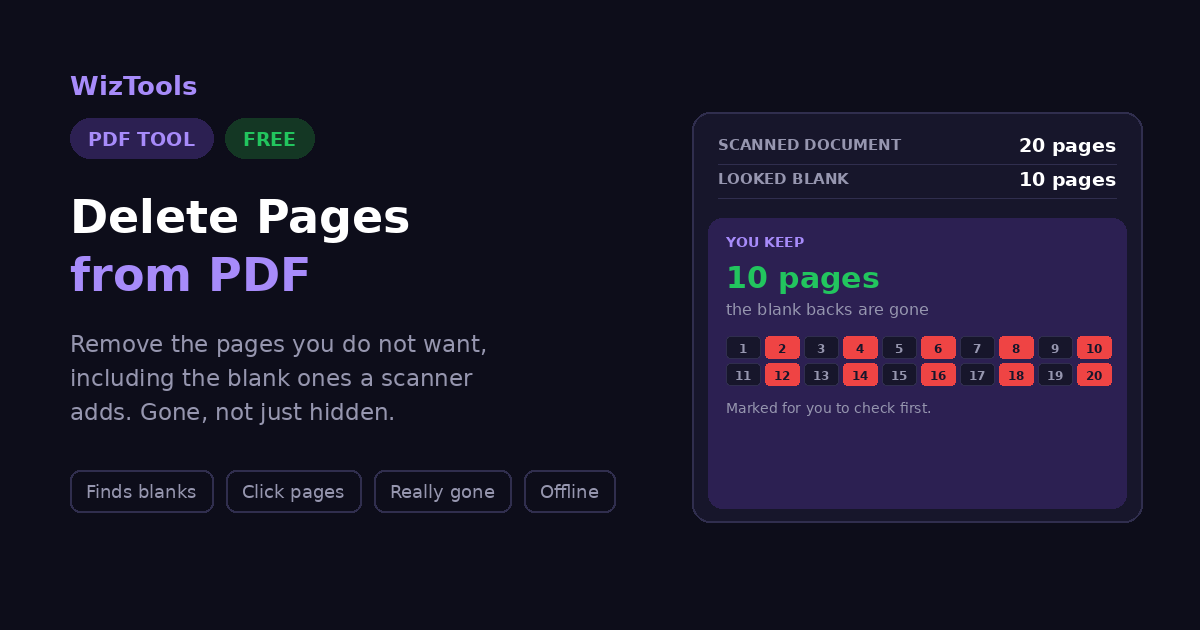
Blank page detection is here because scanners create the problem constantly. Feed twenty double sided sheets through a duplex scanner and you get forty pages, half of them empty. The tool renders each page and marks the ones that come out effectively white, then hands you that selection to look at. It does not delete them, and that is a deliberate choice rather than caution for its own sake: a faint pencil note or a light watermark can read as blank, and quietly removing a page from someone's contract is a far worse outcome than asking them to glance at a list first.
A few things are said plainly rather than discovered afterwards. Page numbers printed on the pages do not renumber, because the pages are copied rather than redrawn. A password protected file has to be opened before its pages can be touched. A digital signature does not survive any change to the document. And the file shrinks less than the page count suggests, because fonts and images are usually shared across the whole thing. None of that stops the tool being useful, and knowing it beforehand is better than wondering later.
Frequently Asked Questions
Everything worth knowing before you remove a page.
2 for one page, 5-8 for a block, 2, 7-9, 15 for a mixture. If you would rather look than count, turn on page previews and click the ones you want removed.Every Other PDF Tool
46 more tools in this set. All free, all in your browser.