


Free Online SMS QR Code Generator with a Pre-Written Message
Scanning opens a new text message to your number with the wording already in place, so the person only has to press send. Useful for keyword opt-ins, voting lines, feedback requests and support shortcuts where every reply needs to say the same thing. Built in your browser, nothing uploaded.
Opens the messaging app with your number and message ready. Often used for opt-in phrase and quick feedback.
Need more than one kind of code? The all in one generator has all twelve types on a single page, and keeps your colours, logo and frame when you switch between them.
Scanners read contrast, not colour. Keep dark dots on a light background, because reversing it stops many phones from scanning.
Finish
Gradient and frame, for posters and table tents.Enjoying WizTools123? Help keep our server infrastructure 100% free and open for everyone.
Why Free QR Codes Expire, And Why These Do Not
The one thing worth understanding before you print anything.
| Static (this tool) | Dynamic (most free sites) | |
|---|---|---|
| What is inside the code | Your actual data | A short link to their server |
| If the company shuts down | Still works | Every printed code stops working |
| If they start charging | Nothing changes | The code can be switched off |
| Change the destination later | No, print a new one | Yes, this is the real advantage |
| Who sees who scanned it | Nobody | They do, with scan tracking |
| Works with no internet | For WiFi, vCard, text yes | Never, the link must resolve |
So the honest summary is this. If you need to change where a code points after it has been printed, or you need to count scans, you want a dynamic code and you should accept that it depends on a company staying in business. For everything else, which is most posters, menus, business cards, WiFi signs and product labels, a static code is the safer choice, because there is nothing in the middle that can fail.
How to Make an SMS QR Code
Four steps from blank form to print-ready file.
Write it with the country code, as +92 300 1234567, so the code works for anyone scanning it. If it is a short code for a service, type the short code exactly as the provider gives it, with nothing added.
This is the whole point of an SMS code. If your system expects the word JOIN or a campaign keyword, put precisely that in, in the right case, so nobody can mistype it and nobody gets a reply saying the keyword was not recognised.
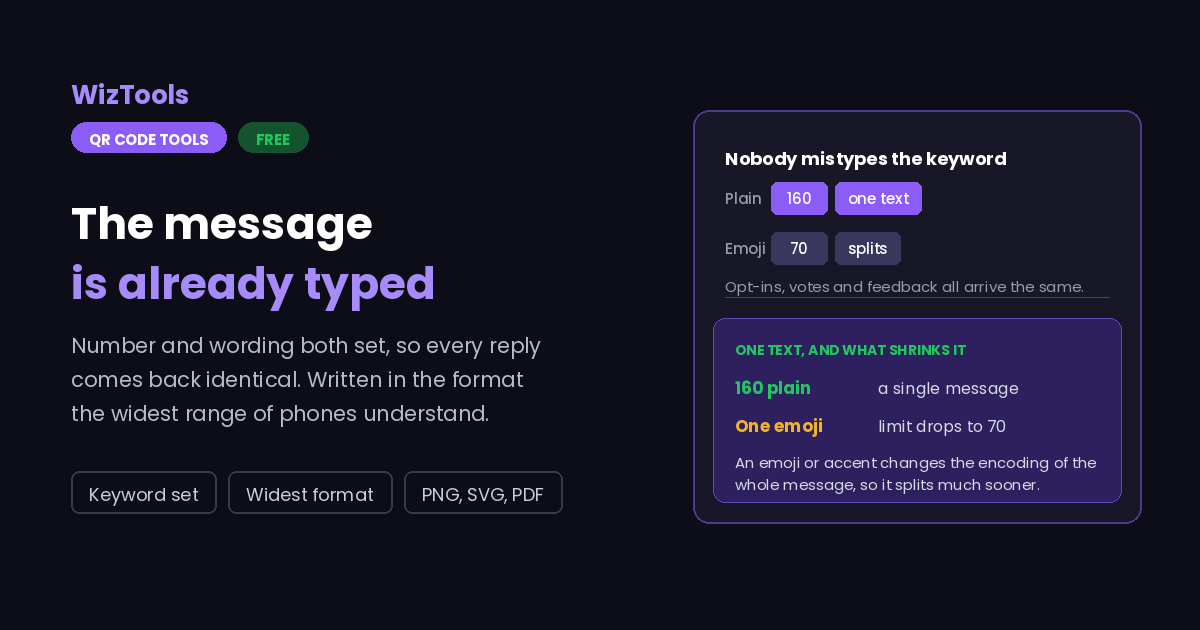
A single text is 160 plain characters, or 70 once an emoji or an accent is involved. Go past that and it splits into parts, which costs the sender more and can arrive out of order on older networks. Short keywords are safer.
Add your colours, a logo and a caption like "Text us". Then scan the finished file on an iPhone and on an Android, because the messaging apps differ in how much of your wording they pre-fill.
Key Features & Capabilities
Designed for speed, privacy, and precision.
The keyword or wording you need, so replies come back in a consistent form.
Written as SMSTO, which more handsets understand, with the payload shown.
Keeps the plus and country code so the code works for people scanning abroad.
The same design controls as the full generator, gradients and frames included.
PNG for screens, SVG for presses, PDF laid out ready to hand over.
The number is encoded in your browser. It is not stored or sent anywhere.
Why SMS QR Codes Behave Differently on Different Phones
There are two competing formats, and that is the root of it.
SMSTO:number:message, the other writes sms:number?body=message. Both are in use, and handsets disagree about which they accept: some fill in the message from one and ignore the other, some open the conversation with the box empty. This page writes the SMSTO form, which the widest range of phones read, and shows you the exact payload underneath so there is no guessing.
About the SMS QR Code Generator
An SMS QR code opens a text message to your number with the wording already written. Its real use is any system that expects an exact phrase back: a keyword opt-in, a voting line, a feedback shortcode, a support trigger. Typing a keyword is exactly the sort of small task people get wrong, and a code that fills it in removes the mistake entirely.
It is also the QR type with the least agreement behind it. Two formats exist, SMSTO and sms with a body parameter, and handsets honour them inconsistently. This page writes the SMSTO form because it is read by more phones, and prints the exact payload under the preview so you can see what is being encoded rather than trusting it. Even so, a handful of devices will open the conversation with the message box empty, so if the keyword matters, print it in words next to the code.
Unlike every other type here, scanning this one may cost the person money. A text to a normal number is usually inside their plan; a text to a short code, or from a roaming phone, may not be. Put a short note on the sign saying so. Codes that result in an unexpected charge do more damage to trust than the scan was ever worth, and in several countries the notice is required.
Keep the wording inside a single message. One hundred and sixty characters of plain text, or seventy if there is an emoji or an accent anywhere in it. That keeps the cost down for the sender and the QR pattern coarse enough to scan from a sign rather than from arm's length.
Frequently Asked Questions
Everything you need to know about the QR Code Generator.
Related Tools
Every Other QR Code Tool
15 more tools in this set. All free, all in your browser.