


Free Online Developer Tools, JSON, Hash, Base64, JWT, Regex, Cron & More Tools
Ninety six of the small tools a developer reaches for every day, in one place and free. Format and validate JSON, XML, YAML, TOML and CSV. Convert between them. Build CSS, meta tags, robots.txt and cron lines. Work out a subnet, check a contrast ratio, explain a regex, read a header. Everything runs in your browser, so nothing you paste is sent anywhere.
Choose a Developer Tool
Grouped by what you are trying to do. Find the sentence that sounds like you.
Enjoying WizTools123? Help keep our server infrastructure 100% free and open for everyone.
Which Tool Do I Need?
Find the sentence that sounds like you.
Read, format and check a file
Something came back messy or broken and you need to see it properly, or find out where it is wrong.
| What you are trying to do | Tool | Why that one |
|---|---|---|
| I need to read a messy JSON response | JSON Formatter | Formats and validates it, with errors by line and column when it is broken. |
| This code needs tidying up or shrinking | Minifier & Beautifier | Beautify or minify JavaScript, CSS and HTML, language detected. |
| This XML came back on one line and I cannot read it | XML Formatter and Validator | Indents it safely, and points at the line and column when it will not parse. |
| This CSV opens as one long column and I cannot see what is wrong | CSV Viewer and Formatter | Finds the real delimiter, shows it as a table, and names the bad lines. |
| My page is showing   instead of a space | HTML Entity Encoder and Decoder | Decodes what is over-escaped, and encodes exactly as much as you actually need. |
| I need this page as Markdown without hand-editing every tag | HTML to Markdown Converter | Converts it, tables included, and lets you set the Markdown style. |
| I want to see how this README will look before I push it | Markdown Previewer | Renders it as you type and hands you the HTML, sanitised. |
| I cannot tell what my TOML file is actually declaring | TOML Formatter and Validator | Parses it, draws the table tree, and writes it back out tidily. |
| My YAML is rejected and I cannot see which line is wrong | YAML Formatter and Validator | Parses it, names the line and column, and writes it back tidily. |
| I need this table off a web page and into a spreadsheet | HTML Table to CSV and JSON | Expands merged cells into a real grid first, so the columns still line up afterwards. |
| I need the words out of this HTML without the markup | HTML Tag Stripper | Strips the tags with a real parser, keeps the line breaks, and does not leave your script behind. |
Turn one format into another
The data is fine. It is just in the wrong shape for whatever has to read it next.
| What you are trying to do | Tool | Why that one |
|---|---|---|
| I have to get an emoji or accent into Base64 | Base64 Encode / Decode | Encodes through UTF-8, which the browser's own btoa cannot do. |
| I have a CSV export and the API I am feeding wants JSON | CSV and JSON Converter | Converts either way, detects the delimiter, and says where the conversion loses something. |
| The API I have to call wants XML and everything I have is JSON | JSON and XML Converter | Converts either way with the naming decisions in your hands, and says what the mapping cost. |
| I have a YAML manifest and the tool I am using only accepts JSON | JSON and YAML Converter | Converts either way with js-yaml, handles multi-document files, and reports what changed shape. |
| I need a schema for this API response, and then I need to know if it works | JSON Schema Generator and Validator | Infers a draft-07 schema from a sample, then validates documents against it and points at each failure. |
Build the CSS
Change it by eye, copy the rule out. Every one of these shows you the result while you drag.
| What you are trying to do | Tool | Why that one |
|---|---|---|
| I want a gradient and I keep guessing at the angle | CSS Gradient Generator | Shows the gradient while you drag, and hands you the rule. |
| My shadow looks like a 2009 drop shadow | CSS Box Shadow Generator | Lets you stack soft layers instead of one hard one. |
| My heading is unreadable over this photograph | CSS Text Shadow Generator | Layers a shadow behind the type until it is readable again. |
| Why is my rounded corner an oval on this wide box? | CSS Border Radius Generator | Shows exactly that, and gives you the rule in px or per cent. |
| My rotated element ends up in the wrong place | CSS Transform Generator | Lets you reorder the functions and see what that does. |
| I want this panel dimmed and desaturated behind a modal | CSS Filter Generator | Shows the combination live and writes the short rule for it. |
| I can never remember the order of the animation shorthand | CSS Animation Generator | Writes the keyframes and the shorthand for you, in the right order. |
| I want a decent looking button without writing six rules | CSS Button Generator | Generates the whole set, hover and focus included, on a real button. |
| I want type that scales but not with a pile of media queries | CSS Clamp Generator | Solves the line between your two sizes and writes the clamp. |
| I want a diagonal cut on this section and I cannot type the coordinates | CSS clip-path Generator | Drag the corners on the preview and it writes the polygon for you. |
| I set align-content and nothing happened | CSS Flexbox Generator | Shows the real container and says which properties need wrapping. |
| I want that frosted glass card and mine just looks grey | CSS Glassmorphism Generator | Shows the panel over a real busy backdrop and hands you the rule. |
| My grid overflows as soon as I add a gap | CSS Grid Generator | Uses fr units properly and explains why per cent tracks break. |
| My two breakpoints overlap and both rules apply at once | CSS Media Query Generator | Draws the width range each query covers, so the overlap is visible. |
| I want that soft embossed look without inventing shadow colours | CSS Neumorphism Generator | Derives both shadows from your base colour and tells you if the contrast fails. |
| I need a small triangle for a tooltip tail and I always get it wrong | CSS Shape Generator | Gives you the border trick already set up, with the real shape on screen. |
| I have the font files and I never remember the @font-face syntax | Web Font CSS Generator | Writes one block per weight, with the format order and display value right. |
| I want an accordion that works without writing any JavaScript | CSS Accordion Generator | Styles the native details element, so open and close already work. |
| I need a box that keeps its shape as the page resizes | CSS Aspect Ratio Generator | Gives the aspect-ratio rule, the decimal, and the fallback if you still need one. |
| I want a set of status badges that match and that people can actually read | CSS Badge Generator | Derives the whole set from one accent colour and measures the contrast. |
| I set a border and nothing appeared on the box | CSS Border Generator | Shows the border while you build it, and says which setting is hiding it. |
| I want a card that looks finished without writing eight rules for it | CSS Card Generator | Generates the card, its inner parts and the hover state as one set. |
| I just want this thing in the middle and nothing works | CSS Centering Generator | Asks what you are centring first, then shows the methods that fit it. |
| I want my tick boxes to match the rest of the form without breaking them | CSS Checkbox and Radio Generator | Styles the real inputs, so labels, keyboard and form submission keep working. |
| I want a menu under a button that does not look like a browser default | CSS Dropdown Generator | Writes the panel, the items and both open methods, and is honest about the CSS only one. |
| I want the menu button to animate into a close icon without an icon library | CSS Hamburger Menu Generator | One element, two pseudo-elements and a class, with the button markup included. |
| I want a loading spinner without pulling in a library or an animated GIF | CSS Loader and Spinner Generator | Eight single element loaders in CSS, with reduced motion built in. |
| I want a dialog that behaves properly without writing the focus trap myself | CSS Modal Generator | Styles the native dialog element, which already does the hard behaviour. |
| I want a plain header bar without pulling in a whole framework | CSS Navbar Generator | Writes the flexbox bar, the states and the sticky shadow in one go. |
| I want a textured background without adding an image file | CSS Pattern and Noise Generator | Builds the whole texture from gradients, so there is nothing to download. |
| My fixed header scrolls away and my sticky one never sticks | CSS Position Generator | Shows all five values in a scrolling box and names the ancestor to blame. |
| I want a progress bar that looks the same in every browser | CSS Progress Bar Generator | Writes both vendor pseudo-element sets as separate rules, which is what that takes. |
| I want a slider that does not look like a browser default | CSS Range Slider Generator | Writes the per engine track and thumb rules correctly, including the filled portion. |
| I want the page to show its shape while the content is still loading | CSS Skeleton Loader Generator | Generates the skeleton pieces and the card layout in plain CSS. |
| Two rules are fighting and I cannot tell which should win | CSS Specificity Calculator | Counts each part of both selectors and names the column that decides it. |
| I want tabs without loading a component library for four panels | CSS Tabs Generator | Writes a working CSS only set and the accessible ARIA version beside it. |
| I want a gradient heading that does not vanish in some browsers | CSS Text Gradient Generator | Writes the WebKit properties and a solid colour fallback along with the gradient. |
| I want a timeline that does not fall apart on a narrow screen | CSS Timeline Generator | Writes the single column media query along with the desktop layout. |
| I want an on and off switch that still behaves like a form control | CSS Toggle Switch Generator | Styles a real checkbox, so keyboard, forms and labels all keep working. |
| I want a small hint on hover without adding a JavaScript library for it | CSS Tooltip Generator | Writes a pure CSS tooltip from one attribute, with focus handled. |
| My transition is janky and I do not know which part is slow | CSS Transition Generator | Names the properties for you and says which of them are cheap to animate. |
| My z-index is 9999 and the thing is still behind something | CSS Z-Index Helper | Shows the stacking contexts in your tree and why the big number changes nothing. |
Colour
Picking it, converting it, and checking that text on it can actually be read.
| What you are trying to do | Tool | Why that one |
|---|---|---|
| I need this colour in RGB and HSL | Color Converter | Every format at once, with a WCAG contrast check for readable text. |
| I have one colour and I need a whole palette that goes with it | Colour Picker and Palette Generator | Picks the colour properly, then builds the harmonies and the scale around it. |
| Is this grey on white readable enough to ship | WCAG Contrast Checker | Gives the real ratio, the pass or fail for each rule, and the nearest colour that passes. |
| I need the exact colours a site uses, not my guess from a screenshot | Website Colour Extractor | Reads the declared CSS and counts every colour, so the brand ones stand out. |
Meta tags and site files
The files and tags a site needs but nobody enjoys writing by hand.
| What you are trying to do | Tool | Why that one |
|---|---|---|
| I need an .htaccess and the snippets I find online contradict each other | Htaccess Generator | Assembles the parts you tick in an order that actually works. |
| I need the head tags for a page and I always forget half of them | Meta Tag Generator | Writes the whole block from three fields, and shows how it will look. |
| I am not sure whether my robots.txt is blocking the thing I meant | Robots.txt Generator | Builds the file and then tests a path against it, rule by rule. |
| I need structured data and the documentation is enormous | Schema.org JSON-LD Generator | Asks for the properties your chosen type needs, and says what is missing. |
| I have a list of URLs and I need a sitemap file out of it | Sitemap XML Generator | Turns the list into valid XML, and warns you before the real limits bite. |
| I need an HTML email that does not fall apart in Outlook | HTML Email Builder | Writes the tables, the inline styles and the VML button fallback that email clients still need. |
| I need a PNG of some HTML without installing a headless browser | HTML Screenshot Generator | Renders it in the browser you already have, and says where the render falls short. |
| I want to know which head tags my page is actually missing | Meta Tag Analyzer | Reads the real tags on the page and says what is wrong with each one. |
URLs, networks and HTTP
Addresses, subnets, headers and status codes.
| What you are trying to do | Tool | Why that one |
|---|---|---|
| I am building a query string by hand | URL Encode / Decode | Encodes a value or a whole URL, and splits a URL into its parts. |
| I have a wall of headers from curl and I want to know what they are doing | HTTP Header Parser | Turns the head into a table and breaks the compound values into their parts. |
| Is this a 301 or a 308, and which one can I take back later | HTTP Status Code Lookup | Explains each code in practice, including which redirects browsers cache and keep. |
| I need to know where this subnet starts and stops before I break routing | IPv4 Subnet Calculator | Gives the network, the broadcast and the real host range, and shows the bits it used. |
| I have been handed a /48 and I do not know where my /64s are | IPv6 Subnet Calculator | Splits the prefix, shows the range, and writes every address the canonical way. |
| I need a MAC for a virtual machine that cannot clash with a real one | MAC Address Generator and Formatter | Generates locally administered addresses, which no vendor is ever assigned. |
| I need the right Content-Type for this file and I keep guessing | MIME Type Lookup | Gives the header exactly as it should be written, charset included where it belongs. |
| This URL has a spare percent sign somewhere and I cannot find it | Query String and URL Builder | Shows the raw and the decoded value side by side, then rebuilds it encoded properly. |
| This log line has a User-Agent in it and I cannot tell what it really is | User Agent Parser | Reads it in the right order, so Edge is not reported as Chrome and Chrome not as Safari. |
| I moved a page and now half its links point at the wrong place | Relative and Absolute URL Converter | Resolves every link against the base you give it, in a list or in a whole HTML fragment. |
| This link I want to share is 300 characters of tracking | URL Parameter Cleaner | Removes the parameters it recognises, names each one, and leaves everything else alone. |
| My analytics report has facebook and Facebook as two separate rows | UTM Builder and Parser | Normalises the values as you build them, and reads an existing URL back to show what went wrong. |
Ids, test data and secrets
When you need something unique, something fake, or something strong.
| What you are trying to do | Tool | Why that one |
|---|---|---|
| I need a unique id for a database row | UUID Generator | v4, or v7 which sorts nicely as a primary key; one or a thousand. |
| I need a few hundred believable rows to fill this table and test the layout | Fake Data Generator | Build the schema, pick a format, and take repeatable rows with a seed. |
| I need exactly 240 characters of filler to test how this card truncates | Lorem Ipsum Generator | Has an exact character mode that lands on the number, not near it. |
| Is this password actually any good, or does it just look complicated | Password Strength Checker | Gives entropy in bits and crack times, and names what weakened it. |
| I want short ids that sort by time and do not leak a row count | Short ID Generator | Makes ULIDs, Nano IDs and KSUIDs in the browser, with the collision maths shown. |
Decode and inspect
You have a string and you want to know what is in it.
| What you are trying to do | Tool | Why that one |
|---|---|---|
| I want a checksum or an MD5 of some text | Hash Generator | MD5, SHA-1 and SHA-256 at once, computed in your browser. |
| I want to see what is inside this token | JWT Decoder | Reads a JWT's header and payload; it never asks for your secret. |
| My regular expression is not matching | Regex Tester | Live highlighting and capture groups, on the browser's own engine. |
| What does this cron line actually do | Cron Expression Parser | Plain English and the next run times, with the OR rule handled right. |
| I want to encrypt or hide something | Neither | Not here. Hashing and Base64 are one-way or reversible, not encryption. These tools transform data; they do not protect it. |
| I need a cron schedule and I do not want to guess at the stars | Cron Expression Generator | Builds the expression from controls and shows the next runs before you commit. |
| Someone left me a regex and I have no idea what it does | Regex Explainer and Builder | Reads it back piece by piece in English, and lets you build one the same way. |
SQL and tables
Queries, inserts, and the tables that go in a page or a README.
| What you are trying to do | Tool | Why that one |
|---|---|---|
| This SQL query is one unreadable line | SQL Formatter | Formats it for fifteen dialects, keywords aligned. |
| I have a spreadsheet of rows and I need them as INSERT statements | SQL Insert and Query Generator | Turns the paste into statements, with the quoting your database expects. |
| I need a table in Markdown and lining up the pipes by hand is miserable | Table Generator | Type it in a grid and take the padded Markdown, or HTML, CSV or reST. |
How These Developer Tools Work
The same four steps, whichever one you pick.
Why These Rather Than the Usual Dev Tool Sites
The things that are actually different, not a list of adjectives.
About WizTools Developer Tools
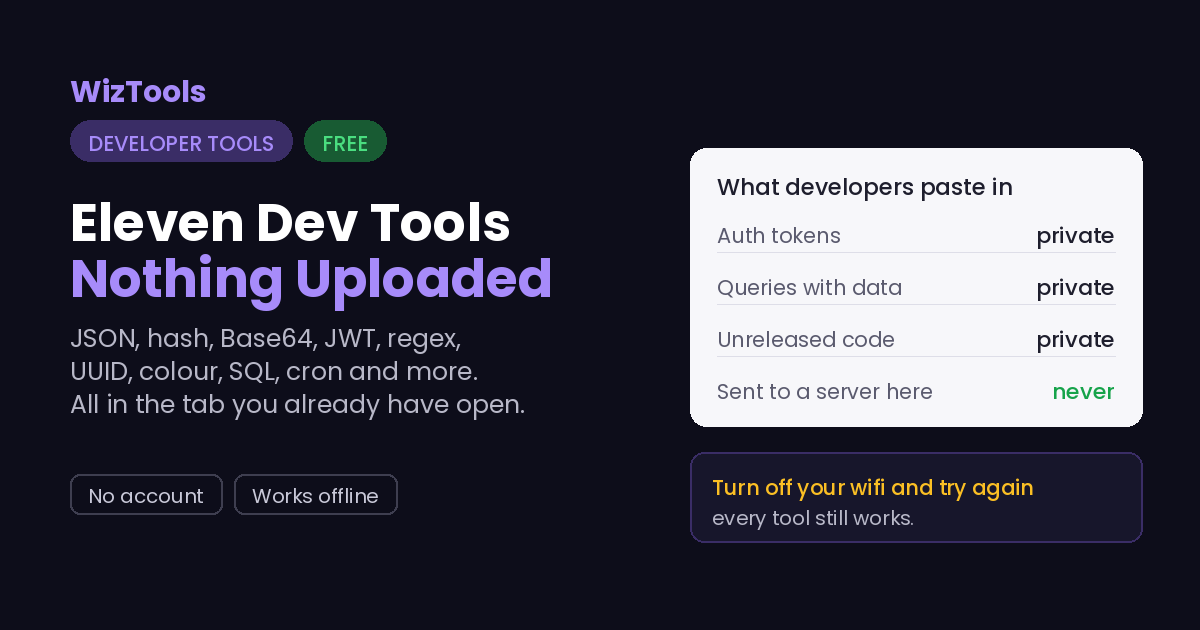
Every developer has a handful of small tools they reach for a dozen times a day: format this JSON, hash that string, decode a token, test a regex, read a cron line. They are tiny jobs, and the usual answer is a random site plastered with ads that uploads whatever you paste to a server you know nothing about. That last part is the problem, because what you paste is often a token, a query with customer data, or code that is not public yet.
Almost all of them run entirely in your browser. That is the whole point of putting them together: the input never leaves the tab, so pasting a real JWT, a production query or an unreleased stylesheet is not a risk. You can prove it by opening the Network tab, or by turning off your wifi and watching them keep working. Where a tool needs a real library, like beautifying code, formatting SQL or parsing YAML, that library is served from this site under its own open licence, not reached through an API.
They also try to be honest in a way these tools often are not. The JWT decoder reads a token but refuses to verify it, because that would mean pasting your secret into a web page. The hash generator labels MD5 and SHA-1 as broken. The minifier does the safe kind and says so. And several handle the exact corner cases that trip other tools up: UTF-8 in Base64, the cron day-field OR rule, JSON errors located by line and column. Small tools, done properly.
Frequently Asked Questions
About the set as a whole. Each tool has its own answers too.
Every Other Category
17 more sets of tools on the site. All free, all in your browser.