
WizTools123
WizTools123
Free Online Tools

Tool Categories


Video Tools New Tool

Free Online Black Frame Finder for Video

Find black frames in a video free without uploading it. Every stretch of black is listed with the exact second it starts, ends and how long it lasts, and both settings are explained so you can tell a hard cut from a real gap instead of guessing.
Free Forever Nothing Uploaded Exact Seconds Read Only
Free Online Black Frame Finder for Video
Share this tool
Advertisement Slot (Top Banner) Google AdSense Unit • Responsive Banner
Drop a video here to find its black frames Every stretch of black, with the exact seconds it starts and ends. Nothing is uploaded. Select a Video MP4, MOV, WebM, MKV, AVI and more • best under 300 MB • nothing is uploaded
0:00.000 / 0:00
How strict
Anything shorter than this is ignored. A tenth of a second catches hard cuts; a whole second only catches real gaps.
Zero means only perfectly black pixels. Real footage has noise in it, so a small allowance finds far more.
Black at the ends is usually a fade or a slate rather than a fault, so it is worth naming separately.

Output
Measured on the short side, so portrait video keeps its shape.
Dropping frames makes a smaller file. It cannot add frames that were never recorded.
.mp4

What was found

These files only exist in this tab. Save the ones you want before you close the page, because there is no copy of them anywhere else.

Buy Us A Coffee

Enjoying WizTools123? Help keep our server infrastructure 100% free and open for everyone.

Buy Us A Coffee
Sponsored Content (Below Tool) Google AdSense Placement

How to Find Black Frames

Drop it, set how strict, read the list.

1
Drop the video in It is opened by your browser and never uploaded. Nothing is written back, so the file you drop is untouched.
2
Decide how short a run counts A tenth of a second catches hard cuts and single dropped frames. A whole second only reports gaps a viewer would notice.
3
Decide how dark counts as black Zero demands perfect black, which real footage almost never has. A small allowance is what finds the blacks people actually mean.
4
Run it and read the list Each run is reported with the second it starts, the second it ends and how long it lasts, with a text copy to download.

Reading the Result Properly

What the two settings really change.

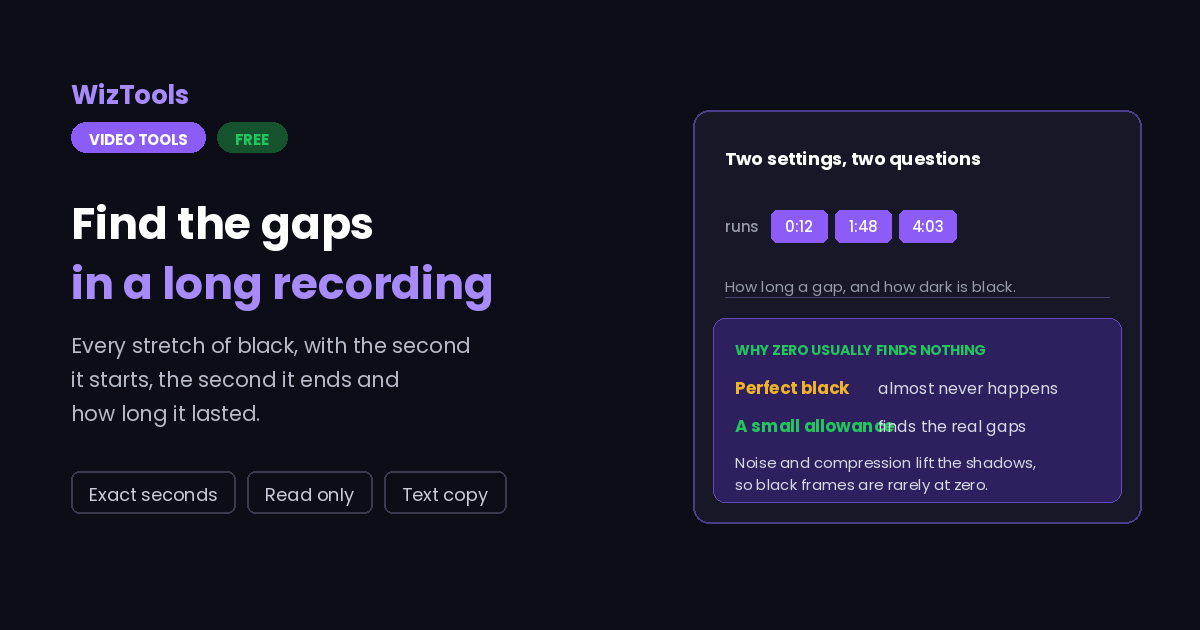
Two settings, two different questions. The shortest run decides how long a piece of black has to be before it is worth mentioning. The darkness threshold decides what counts as black at all. Loosening one finds different things from loosening the other.
Real footage is never perfectly black. Camera noise, compression and a slight lift in the blacks all mean a "black" frame usually has values just above zero. That is why the default allows a little rather than demanding absolute zero, and why zero often finds nothing at all.
Black at the very start or end is usually intentional. A fade, a slate or a leader will show up here and is not a fault. It is named separately for that reason.
Nothing found is a real answer. It means there is no stretch of black as long and as dark as you asked for. Loosen either setting and run it again rather than assuming the tool failed.
This only reads, it never writes. No new video is produced and your file is not touched. The result is a list of seconds and a text copy you can keep.
The work happens on your own machine. Your video is opened by this page, not sent anywhere. That is why there is no upload bar, no queue and no waiting for a server. It is also why a big file leans on your own processor: nothing is being done for you somewhere else.
There is a real size ceiling, and it is your device, not us. The whole video has to fit in the browser's memory while it is being worked on, so roughly three hundred megabytes is comfortable on a laptop and far less on a phone. This page tells you where you stand the moment you pick a file.
The first run downloads the engine, later runs do not. Video work needs a real encoder, and that is a thirty megabyte download the first time you press the button. Your browser keeps it, so the second video starts straight away.
Leave the tab open. All of the work is in this page, so closing it or navigating away stops the job halfway. On a phone, switching apps can do the same thing, because the system is allowed to pause a background tab.

Key Features & Capabilities

What this tool does, and what it deliberately does not.

Nothing uploaded FFmpeg runs inside your browser as WebAssembly, so the footage never reaches a server.
Exact seconds Start, end and length for every run of black, taken from the decoder rather than estimated.
Two honest settings How long a run has to be, and how dark counts as black. Both are explained rather than hidden behind a preset.
Ends called out Black at the very beginning or the very end is named separately, because it is usually a fade rather than a fault.
A text copy The findings download as a plain text file you can paste into a ticket or an edit list.
Read only No new video is written and your original is never modified.

About the Video Black Frame Detector

Black frames are where a video quietly goes wrong. A dropped section, a bad join, a capture that started early, a render that ran out of source: all of them look the same from the outside, which is a few seconds of nothing.

Finding them by hand means scrubbing, and scrubbing misses short ones. This page decodes the whole video and reports every stretch of black with the second it starts, the second it ends and how long it lasts.

Two settings decide what gets reported, and they answer different questions. The first is how long a run has to be before it is worth mentioning, which is the difference between catching every hard cut and catching only the gaps a viewer would notice. The second is what counts as black at all. That one matters more than people expect: real footage is almost never perfectly black, because of noise, compression and the slight lift most cameras put in the shadows. Demanding absolute zero usually finds nothing, which is why a small allowance is the default here.

Nothing is written. The video is read, the findings are listed, and a plain text copy is offered for pasting into a ticket or an edit list. It all happens in your browser, so the file never leaves your machine.

Frequently Asked Questions

Thresholds, gaps, and what to do with the list.

Drop the video here and press the button. Every stretch of black that is long enough and dark enough is listed with the exact seconds it starts and ends.

Usually because the darkness setting is too strict. Real footage is rarely perfectly black, so raising the allowance a little finds the blacks people actually mean.

Because the shortest run is set very low, so every hard cut through black is being reported. Raise it to a quarter of a second or more.

No. This page only reads. No new file is written and your original is untouched.

It is an edit list. The seconds line up with the timeline in any editor, and the text copy can be pasted into a ticket or a note for whoever is cutting.

No. The decoder runs inside your browser, so the file never leaves your machine.

Other Video Tools

Advertisement Slot (Bottom Banner) Google AdSense Unit • Responsive Banner